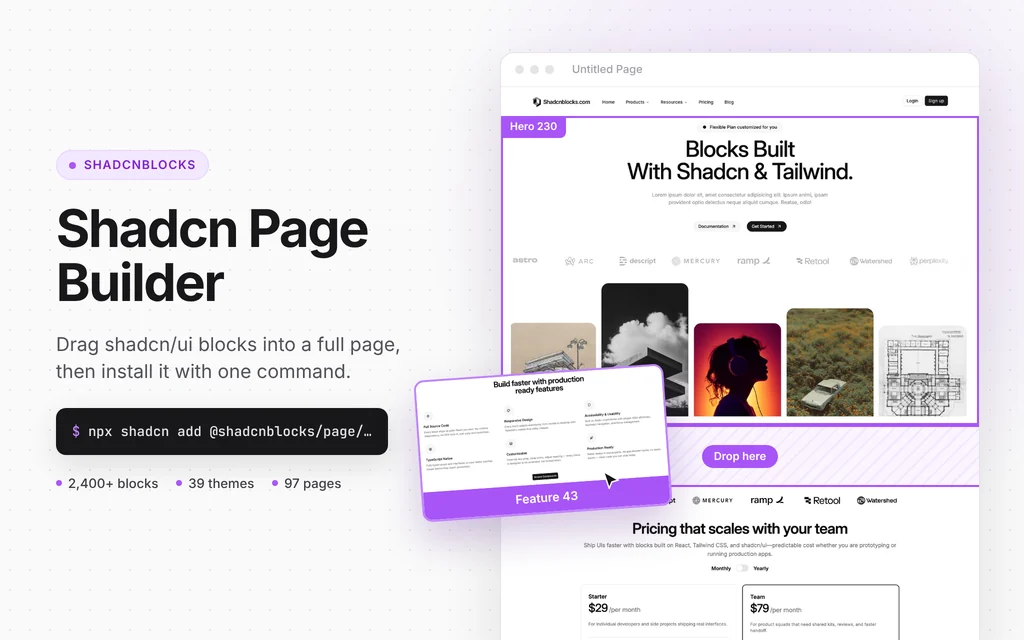
Drag-and-drop shadcn/ui page composer that installs pages with the shadcn CLI
Sleek Design
AI designer for iOS and Android app screens, with Figma and Tailwind export
PaidDesign
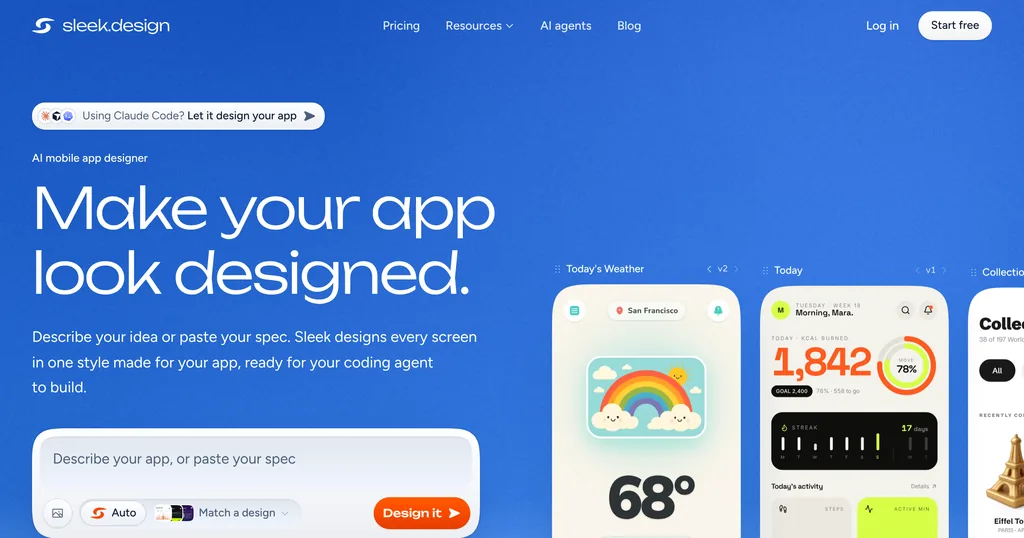
sleek.designExplore the product
AT A GLANCE
- Website
- sleek.design
- Pricing
- Paid
- Categories
- Design
- Listed
- Apr 2025
- Updated
- Oct 2026
Details about Sleek Design
KEY POINTS
- AI code generator
- Code export
Short verdict: Sleek is an AI designer for iOS and Android app screens: you describe an app, it plans a visual style, then draws every screen in that style and hands them over as Figma layers, HTML, or React with Tailwind CSS. The 50 template screens we inspected were consistent and built on Tailwind CSS 4 with shadcn/ui-style theme variables, but they are mockups, with placeholder content, hotlinked images and many icon buttons that have no accessible name. Nothing is generated before you create an account, and the free plan's 60 one-time credits cover about two screens. It suits founders and developers who want a designed app to hand to a developer or a coding agent; anyone who needs a working app, web pages or a landing page should look elsewhere.
How we reviewed it: On 23 October 2026 we read Sleek's home, pricing and agent pages, its terms of service (updated 8 September 2026), the API reference and OpenAPI spec, and its agent skill on GitHub. We typed a sample prompt on the home page and clicked Design it with network logging on, then loaded 8 of Sleek's 99 public templates in Chromium and inspected the HTML behind their 50 screens. We did not create an account, so we could not generate or edit a screen or test the Figma, HTML and React exports. Prices and limits come from Sleek's site on the same day.
Disclosure: the Visit Sleek link on this page carries a Tailkits referral tag (ref=tailkitscom), and Sleek's affiliate program pays Tailkits a recurring commission on subscriptions bought through it.
What Sleek costs and includes
| Item | Sleek on 23 October 2026 |
|---|---|
| Type | AI mobile app designer from 140g Labs LLC of Wyoming. When Tailkits first listed it in April 2025, Sleek generated landing pages with Next.js code; it now designs only iOS and Android app screens. |
| Input | A sentence, a pasted spec or a screenshot you like; Match a design applies a style from Sleek's reference library |
| Output | A project of screens in one theme, exported as Figma layers (pasted in, no plugin), HTML, or React with Tailwind CSS, per Sleek. There is no React Native, SwiftUI or Kotlin export. |
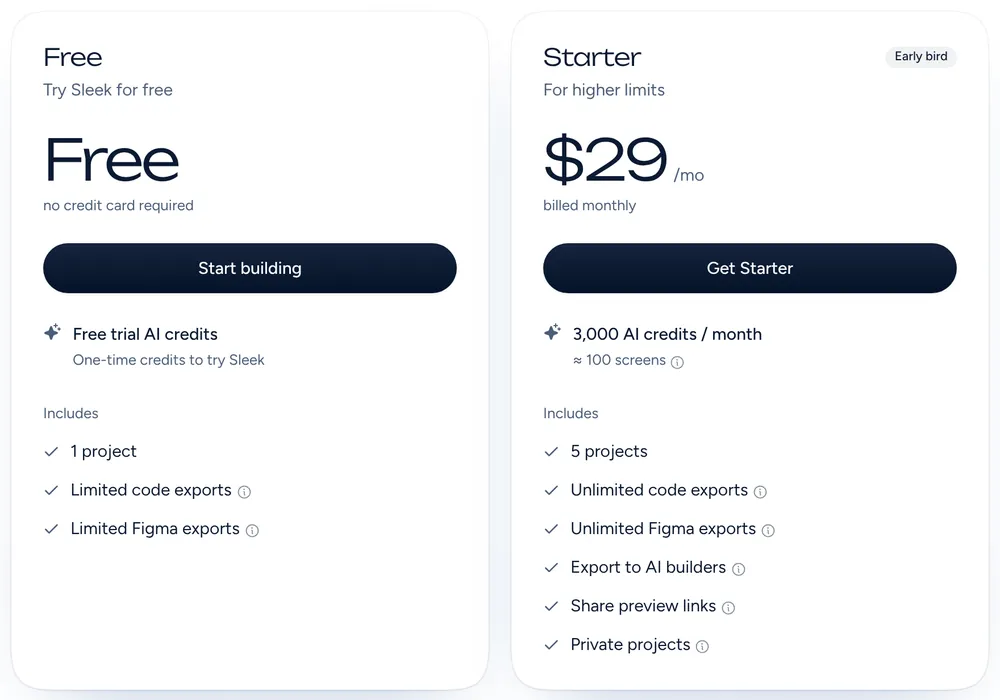
| Free plan | $0: 60 one-time credits, 1 project, 3 screens, limited Figma and code exports |
| Paid plans | Starter $29 a month or $240 a year: 3,000 credits a month (about 100 screens), 5 projects, unlimited exports, private projects and preview links. Pro $69 a month or $360 a year: 20,000 credits a month (about 650 screens), unlimited projects, the API and agent skill. Team $99 per seat a month or $490 per seat a year: 30,000 credits per seat and team billing. All three are labeled "Early bird". Sleek pricing |
| How usage is limited | AI credits: about 30 for a new screen and 5 to 30 for an edit, more with long prompts or images. Pro and Team can buy 5,000 more for $15, and those never expire. Payments, unused credits included, are not refundable. |
| Agent access | A REST API with 14 operations, a remote MCP server and an MIT-licensed agent skill; ongoing use needs Pro or Team |
| Ownership and data | You own the designs and code and may use them for client work, per the pricing FAQ. The terms do not promise that AI output is original or non-infringing, and say Sleek does not train on your content without your consent. |
| Templates | 99 app templates in 10 categories, counted from Sleek's sitemap |
What we found in the templates and the sign-up flow
The first prompt needs an account
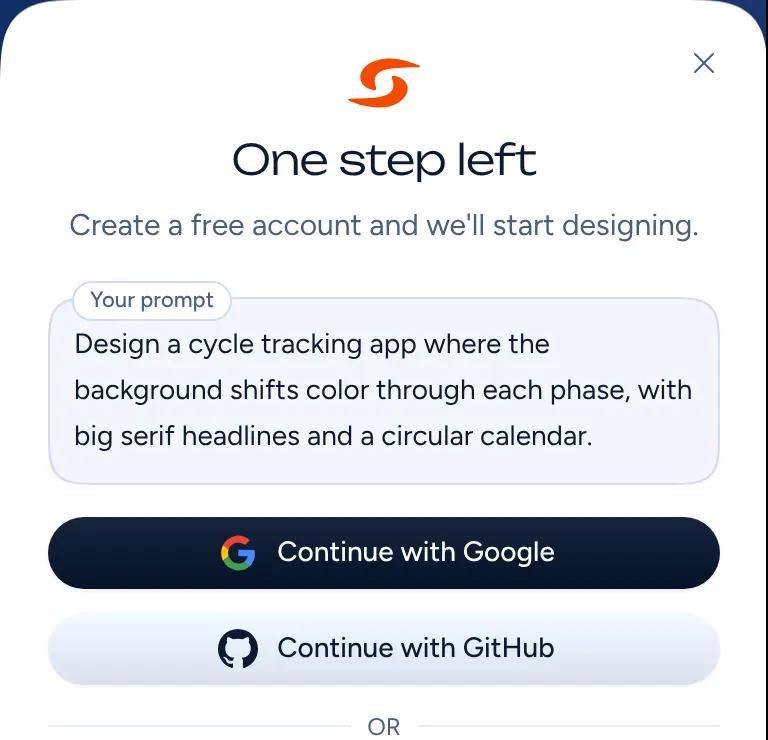
The home page prompt box takes text or an image and offers sample prompts that type themselves out. Clicking Design it opened a "One step left" dialog asking for a Google, GitHub or email account. The prompt waits in the browser under sleek-pending-prompt, and no request sent it anywhere before sign-up. Templates follow the same rule: Use this template redirects to the login page, so the public template pages are the only place to see Sleek's output without an account.
One style across a whole app
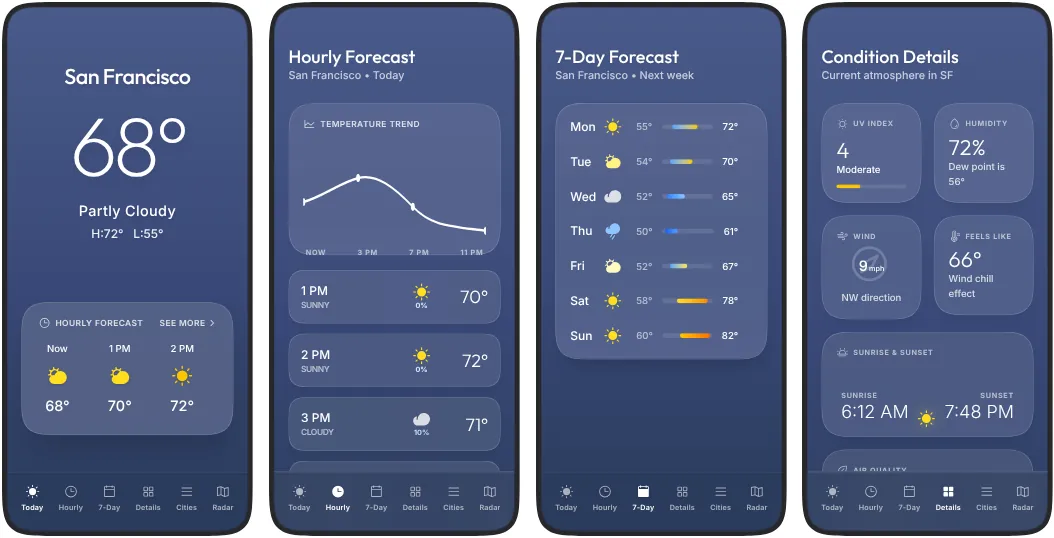
The eight templates we opened had six or seven connected screens each. The Weather App's Today, Hourly, 7-Day, Details, Cities and Radar screens share one gradient, one frosted card style, the Outfit and Inter fonts and a six-tab bar, which is the consistency Sleek promises when it plans a style before drawing. Each screen is a separate HTML document in a 402 by 874 px frame, and each one draws its own tab bar.
Tailwind CSS 4 with shadcn/ui-style tokens
All 50 screens rendered with Tailwind CSS 4.1.18, compiled in the page by Tailwind's browser build. The theme sits in CSS variables with shadcn/ui names such as --background, --primary, --muted-foreground, --radius and five chart colors, so it maps onto a shadcn/ui project. A screen's markup weighed a median 11 KB with about 280 class names, roughly 12 of them arbitrary values like rounded-[1.75rem]. Icons are inline SVGs from Iconify sets such as Phosphor and Solar, so there is no icon package to install.
Labels, alt text and images to fix
Across the 50 screens, 133 of 359 buttons and links (37%) had no text, aria-label or title, mostly round icon buttons such as the swipe actions on the dating template and the map controls on the weather radar; 39 screens had at least one. 26 of 79 images had no alt text, and 30 screens had no <main> landmark. Images point at Sleek's Supabase storage and sample avatars at randomuser.me, so download or replace them before launch.
What the credits buy
At Sleek's estimate of about 30 credits per new screen, the free plan's 60 credits make about two screens, although the FAQ also promises three. Starter's 3,000 monthly credits come to about 100 screens and Pro's 20,000 to about 650, before edits, which cost 5 to 30 credits each. Starter users who run out wait for the monthly refill or upgrade, because only Pro and Team can buy more. Yearly billing is where the price drops: Pro falls from $828 to $360 a year ($30 a month) and Starter from $348 to $240.
Built to be driven by a coding agent
Pro and Team include a REST API, a remote MCP server for Claude Code, Cursor, Claude.ai and ChatGPT, and an agent skill installed with npx skills add sleekdotdesign/agent-skills, MIT-licensed and last updated on 5 October 2026. The API creates projects, runs a design chat, returns every screen's HTML with its version history and renders screenshots. The skill also tells the agent how to rebuild the HTML in React Native: set flexDirection on every row, wrap strings in <Text>, add safe-area insets and convert the oklch() colors React Native cannot read. That is Sleek's real path to a native app: it designs, and your agent rebuilds.
What you still have to build
The app itself. Sleek's screens are mockups. Data, navigation, sign-in, a backend and payments are yours or your agent's.
Native code. Exports are web HTML and React. An App Store app needs the screens rebuilt in React Native, SwiftUI or Kotlin.
Navigation chrome. Every screen draws its own tab bar or header; build it once in your app's navigator.
Accessibility. Add labels to icon buttons, alt text to images and landmarks to each screen.
Real content and assets. Replace placeholder names, numbers and avatars, and host the images yourself.
Pros and cons
Pros
Every screen of an app comes out in one style, as all eight templates we opened show.
Modern code: Tailwind CSS 4.1.18 with shadcn/ui-style theme variables and inline SVG icons.
Agent support goes beyond a prompt box: API, MCP server and an MIT-licensed skill with React Native porting rules.
Plain terms: you own the output, client work is allowed and your content is not used for training without consent.
Cons
No design runs without an account, and the free credits cover about two screens.
Mockups only, with no React Native, SwiftUI or Kotlin export.
37% of the buttons and links in the screens we checked had no accessible name.
API and agent use needs Pro at $69 a month, or $30 billed yearly; private projects need Starter.
Mobile only, and no refunds, even for unused credits.
How Sleek compares
Rork builds working native apps in SwiftUI and Kotlin and can publish them to the stores. Its free plan only designs screens (35 design credits a month) and Pro costs $20 a month. Pick it if you want an app rather than designs.
Figma Make turns prompts or your Figma frames into a prototype or web app inside Figma. Starter is free with 500 AI credits a month, and a Professional Full seat costs $16 a month billed yearly. Pick it if your design system already lives in Figma.
Stitch, a Google Labs experiment still marked beta, generates mobile and web UI and front-end code from a prompt or image and pastes designs into Figma, per Google. Pick it if you also need web screens; we could not load its app in our test browser to check its limits.
See all design tools for more options.
Who should buy Sleek
Buy it if you are building a mobile app, don't want to design it yourself, and plan to hand the screens to a developer or a coding agent: Starter is enough for an app or two a month, and Pro lets your agent drive Sleek directly. Skip it if you need a working app without code, web pages or a landing page, or if your designers already work in Figma.
FAQ
Is Sleek free?
Partly. The free plan gives 60 one-time credits, 1 project and up to 3 screens with limited Figma and code exports, but Sleek asks for an account before it designs anything. At about 30 credits per new screen, the credits last for about two screens.
Can Sleek export React Native or SwiftUI code?
No. Sleek exports Figma layers, HTML, and React with Tailwind CSS. For a native app, a developer or coding agent rebuilds the screens; Sleek's agent skill includes rules for porting them to React Native.
Can I use Sleek designs for client work?
Yes. Sleek's pricing FAQ says you own the designs and code you create and can use them for commercial apps and client work. Its terms do not guarantee that AI output is original or non-infringing, so review it before launch.
Does Sleek work with Claude Code or Cursor?
Yes, on the Pro or Team plan. Sleek has a REST API, a remote MCP server and an agent skill. A free account can try them with its trial credits, which Sleek says cover about one design run.
Does Sleek still build landing pages?
No. When Tailkits first listed Sleek in April 2025 it generated landing pages with Next.js code; it now designs iOS and Android app screens only.
KEEP EXPLORING
More design tools