
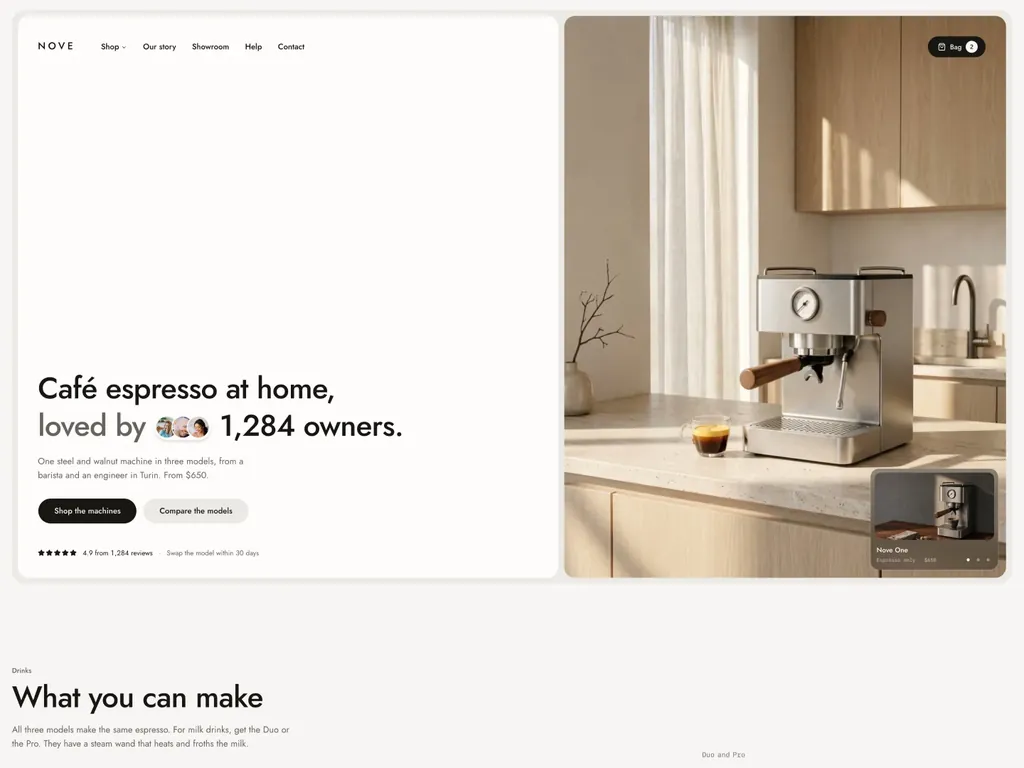
Next.js and Astro single-product store with a model picker and checkout UI
Nook
Next.js template for Mac and iPhone apps, built around a full download page
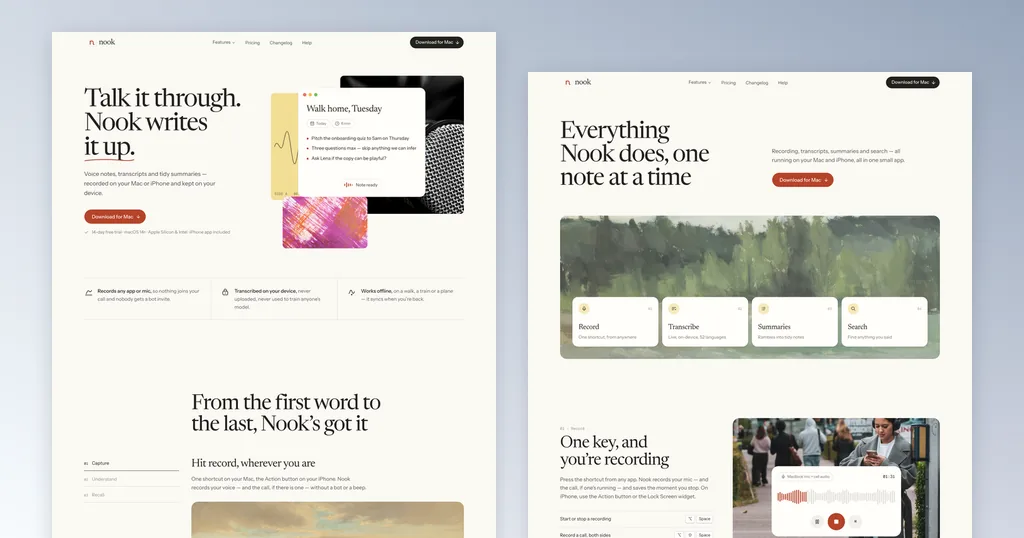
cruip.comExplore the product
AT A GLANCE
Details about Nook
KEY POINTS
- Tailwind CSS v4
- Figma file
- MDX support
Short verdict: Nook gives a Mac app the download page its buyers look for (requirements, file details, install steps and a guide after the click) in a warm paper-and-serif design, with the app's screens rebuilt in code and a thorough reduced-motion mode. Nothing behind the buttons works yet: downloading, buying and both forms are placeholders, and a carousel bug hides the home page's LCP from Chrome. Buy it to sell a Mac app, with or without an iPhone companion, directly with a trial and license keys; skip it for an App Store-only phone app or a sign-up-first product.
How we reviewed it: On 24 November 2026 we used the live Next.js demo, without Cruip's purchase banner, on desktop and a 390 px phone screen. We opened all 15 sitemap URLs, clicked the download button, submitted both forms with sample data while blocking other hosts, searched the help center and timed the animations with and without reduced motion. Lighthouse 12.8.2 ran once per page. We did not buy the template, so we can't judge the source code, the Figma file or the other editions. Prices and terms are from cruip.com that day.
Disclosure: Our links to Cruip carry a referral tag.
What you get for $49
| Price | $49 one-time, per Cruip. Also one of 13 templates in Cruip's Modern Bundle: $149 one-time, $74.50 in Cruip's Black Friday sale (no end date given). |
|---|---|
| Version | Cruip gives no version number or release date, and its changelog has no entry for Nook. It appeared on cruip.com after 23 October 2026. |
| Size | 12 pages, per Cruip. The demo's sitemap lists 15 URLs, four blog posts and three legal pages among them, which comes to 12 page types, plus a custom 404 page. |
| Stack | Next.js 16.4.6, Tailwind CSS v4, shadcn/ui on Radix, and Motion, read from the demo. Cruip's page also lists HTML, Vue and Astro downloads; their demo addresses returned 404, so we could not check them. |
| Extras | An MDX blog, and a Figma file Cruip calls a visual reference only, per Cruip. We did not see the Figma file. |
| License | Unlimited end products for you or your clients. No use in site builders or theme generators, no redistribution, no team license. One year of support; refunds only if a product is defective or won't download. License terms |
What we found in the demo
A download page built for a Mac app
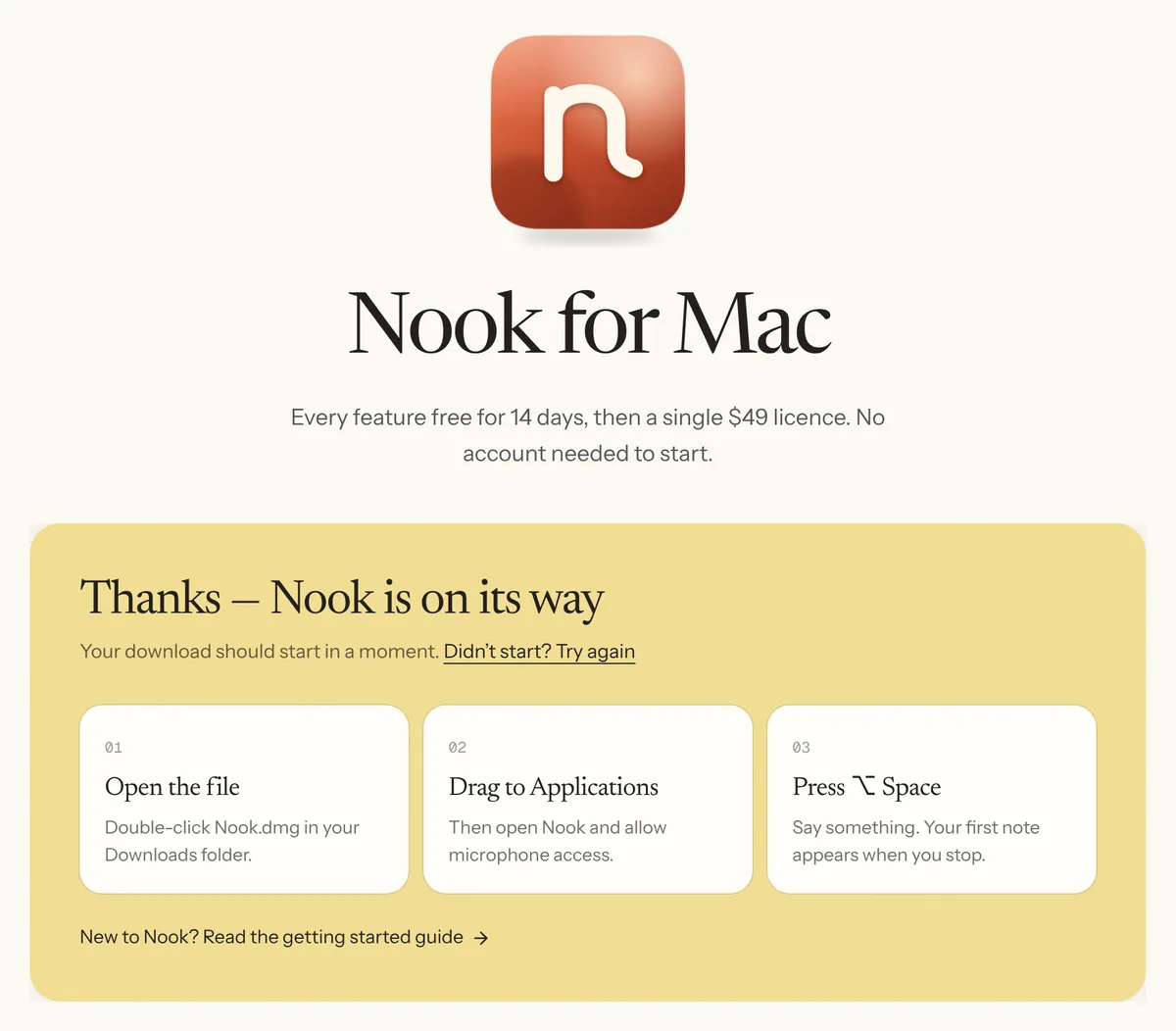
Below a glassy app icon and a painted backdrop with a macOS Dock, the download page lists the sample app's file details (version 2.4.0, 38 MB, "signed and notarised", a SHA-256 checksum with a Copy button), Mac requirements (macOS 14 or later, Apple Silicon or Intel, 8 GB of memory), three illustrated install steps and install questions. The iPhone card's App Store button is a styled link to #.
Clicking Download Nook.dmg downloads nothing and sends no request; the buttons give way to a "Thanks — Nook is on its way" panel with three steps. Wiring it to your signed file is your job; a leftover sample checksum would fail anyone who checks it. On a 390 px phone the Dock is cropped at the right edge.
Waitlist and contact forms that send nothing
The Windows and Android waitlist rejected an empty field, reviewer@ and reviewer example.com with one message and set aria-invalid; a valid address showed "You're on the list." with no network request and nothing saved. The help center's contact form checks each field, then thanks you by first name ("Thanks, Review. We've got your message") without sending the message anywhere. With other hosts blocked, nothing tried to reach one.
A help center whose search works
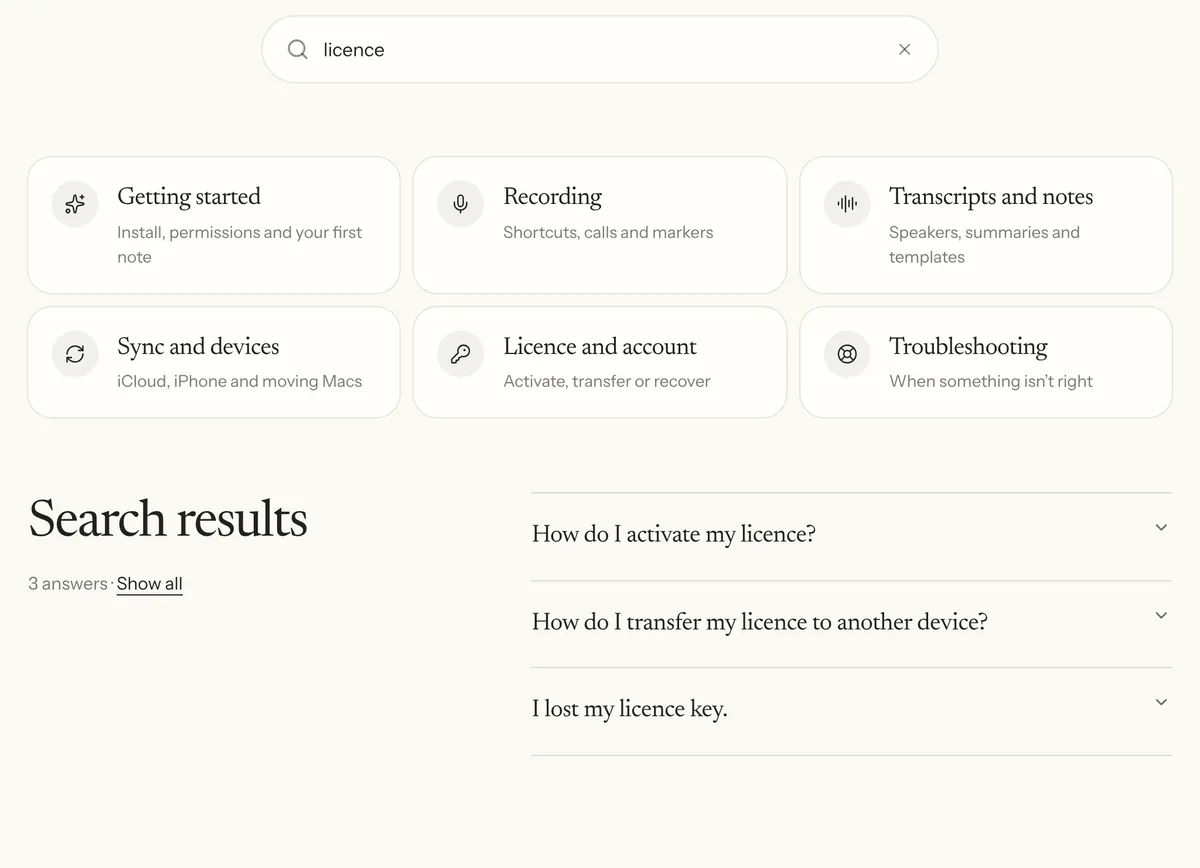
Search filters the 14 help questions as you type and matches answers too: "licence" left 3, "iCloud" found 2 through their answers, and a nonsense word showed "Nothing matches that yet" with a Show all link. Six topic cards filter by category.
One license, no plan toggle
Pricing is one card for the sample app: $49 once for up to three devices, a year of updates, renewals at 40% off and a 14-day trial without a card. There is no monthly or yearly switch, which suits a pay-once app. The Buy Nook button links to #.
App screens built in code, with a full reduced-motion mode
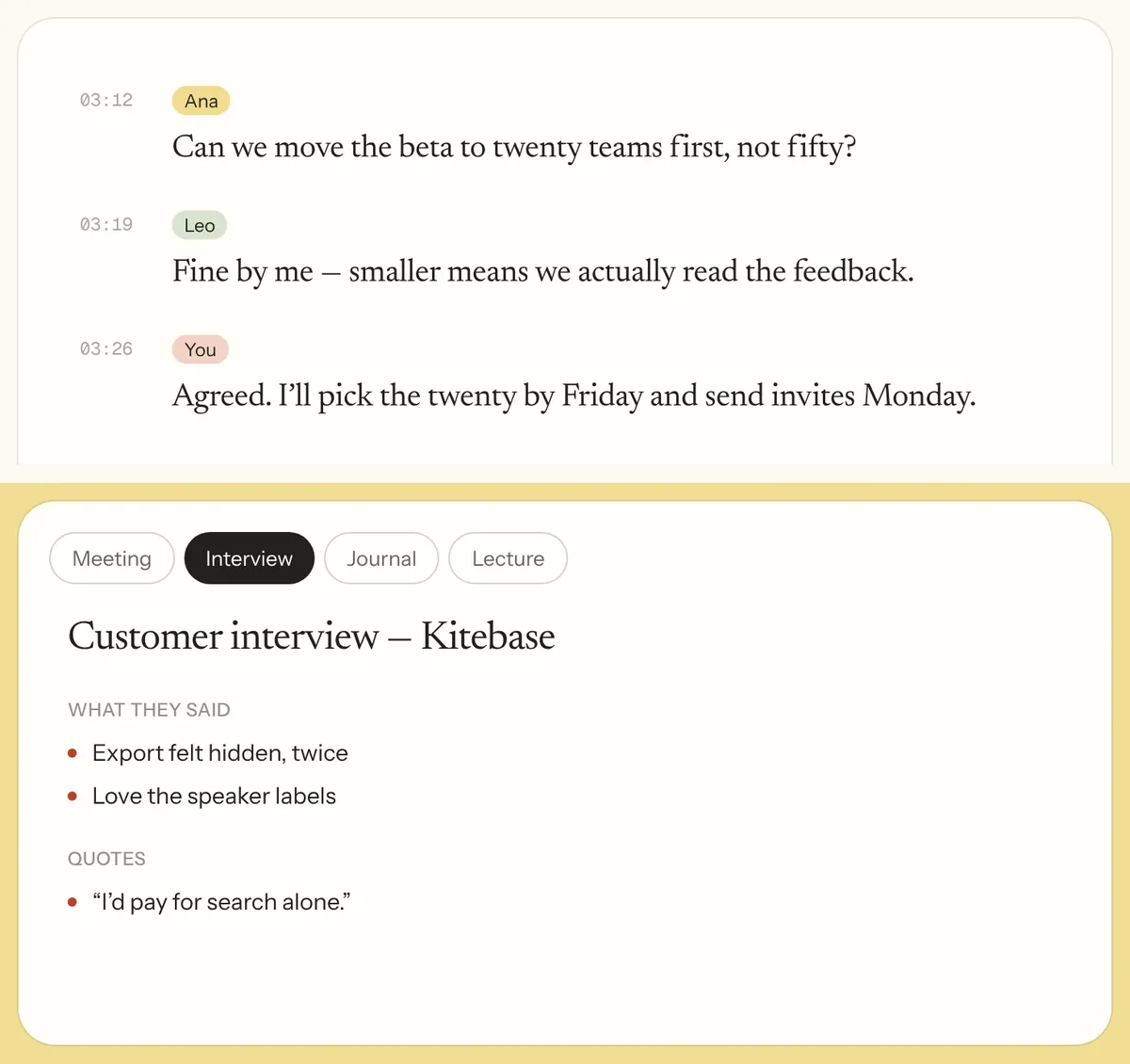
The app's windows are HTML, not screenshots, and several act out the product. On the home page a note types three lines in about 5 seconds and starts over every 9 or so, a recording timer loops from 01:24 to 01:53, and Ask Nook types three questions in turn, each answered with the recordings it came from. The features page types a transcript with speaker labels, and four template buttons rewrite a summary. Waveform bars pulse in CSS, the loops keep running off-screen, and sections fade in and rise 16 px as they appear (Motion).
With reduced motion on, every widget shows its finished state, timers stop and nothing keeps animating; sections still fade in but no longer move, and smooth scrolling is off.
Changelog, blog and the rest
The sample changelog lists seven releases, 2.0.0 (2 April 2026) to 2.4.0 (12 November 2026), with New, Improved and Fixed lists. Four blog posts, an about page for a fictional team and three legal pages marked as example text complete the set; every page fit a 390 px screen without sideways scrolling.
Performance and SEO
Lighthouse 12.8.2, one run per page on 24 November 2026:
| Page | Performance | Accessibility | Best practices | SEO |
|---|---|---|---|---|
| Home, mobile | No score (no LCP) | 96 | 100 | 100 |
| Home, desktop | No score (no LCP) | 96 | 100 | 100 |
| Download, mobile | 71 | 88 | 100 | 100 |
| Download, desktop | 99 | 88 | 100 | 100 |
Lighthouse could not score the home page in either run. It reported NO_LCP: Chrome recorded no Largest Contentful Paint, although first paint came at 1.0 s on mobile with no layout shift. We traced it to the testimonials carousel, which has smooth scrolling and side padding but no matching scroll padding. On first layout the browser snaps it 24 px sideways (59 px on desktop) with an animated scroll within the first second, and Chrome stops looking for LCP once a scroll happens. With scroll padding added, our unthrottled test recorded the headline as LCP at about 0.8 s. The snap also leaves the first testimonial card flush against the screen edge. Until it is fixed, lab tools can't score the page, and we expect real Chrome visits to report no LCP either, a gap in Core Web Vitals data rather than a bad number (we did not measure field data).
The download page's 5.7 s mobile LCP is the painted backdrop behind the Dock, a 508 KiB JPEG marked loading="lazy", so it loads late. All photos ship as original JPEGs without resized or WebP versions: the home page moves about 2.3 MB, 1.8 MB of it images, and on the download page Lighthouse estimates 401 KiB of savings from sizing alone.
Accessibility loses points for light grey text (as low as 2.73:1 against a 4.5:1 minimum) and, on the download page, a jump from H1 to H3 and div elements inside the install-steps list. No page requested anything from another host.
No page outputs structured data: no sample ratings to remove, but no SoftwareApplication markup either. Canonical URLs, the sitemap and robots.txt point at nook.example.com until you set your domain.
What you still have to build
Downloads. Host the signed .dmg, point the button at it, and update the file details with each release.
Payments and license keys. Connect a payment provider that issues keys and lets buyers recover them.
Forms. Connect the waitlist and contact form to an email list and a help desk.
App Store link. Add your App Store URL to the iPhone card.
Claims and people. Replace the "Rated 4.9 by more than 3,000 Mac and iPhone users" line, six testimonials with portraits, the team bios, and the Notion, Dropbox, Intercom, Zendesk and Webflow logos in the export section unless you integrate with them. Privacy promises, the 52 transcription languages and the legal pages must match your product.
Domain and footer. Set your domain, and replace the footer credit to Cruip and the generic social links.
Pros and cons
Pros
The download page answers the install questions, from requirements to a post-click guide.
The app UI is markup you can restyle, and reduced motion stops every loop.
Help search covers questions and answers, with topic filters and an empty state.
Best practices and SEO score 100 on both pages.
Cons
The home page gets no LCP measurement until the carousel is fixed.
Unresized JPEGs make the pages heavy, and the lazy backdrop slows the download page on mobile.
Download, Buy, App Store and both forms are placeholders.
Only the Next.js edition can be checked, and Cruip refunds only defective products or failed downloads.
How Nook compares
Kestrel is Cruip's other download-first template, also $49: dark and monochrome, with an editor-style interface for desktop and iPad tools, customer logos and 10 pages, per Cruip. Choose it for a professional or creative tool.
Appy, a Cruip Classic template ($49, or in the $39.50 Classic Bundle during the sale), presents a phone app with dark and light layouts and App Store and Google Play buttons, per Cruip. Pick it if your app ships through the stores.
Kinto from Shadcnblocks ($79, or $47 with its Black Friday code when we checked) is a journal-app template with Next.js and Astro editions and 18 pages. Its demo leads to sign-up pages, so it suits a web-first app with accounts.
Cruip's Modern Bundle includes Nook, Kestrel and 11 more; at the $74.50 sale price it costs less than two single templates.
See all landing page templates for more options.
Who should buy Nook
Buy Nook if you sell a Mac app, perhaps with an iPhone companion, straight to customers: the download page, license pricing, changelog and help center are designed. Plan for the download, payment and form work, and fix the carousel and images before launch. Look elsewhere for an App Store-only app, a sign-up-first product, or an HTML, Vue or Astro build that Cruip can't confirm before you pay.
FAQ
Does Nook's download button deliver a real file?
No. In the demo, Download Nook.dmg shows a three-step install guide and requests nothing. You host your signed and notarized .dmg, link the button to it, and update the version, file size and SHA-256 checksum on the page with each release.
Can Nook take payments or collect waitlist sign-ups as it is?
No. The Buy Nook button links to #, and the waitlist and contact forms check the input, show a thank-you message and send nothing. Before launch, connect a payment provider that issues license keys, an email list for the waitlist and a help desk for support.
What does Nook cost, and is it in a bundle?
Nook costs $49 one-time from Cruip and is one of 13 templates in the Modern Bundle ($149, or $74.50 during Cruip's Black Friday sale). Cruip's license covers unlimited sites for you or your clients. The $49 app license on the demo's pricing page is sample copy for the fictional app.
Which framework editions come with Nook?
Cruip lists HTML, Next.js, Vue and Astro downloads but describes the build as Next.js 16 with React 19, Tailwind CSS 4, shadcn/ui and Motion, and only the Next.js demo is online. We tested the Next.js edition. If you need another one, ask Cruip before buying: it refunds only defective products or failed downloads.
Does Nook respect reduced motion settings?
Yes. With reduced motion on, the self-typing notes, transcripts and timers show their finished state and stop, the waveform bars stand still, and sections fade in without sliding. Nothing keeps looping.
New templates like Nook, in your inbox
The best developer tools, templates and UI components added to Tailkits, each reviewed by an editor. Free, unsubscribe in one click.
26 new in the last 30 days322 products reviewed so farSee what you get
KEEP EXPLORING
More templates Good company for Nook.
Do you make Nook? Get a badge for your site
An optional "Featured on Tailkits" badge that links to this page. Pick light or dark and paste the code into your site, for example in the footer.