
Next.js and Astro single-product store with a model picker and checkout UI
Clause
Next.js legal tech SaaS template with per-seat pricing and a WebGL hero
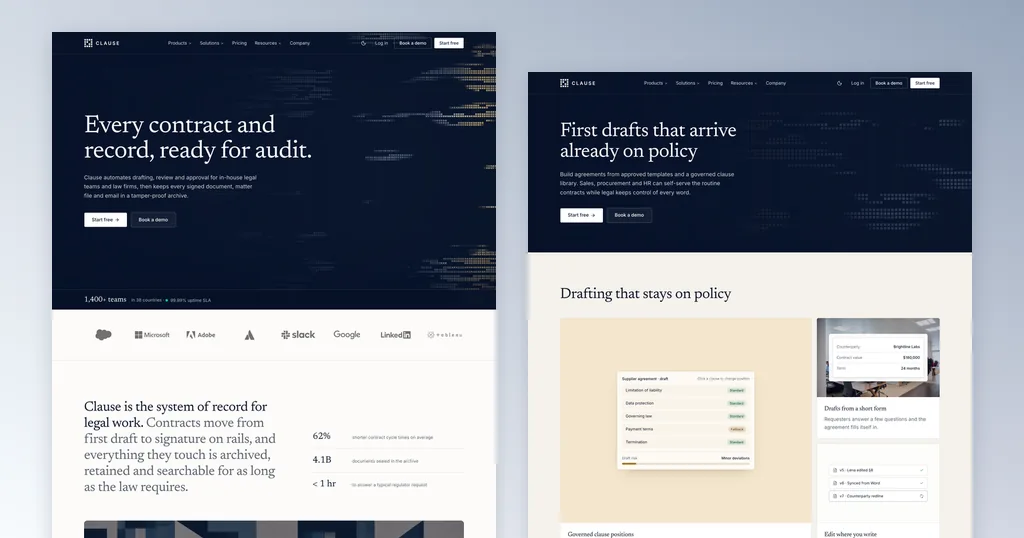
cruip.comExplore the product
AT A GLANCE
Details about Clause
KEY POINTS
- Tailwind CSS v4
- Figma file
- MDX support
Short verdict: Clause is a 29-page marketing site for legal and compliance software, with a complete per-seat pricing page, product and solution pages on shared layouts, and six forms with careful validation. None of the forms sends anything, and the home page borrows credibility you must replace before launch: eight real brands' logos, compliance badges and a 99.99% uptime SLA. It suits contract, records or compliance software sold to self-serve teams and enterprises, with a developer for sign-up, forms and billing; skip it if you need working forms on day one or a law firm site.
How we reviewed it: On 24 November 2026 we used the live Next.js demo, without Cruip's purchase banner, on a desktop and a 390 px phone screen. We loaded all 29 pages, submitted the six forms with sample data while logging requests and blocking other hosts, and checked the site with reduced motion and with JavaScript off. Lighthouse 12.8.2 ran once per page on the home and pricing pages. We did not buy the template, so we could not read the code, the Figma file or the HTML, Vue and Astro editions. Prices and terms are from cruip.com that day.
Disclosure: Our links to Cruip carry a referral tag.
What you get for $49
| Price | $49 one-time. Clause is also one of 13 templates in Cruip's Modern Bundle: $149 one-time, or $74.50 in Cruip's Black Friday sale (no end date given). |
|---|---|
| Editions | Cruip lists four separate downloads: HTML with Alpine.js, Next.js 16 with TypeScript, Vue 3 with Vite, and Astro. The same page says Clause is built with Next.js 16, React 19, Tailwind CSS 4 and shadcn/ui, and only the Next.js demo exists: the Astro, HTML and Vue demo addresses return 404. |
| Stack we saw | Next.js and React, Tailwind CSS v4, shadcn/ui components, Motion animations and a hand-written WebGL shader. The blog is written in MDX, per Cruip. |
| Size | 20 pages, per Cruip's sidebar ("20+" in its copy). We counted 29 URLs: home, pricing, sign-up, log-in, book a demo, contact, company, careers with 5 role pages, 4 product pages, 4 solution pages, a blog with 4 posts and 3 legal pages. |
| Version | No version number or release date. Cruip's changelog has no entry for Clause. |
| Design file | A Figma file "solely as a visual reference", per Cruip's FAQ, without auto layout or components |
| License | Unlimited end products for you or your clients. No website builders or theme generators, no reselling, and access can't be shared. No team license. Terms and license |
| Support and refunds | One year of support. No refunds unless the download is defective or fails. Students get 25% off. |
What we found in the demo
Pricing built for seats, trials and enterprise deals
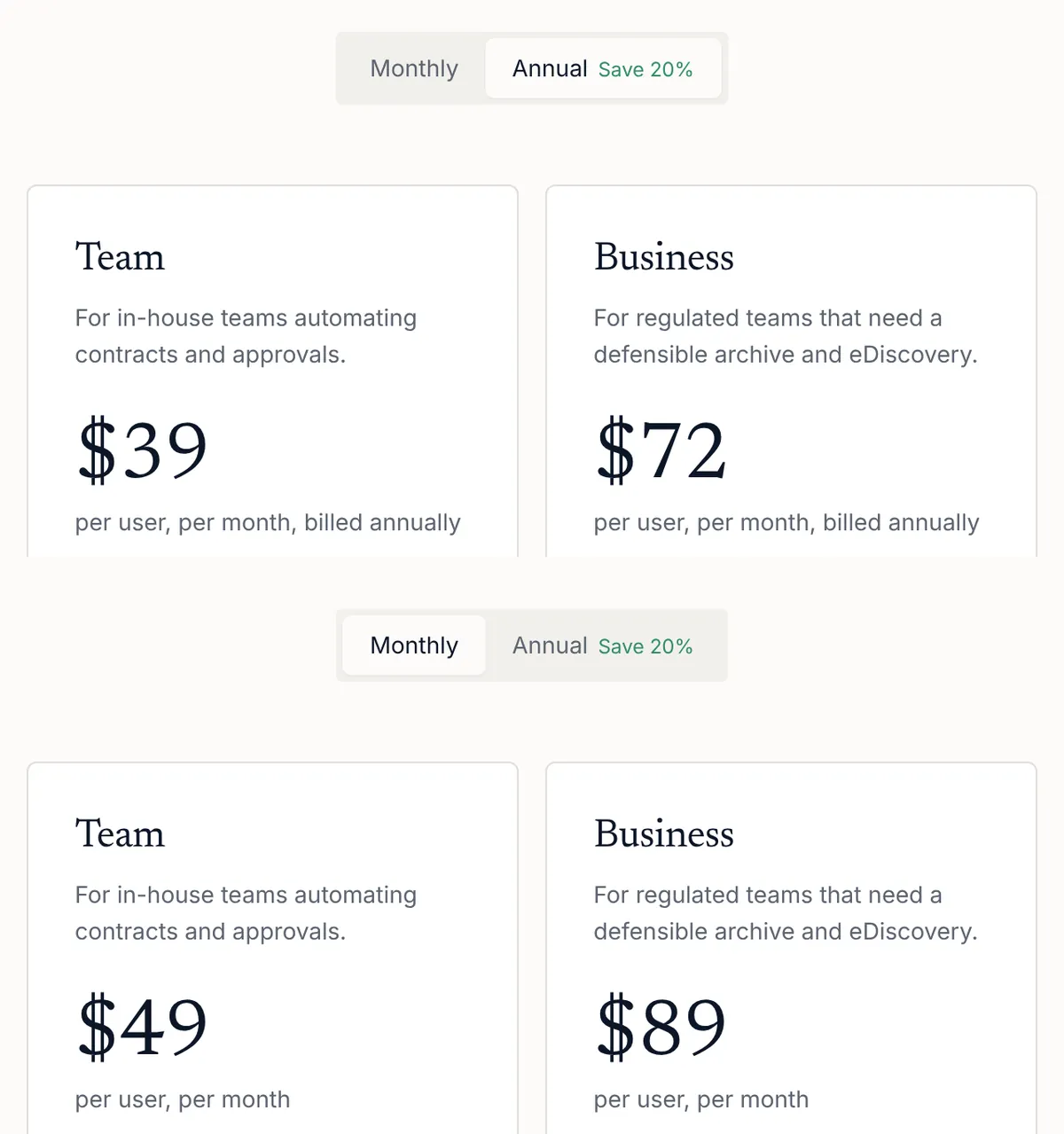
The pricing page opens on annual billing, labeled "Save 20%": Team costs $39 a user per month instead of $49 monthly (20.4% less) and Business $72 instead of $89 (19.1% less). Starter is free for 3 users and Enterprise is "Custom". A 20-row comparison table, four priced add-ons and six FAQs follow. Plan buttons pass the plan, but not the billing period, to sign-up (/signup?plan=team), which preselects it, and the switch resets to annual on reload.
Six validated forms that send nothing
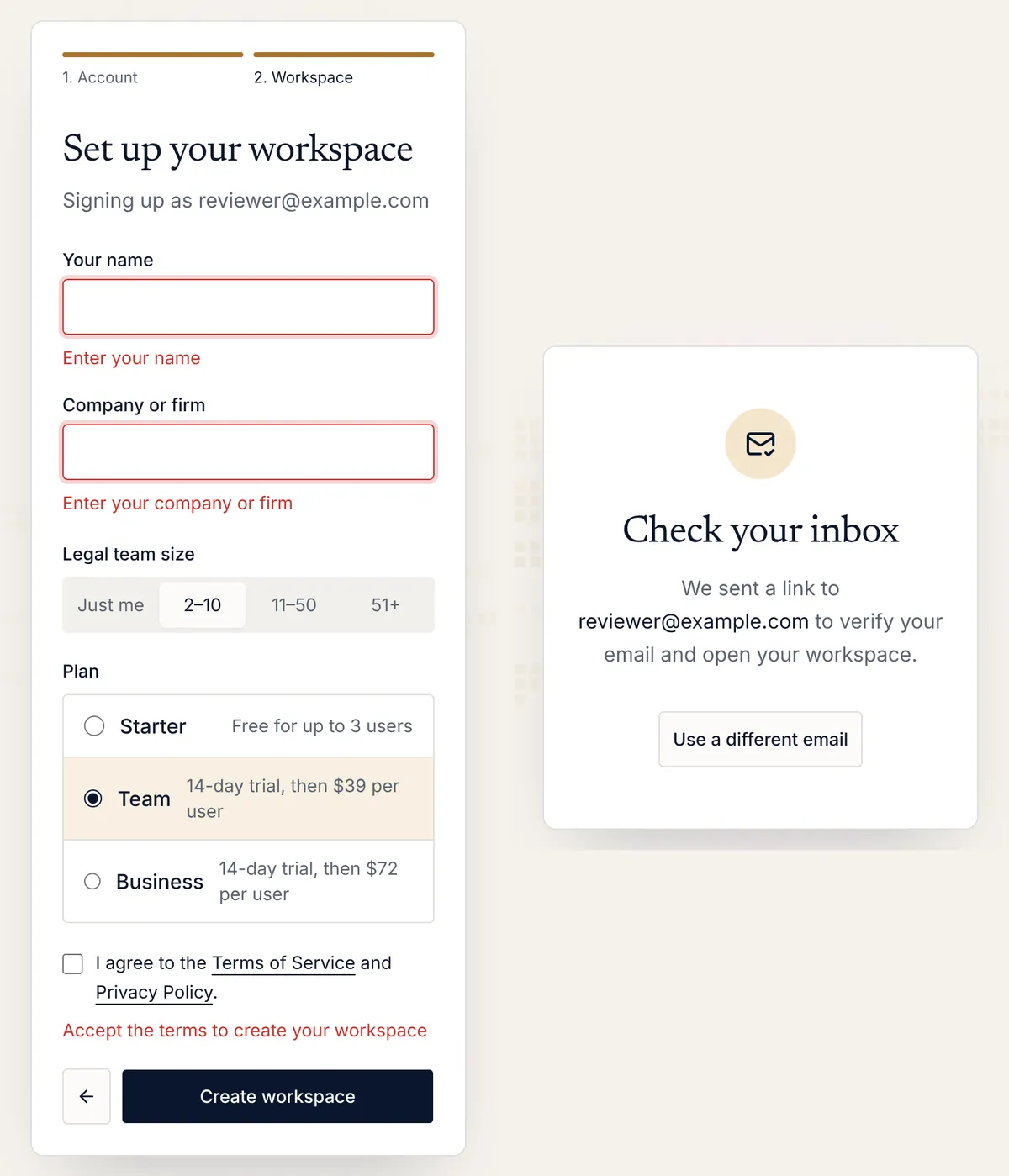
Cruip calls the forms validated, and they are: sign-up, log-in, book a demo, contact, the job application and the newsletter all reject empty and malformed input with a specific message under the field. Sign-up has two steps: account, then workspace. Log-in, single sign-on and the Google and Microsoft buttons state that they are not connected yet.
The other five end on success messages with nothing behind them: with valid sample data, no request carried the data to the demo's server or any other host, and no email link opened. Sign-up even says "We sent a link to [email protected]". The application form takes a CV link, not a file, and the demo form's "Work email" accepts a Gmail address.
A home page built from live product mock-ups
The home page shows the product as small working interfaces, not screenshots. A browser mock-up steps an agreement through five approval stages by itself. In the bento below, a "Recently sealed" counter climbed from 18,206 to 18,208 in five seconds, clauses cycle from Standard to Fallback to Needs approval when clicked, and three custodians have legal-hold switches. Use-case tabs, customer stories, security badges and rotating testimonials follow.
Product and solution pages on two shared layouts
The four product pages share one structure (bento, four steps, six features, links to the other products), and the four solution pages another: a customer story with a photo carousel, a quote and three figures, then the tabbed challenges slider, three "Today" versus "With Clause" comparisons that advance by themselves until you pick one. The slider is a proper tab list, though arrow keys don't move between tabs. Cruip says adding a fifth product "is a matter of adding data". We can't see the code, but the headings look generated, quirk included: "How ediscovery & legal holds works".
The WebGL hero: light to download, busy to run
The animated pixel pattern behind 12 of the 29 pages is a hand-written WebGL shader, about 3 KB of compressed JavaScript, no 3D library. It redraws every frame while visible and pauses off-screen. With reduced motion requested it draws one still frame and stops, but the mock-up, counters and carousels keep advancing on timers.
Our test machine has no graphics chip, so Chrome drew the shader in software, which inflates its cost, and we could not test a device with a GPU. At a phone viewport with the CPU slowed four times, the idle home page kept the main thread busy 99 to 101% of the time with the hero in view, about 50% once scrolled past it (the shader stops, other animations don't) and about 15% with reduced motion.
Dark mode, phone layout and the smaller pages
A moon button switches the site to a complete dark theme and remembers the choice, but a first visit ignores the system setting. At 390 px no page scrolls sideways. Careers filters five roles by team, the blog filters posts by category, and every internal link loads.
Performance and SEO
Lighthouse 12.8.2, one run per page on 24 November 2026:
| Page | Performance | Accessibility | Best practices | SEO |
|---|---|---|---|---|
| Home, mobile | 68 | 84 | 100 | 100 |
| Home, desktop | 97 | 84 | 100 | 100 |
| Pricing, mobile | 91 | 96 | 100 | 100 |
| Pricing, desktop | 100 | 96 | 100 | 100 |
The mobile home page transfers 669 KiB, 268 KiB of it JavaScript, with a 3.3 s largest contentful paint and 1,150 ms of total blocking time (30 ms on desktop). Lighthouse ran on that GPU-less machine and counted 12.6 s of main-thread work, 10.5 s of it outside scripts, against 1.9 s on pricing, which has no canvas, so its mobile blocking time is inflated too. The largest paint is the headline, and 2.7 s of it is render delay: the headline, intro and buttons are sent invisible and faded in by JavaScript, so with JavaScript off the hero is an empty navy panel.
Most of the home page's lost accessibility points come from one error: use-case tabs inside list items, failing three audits. The rest, on both pages, is low contrast. Each page has its own title and description, but the canonical tags, social image, sitemap and robots.txt point at example.com, so set your domain. No page has structured data.
What you still have to build
Accounts. Sign-up, log-in, single sign-on and password reset (now an email link) need an authentication provider.
Form delivery. Route demo requests, messages, applications and newsletter sign-ups to your CRM, hiring and email tools.
Billing. No checkout or subscription billing sits behind the plans.
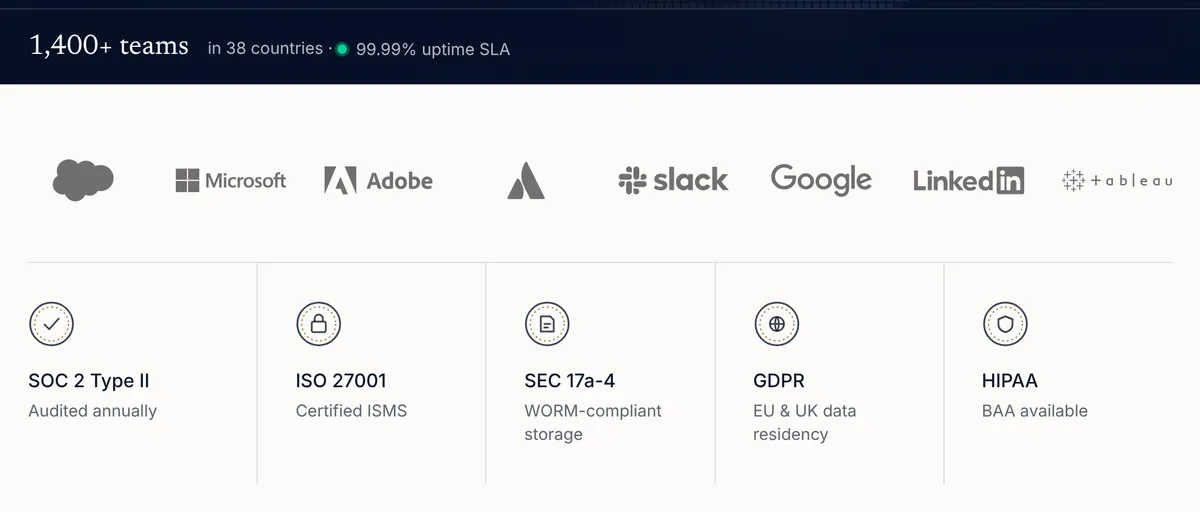
Your own proof. Replace or remove the logos of Salesforce, Microsoft, Adobe, Atlassian, Slack, Google, LinkedIn and Tableau, shown under "1,400+ teams in 38 countries"; the uptime SLA and statistics; and three customer stories with named people and portraits. Keep the SOC 2 Type II, ISO 27001, SEC 17a-4, GDPR and HIPAA badges only if you hold them.
Company details. Replace the team, the office addresses (real buildings in London, New York and Singapore), the "© 2026 Cruip.com" footer credit and a status line that links nowhere, and have a lawyer redo the legal pages.
The blog. The posts read like real compliance guidance, so check them: the SEC 17a-4 post dates the rule to "the 1970s", but the SEC adopted it in 1939 (SEC release, 2001).
Pros and cons
Pros
Six forms with clear per-field validation and honest "not connected" notices.
A complete per-seat pricing page that hands the chosen plan to sign-up.
29 pages on consistent layouts, with dark mode and no sideways scrolling at 390 px.
A 3 KB shader hero that freezes for visitors who ask for reduced motion.
Desktop scores of 97 and 100 for performance, and 100 for best practices and SEO.
Cons
No form sends anything, and sign-up claims an email went out.
Real brands' logos, compliance badges, an uptime SLA and statistics to replace before launch.
Mobile home page: 68 for performance, a 3.3 s headline paint and no hero text without JavaScript.
Reduced motion stops only the shader; carousels and counters keep moving.
Only the Next.js edition can be checked before buying, and Cruip gives no refunds.
How Clause compares
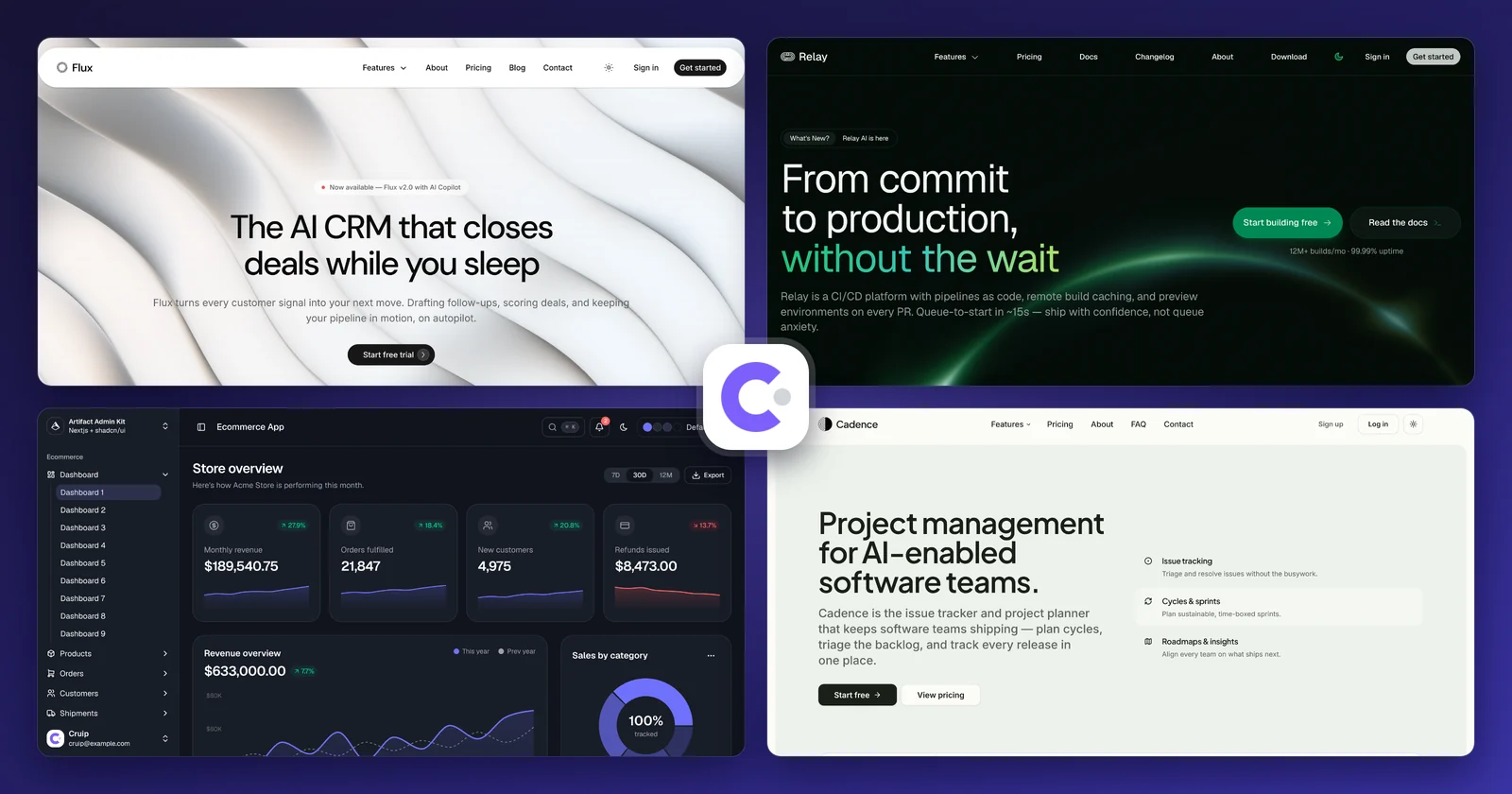
Path, Cruip's general B2B SaaS template, costs the same $49, uses the same stack per Cruip, and adds what Clause lacks: customer story pages and an integrations page. Pick it if your product isn't legal or compliance software.
Verdict by Shadcnblocks costs $79 for its Next.js 16 and Astro 7 editions (40% off with its Black Friday code) and has 23 pages, per Shadcnblocks. It is built for a law firm, not software: pick it if you sell legal services.
Cruip's Modern Bundle includes Clause, Path and 11 other templates for $149, or $74.50 in the sale, less than two single templates.
See all SaaS templates for more options.
Who should buy Clause
Buy Clause if you are launching contract, records, eDiscovery or compliance software sold both self-serve and to enterprises, and a developer will connect sign-up, forms and billing. Look elsewhere if you need forms that work on launch day, a law firm site, or a non-Next.js edition you can't confirm with Cruip first.
FAQ
Do Clause's sign-up and demo forms work?
Only in the browser. All six forms check what visitors type, but none sent a request when we submitted valid sample data, even though sign-up ends with "Check your inbox". Connect sign-up and log-in to an authentication provider, and the demo, contact, application and newsletter forms to your own CRM, hiring and email tools.
Can I launch with the customer logos and compliance badges from the demo?
Not unless they are true for your company. The home page shows the logos of Salesforce, Microsoft, Adobe, Atlassian, Slack, Google, LinkedIn and Tableau under a customer count, plus SOC 2 Type II, ISO 27001, SEC 17a-4, GDPR and HIPAA badges and a 99.99% uptime SLA. Swap in your own customers and certifications, or remove the sections.
Does the $49 include the Astro, Vue and HTML versions of Clause?
Cruip's page says so, but we could not check it. The page lists four separate downloads while also describing Clause as a Next.js 16 build, and only the Next.js demo exists. If you need another edition, ask Cruip before paying, because refunds are limited to defective downloads.
Does Clause's WebGL hero respect reduced motion?
The shader does: for visitors who ask for reduced motion it draws one still frame and stops. The product mock-up, the counters and the carousels keep advancing on timers, so add pause controls or stop them for those visitors yourself.
Is the Modern Bundle a better buy than Clause alone?
If you might use a second design, yes. The bundle costs $149, or $74.50 in Cruip's Black Friday sale, and includes Clause, Path and 11 other Modern templates, so at the sale price it costs less than two $49 templates.
New templates like Clause, in your inbox
The best developer tools, templates and UI components added to Tailkits, each reviewed by an editor. Free, unsubscribe in one click.
26 new in the last 30 days322 products reviewed so farSee what you get
KEEP EXPLORING
More templates Good company for Clause.
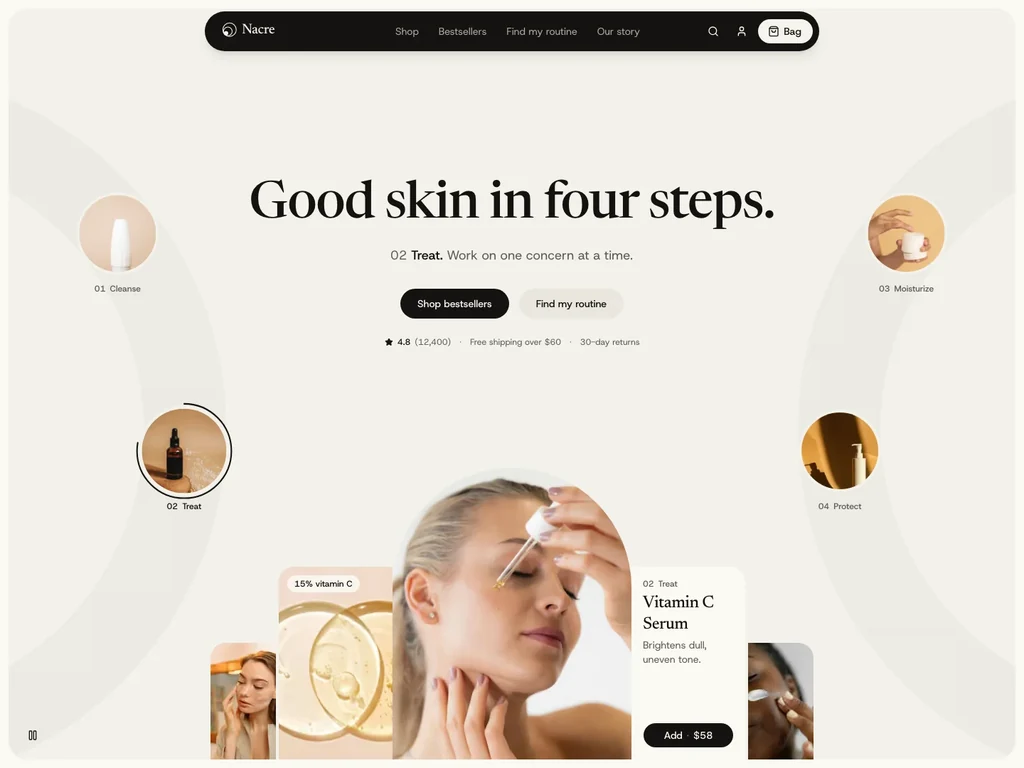
Do you make Clause? Get a badge for your site
An optional "Featured on Tailkits" badge that links to this page. Pick light or dark and paste the code into your site, for example in the footer.