
Next.js and Astro single-product store with a model picker and checkout UI
Navy
Light Astro SaaS theme with status, security and four-tier pricing pages
PaidTemplates
lexingtonthemes.comExplore the product
AT A GLANCE
- Website
- lexingtonthemes.com
- Pricing
- Paid
- Categories
- Templates
- Listed
- Mar 2023
- Updated
- Nov 2026
Details about Navy
KEY POINTS
- Tailwind CSS v4
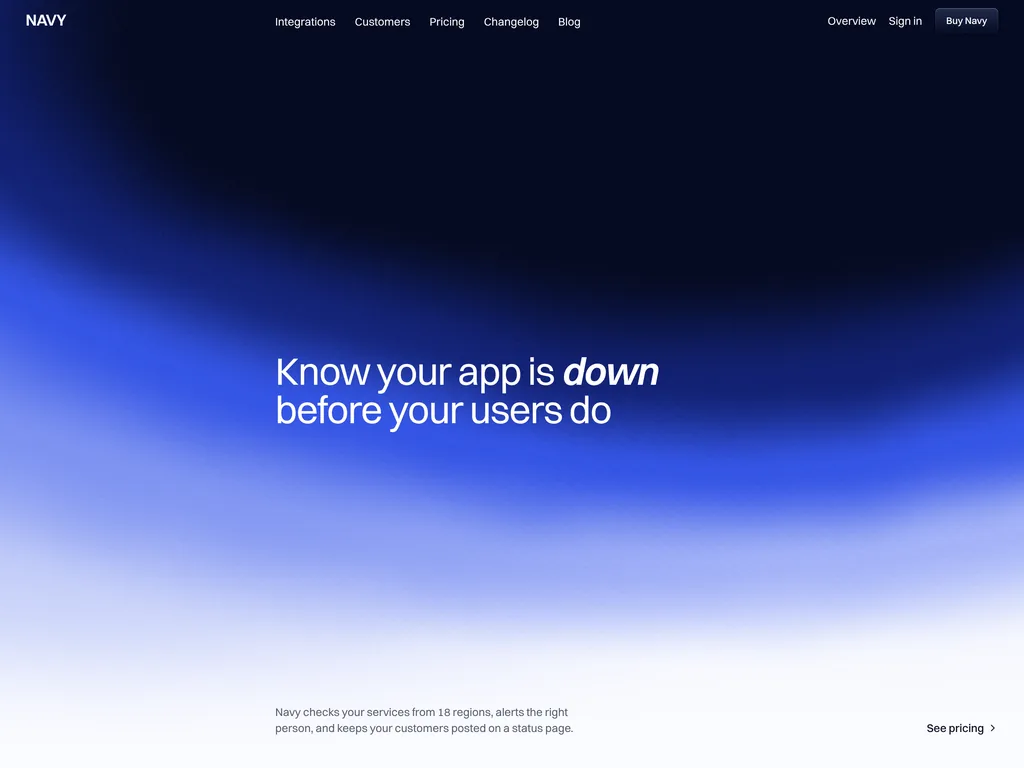
Short verdict: Navy is now a light, calm site for a software product: a lavender-white 12-column layout, one ultramarine accent and a WebGL gradient drifting behind the headings. Its strength is the set of trust pages: a status page with 90-day uptime bars, a security page, four pricing tiers with a 16-row comparison table and a help center with working search, plus changelog, customer, integration and team pages. The gaps are those of a static theme, a little sharper than usual: no form is connected, every page ships with the same placeholder title and canonical URL, and the comparison table breaks the pricing page on phones. It suits a monitoring or developer-tools startup; look elsewhere for a dark design, docs or a Figma file.
How we reviewed it: On 30 October 2026 we went through the live Astro demo in headless Chromium at 1280 px and at 390 px phone width, crawled all 65 pages, submitted every form while logging network requests, tried the help center search, measured what the shader costs the browser and ran Lighthouse 12.8.2 once each on the home and pricing pages. We did not buy the theme, so we could not read the source code or test the Sanity and EmDash editions, which have no demo. Prices, editions and license terms come from Lexington Themes on the same day.
Disclosure: Our links to Lexington Themes carry a referral tag.
What you get for $89
| Price | $89 one-time for the Astro edition; the Sanity or EmDash edition costs $129. Lexington Themes Full Access Personal costs $99 in the Black Friday 2026 sale ($198 regular) and includes every Lexington Astro theme, so during the sale $10 more buys Navy and every other theme. At the $198 regular price it pays off from the third theme. |
|---|---|
| Editions | Astro; Astro + Sanity (the same design wired to Sanity with live preview editing); Astro + EmDash (the admin built in, deployed to Cloudflare Workers), per Lexington. |
| Version | Astro 7.4.1 and Tailwind CSS 4.3.3, per Lexington; the demo's stylesheet confirms Tailwind 4.3.3. Released January 2023, rebuilt in May 2025 and redesigned on 5 October 2026 (see the changelog). |
| Size | Nine static pages and seven content collections, per Lexington. The demo's sitemap lists 64 URLs, including 6 blog posts with 5 tag pages, 6 customer stories, 10 integrations, 3 changelog releases, 6 help articles, 6 team profiles, 2 legal pages and 5 style-guide pages. |
| Stack | Astro and Tailwind CSS v4, Lenis smooth scrolling and a hand-written WebGL shader. Everything else is vanilla JavaScript: the demo loads no Alpine.js or React. Switzer, from Fontshare, is the only typeface. |
| Delivery | A private GitHub repository through Polar.sh, to fork or download. Lexington's setup guide still says Node.js 20 or later, but Astro 7.4 requires 22.22 or newer. It builds to static files for Netlify, Vercel or any static host. Comes with AGENTS.md, a design skill for Cursor, Claude Code and Codex, and Cursor rules. No Figma file. |
| License | Unlimited sites for yourself and for clients, including white-label work. No reselling it as a template and no using it as the core UI of a site builder. Refunds only if the theme differs materially from the demo, or if you have not accessed the repository within 14 days. License terms |
What we found in the demo
A complete sample company: an uptime monitoring service
The redesign casts Navy as a monitoring product that checks services from 18 regions, pages whoever is on call and runs public status pages, and every page sticks to that story: customer stories with a challenge, a solution and three results, integration pages that list the permissions they ask for, team profiles linked to each member's posts. A monitoring or developer-tools company can keep the structure and swap the facts; anyone else rewrites most of the copy.
Status and security pages, designed but static
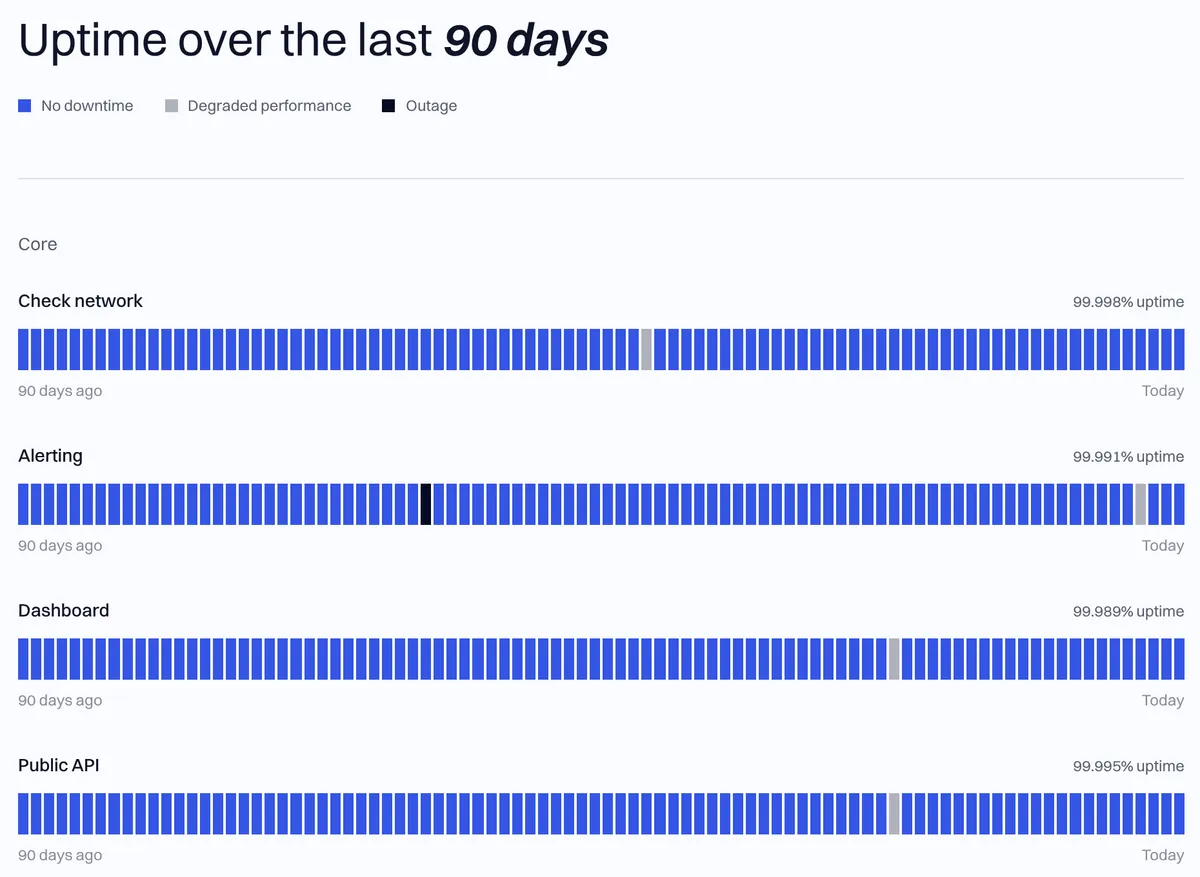
The status page has a maintenance notice, 90-day uptime bars for 10 components in three groups, response times for 18 regions and an incident history with timestamped updates. Each bar has a date tooltip and each row a text summary for screen readers. It is static: bars, percentages and incidents are written into the page. The security page lists SOC 2 Type II, ISO 27001, GDPR and HIPAA badges and a dozen practices, all sample claims to replace with your own.
Four plans, and a comparison table that breaks on phones
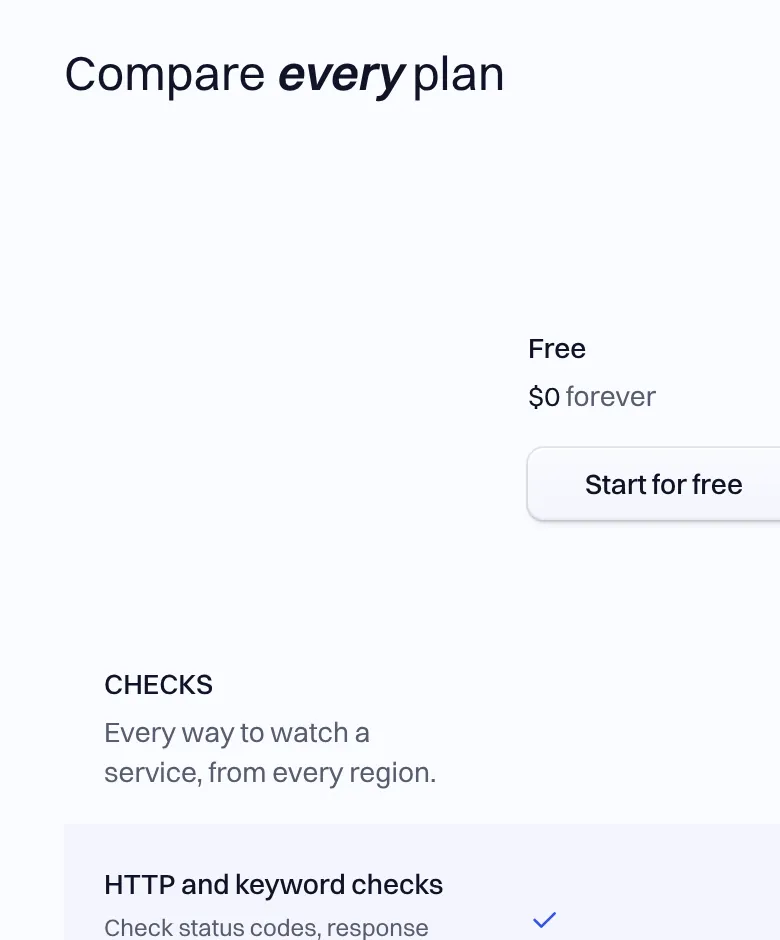
Pricing offers Free ($0), Team ($29 a month), Business ($99 a month) and Enterprise (custom), followed by a comparison table with 16 rows in four groups and an eight-question FAQ built on native disclosure elements. There is no monthly or yearly switch. On a 390 px phone the table keeps its 896 px minimum width and stretches the whole pricing page to 929 px: only the Free column fits on screen, with its button cut off. The table sits in a sideways-scrolling wrapper, but the grid cell around it grows with the table, so the wrapper never scrolls. The other 22 pages we checked at 390 px fit the screen, and the mobile menu works.
Search works, the forms go nowhere
The help center search filters its six articles as you type: "domain" left one, "alert" two, and a nonsense word showed the empty state. The forms are not wired to anything. Contact, newsletter, status updates, sign-in and sign-up have no action or method, so submitting reloads the page with what you typed in the address bar, password included. No request left the site. "Forgot password?" and "Sign in with Google" do nothing, links such as "Download the security overview" point to #_, and the sample addresses use the reserved .test domain.
A careful shader, with one catch for rebrands
The gradient is a small hand-written WebGL shader. It starts after the page has loaded, renders at half resolution, caps itself at 30 frames a second, stops when scrolled out of view and draws a single still frame for visitors who ask for reduced motion. With WebGL unavailable, a CSS gradient that looks almost the same takes its place; we checked. Lexington says a rebrand in one file recolors the gradient too. In the demo's shader script, three of its six colors read the CSS tokens and three are fixed indigo and lavender values, so a brand that is not blue also means editing the shader file.
Performance and SEO
One Lighthouse 12.8.2 run per page, 30 October 2026:
| Page | Performance | Accessibility | Best practices | SEO |
|---|---|---|---|---|
| Home, mobile | 68 | 96 | 96 | 100 |
| Home, desktop | 63 | 96 | 96 | 100 |
| Pricing, mobile | 58 | 100 | 96 | 100 |
| Pricing, desktop | 64 | 100 | 96 | 100 |
The pages are light: the home page transfers 202 KiB in 23 requests, and its largest contentful paint came in at 1.7 s on mobile. The home page's score falls only on total blocking time (10.6 s on mobile), and that number comes from our test machine, whose headless Chromium has no GPU and draws the gradient in software. With WebGL switched off, the same page produced no long tasks at all, and none either with the shader scrolled out of view or under reduced motion. We could not test a phone with a GPU, which draws such shaders in hardware; Lexington reports a performance score of 100. Accessibility lost points on the home page for two lines of pale text on the blue on-call card (4.03:1 contrast), and best practices for six favicon and manifest files that return 404.
SEO scores 100 because every page has a title, a description and a canonical link, but they are placeholders. All 65 pages share the title "Your Page Title", the description "A detailed description of your page content." and the canonical URL https://yourwebsite.com/current-page. Lexington's SEO documentation explains how to set them per page. The sitemap and RSS feed point at yourwebsite.com too, and no page outputs structured data.
What you still have to build
Form handling. Connect the contact, newsletter and status forms to a form service or your API, and give sign-in a POST method before it handles real passwords.
Accounts. Sign-in, sign-up, password reset and Google sign-in are screens only.
Page metadata. A title, description, canonical URL and social image per page, plus your domain in the Astro config so the sitemap and RSS use it.
Live status. The status page is hand-written HTML; feed it from your monitoring if it is meant to be real.
Your own claims. Replace the sample customer numbers, the testimonials (two credit "Lexington" as the company) and the SOC 2, ISO 27001 and HIPAA badges.
Clean-up. Remove the "Buy Navy" and "Overview" menu links, the Lexington footer column and the style-guide pages (they are in the sitemap), add favicons, and fix the comparison table on phones.
Pros and cons
Pros
Status, security, plan comparison, help center, changelog and team pages come designed and filled with consistent sample content.
A frugal shader: half resolution, 30 frames a second, paused offscreen, still under reduced motion, with a CSS fallback.
Light pages: 202 KiB for the home page, a 1.7 s mobile largest contentful paint and 100 for accessibility on pricing.
Vanilla JavaScript plus Lenis, with no framework to hydrate.
Cons
No form is connected, and sign-in and sign-up put the password in the URL.
The same placeholder title, description and canonical URL on every page.
The pricing comparison table overflows a phone screen.
Three gradient colors are fixed in the shader, so a rebrand is not one file.
Light only: no dark mode, no documentation section, no Figma file.
How Navy compares
Spaziobianco ($89, same maker, tested the same day) has the same structure written for fintech and API products: serif headings on warm paper, a developers page with SDK samples and a per-transaction fees page instead of plan tiers. Its shader costs far less to run, but its forms post to the page itself and end on an error on a static host. Choose it for payments or banking products.
Brightlight ($89, same maker) is warmer and flatter, built for invoicing and billing apps, with a monthly and yearly pricing switch and a mega menu, but no status or security page. Choose it for tools aimed at freelancers and small businesses.
Relay by Cruip ($79) is dark and developer-first, with Next.js and Astro versions, 15+ pages including searchable docs, status and security pages, and a Figma file, per Cruip. Choose it for docs or a dark design.
Browse all templates for more options.
Who should buy Navy
Buy Navy if you run a monitoring, infrastructure or developer-tools product, want a light, calm site with status, security and pricing pages already designed, and have someone to connect forms, accounts and page metadata. Look elsewhere if you need a dark design, documentation pages, a Figma file or a site that collects leads on day one.
FAQ
Do Navy's forms work out of the box?
No. In the demo, the contact, newsletter, status, sign-in and sign-up forms have no action, so they only reload the page with the typed values in the URL, including the password on sign-in. You connect them to a form service or your own backend.
Should I buy Navy alone or Lexington Full Access?
Full Access Personal is usually the better buy. Navy alone costs $89, while Full Access Personal costs $99 in the Black Friday 2026 sale ($198 regular) and includes Navy plus every other Lexington Astro theme and future ones. At the $198 regular price it pays off from the third theme.
Can I use Navy for client projects?
Yes. Lexington's license allows unlimited websites for yourself and for clients, including commercial and white-label work. You can't resell it as a template or use it as the core UI of a site builder.
Does Navy include a CMS?
Not the $89 Astro edition, which keeps content in Markdown content collections. The Sanity and EmDash editions cost $129 each; they have no public demo, so we could not test them.
New templates like Navy, in your inbox
The best developer tools, templates and UI components added to Tailkits, each reviewed by an editor. Free, unsubscribe in one click.
26 new in the last 30 days323 products reviewed so farSee what you get
KEEP EXPLORING
More templates Good company for Navy.
Do you make Navy? Get a badge for your site
An optional "Featured on Tailkits" badge that links to this page. Pick light or dark and paste the code into your site, for example in the footer.