
Hosted AI agent that turns prompts into research, slides, sites and videos
n8n
Self-hostable workflow automation with AI Agent nodes and an agent builder
FreemiumAgents
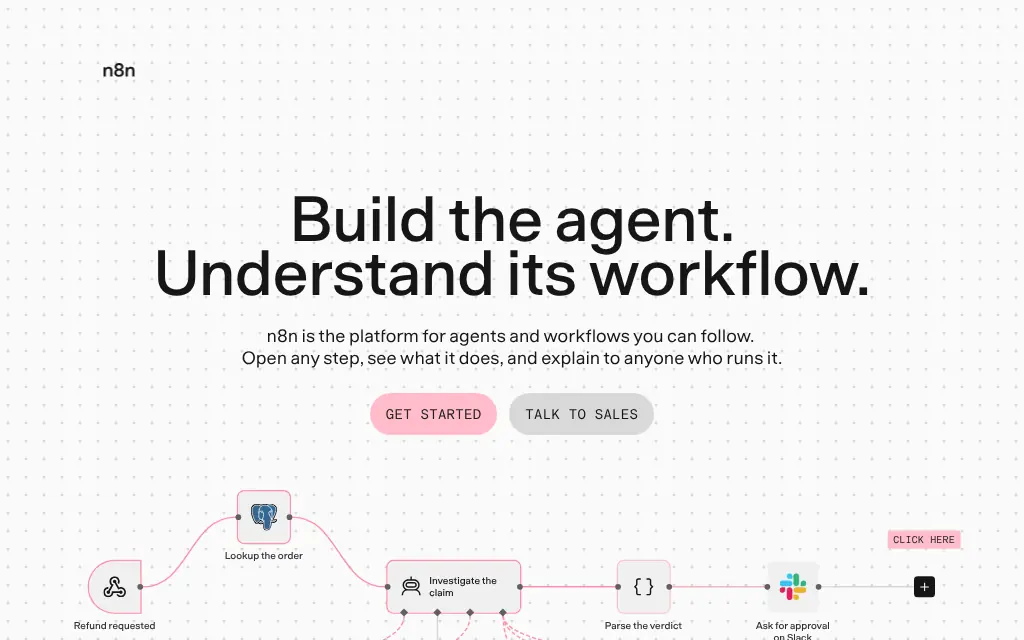
n8n.ioExplore the product
AT A GLANCE
Details about n8n
Short verdict: n8n is a workflow automation tool that has become a capable AI agent builder: you build an agent either as an AI Agent node on its visual canvas, wired to a chat model, memory and tools, or, since August 2026, in a separate no-code Agents builder where you pick a model, write instructions and connect Slack, Telegram or Teams. Both run on a free self-hosted install with about 570 node types and 20 chat model integrations, Ollama included. The catches are the license, which is source-available rather than open source and forbids letting your customers build workflows, and the telemetry, which is on by default and includes the shape of every workflow you save. It suits teams that want agents next to ordinary automations, on their own server or a cloud plan from $20 a month; it does not suit anyone who wants to resell a workflow builder or needs an OSI license.
How we reviewed it: On 12 November 2026 we installed n8n 2.47.5 from npm on Linux with Node.js 24, created a local owner account, built an AI Agent workflow (chat trigger, OpenAI chat model, memory and an MCP client tool) and opened the new Agents builder at 1440 x 900. A logging proxy blocked and recorded every request the server tried to send out, and the browser's outside requests were blocked and logged too. We did not add an API key, so no agent answered a message, and we did not create an n8n Cloud account; cloud features, Assistant credits and Enterprise come from n8n's pages. Prices are from n8n's pricing page as shown to us in US dollars on 12 November 2026.
What n8n costs and includes
| Item | n8n, 12 November 2026 |
|---|---|
| Self-hosted | Community Edition: free, unlimited executions and users, under the Sustainable Use License. Business ($960 a month, or $800 billed annually, 40,000 executions) and Enterprise (custom) add SSO, environments and other licensed features |
| n8n Cloud | Starter $24 a month ($20 billed annually) for 2,500 executions; Pro $60 ($50) for 10,000; Enterprise custom. Unlimited users and workflows on every plan. Free trial without a credit card |
| How usage is counted | Per workflow execution, regardless of steps; one Agents turn (a message and the reply) counts as one execution, per n8n |
| Agent building | AI Agent node on the workflow canvas; a separate Agents builder (Preview since 2.32.3, August 2026); the n8n Assistant can draft workflows from a chat (cloud credits) |
| Models | 20 chat model nodes in 2.47.5, from OpenAI, Anthropic and Gemini to Ollama, OpenRouter and Bedrock; the Agents builder lists 17 hosted providers |
| Where it runs | Docker, npm (Node.js 24 or later), n8n Cloud |
| License | Sustainable Use License ("fair-code") plus the n8n Enterprise License for licensed features |
| Project health | 210.3k GitHub stars; 154,360 npm downloads in the week of 2 to 8 November 2026 (most installs use Docker instead); 2.47.5 released 12 November 2026 |
What we found
Two ways to build an agent
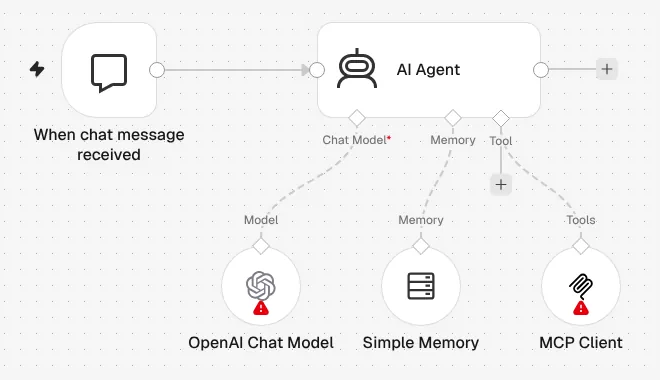
The classic way is a workflow: a trigger, then an AI Agent node with three sockets underneath for a chat model, memory and tools. Any of n8n's integrations can be a tool, along with HTTP requests, other workflows and MCP servers through the MCP Client Tool. We built a support agent this way in a few minutes; the canvas marks the model and tool nodes with a warning until credentials are added, and an Open chat button tests the agent in place. Because the agent sits inside a workflow, everything before and after it (fetching an order, asking for approval in Slack, writing to a database) is ordinary n8n.
The new Agents builder is a form, not a canvas
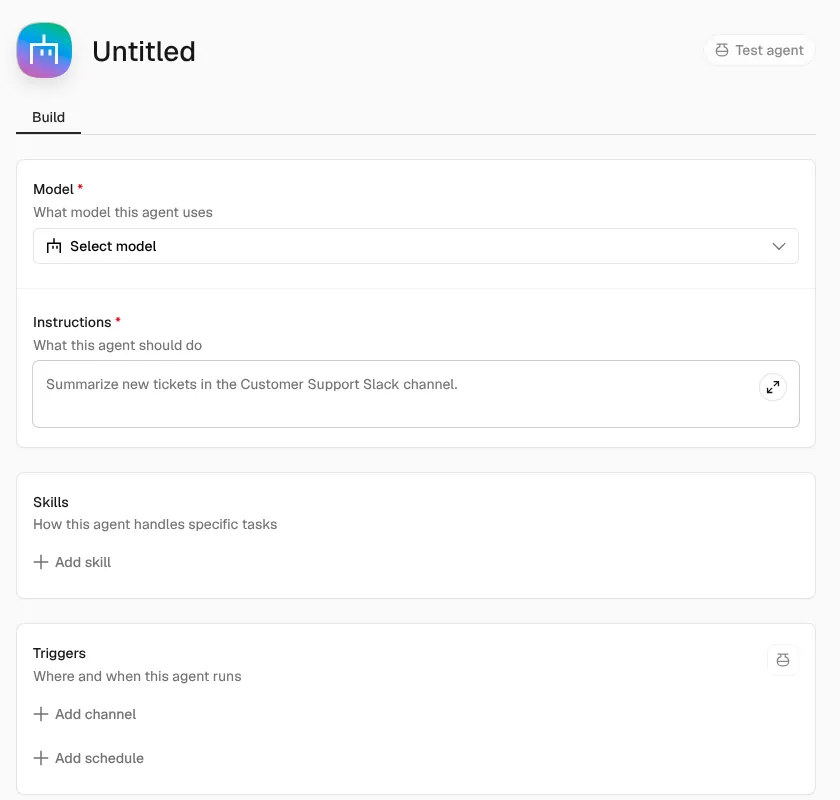
The home screen of a fresh install now offers "Build an agent" next to "Build a workflow". It opens a form: a model, instructions in plain English, skills, triggers (channels or a schedule), and capabilities such as tools, workflows, sub-agents, web search and memory across sessions. The channel picker listed Slack, Telegram, Linear, Discord and Microsoft Teams; n8n's launch post says self-hosted channels need a public webhook URL. This is n8n's answer to no-code AI agent builders: you define an agent once and reach it from chat apps, with workflows as its tools. n8n labels it Preview and warns that behaviour may change; its model list had no Ollama option, so local models still mean the AI Agent node.
Telemetry is on, and it includes your workflow's shape
With every outside request blocked, the server tried to post 13 batches to telemetry.n8n.io and opened 172 connections to n8n's PostHog host while retrying. The batches we captured held an "Instance started" event with the OS, memory, CPU model, database type and execution settings, session and setup events, and a "User created workflow" event with the node types, connections and canvas positions of our workflow. They did not contain our prompt text or email address. The browser asked api.n8n.io for banners and version news, sending the instance ID, and loaded an analytics script; the server also tried to fetch a model catalogue from models.dev. n8n documents this and turns it off with N8N_DIAGNOSTICS_ENABLED=false, N8N_VERSION_NOTIFICATIONS_ENABLED=false and N8N_TEMPLATES_ENABLED=false.
The license allows internal use, not a product built on it
The Sustainable Use License lets you use and modify n8n "only for your own internal business purposes or for non-commercial or personal use". n8n's license FAQ allows building automations for clients on your own instance and using n8n as a backend your product calls, but not hosting it so customers build workflows, embedding the editor in a SaaS product or white-labelling it; those need an Enterprise license. Agencies and internal teams are fine; a startup planning to offer "agents your users configure" is not.
Install and run
| Measurement | Result |
|---|---|
npm i n8n, empty cache | 247 s; about 2,260 packages; 2.8 GB of node_modules (run beside another install on a 4-core machine); 67 deprecation warnings |
| Node.js | 2.47.5 requires Node.js 24 or later |
| Start to health check | 11 s |
| Node types shipped | 570, of them 134 AI nodes (agents, chat models, memory, vector stores, tools) |
| First-run prompts | Owner account, a five-question survey and an offer of a free license key for folders, execution search and debugging in exchange for an email address |
What you still have to set up
Model keys. Credentials for at least one model provider, or a local Ollama server.
A public URL. Chat channels and webhooks need
WEBHOOK_URLpointing at an HTTPS address.Production hosting. Postgres instead of SQLite, queue mode with Redis for scale, backups and an encryption key you keep.
Privacy settings. The three environment variables above if nothing should reach n8n's servers.
Pros and cons
Pros
Agents and deterministic workflow steps live in one tool, so approvals, retries and data handling around an agent need no glue code.
Free to self-host with unlimited executions, and 20 chat model integrations including local Ollama.
The new Agents builder adds chat-app channels and schedules without a canvas.
Very active: a new release on npm most days and 210k GitHub stars.
Cons
Not open source: you cannot let customers build workflows on it without an Enterprise license.
Telemetry with workflow structure is on until you switch it off.
The Agents builder is Preview and lacks local models.
Heavy: 2.8 GB installed from npm, and Business self-hosting costs $800 a month or more.
How n8n compares
Dify is built around LLM apps rather than general automation: agents with their own Linux sandbox, knowledge bases and a chat-based build mode. Its cloud starts with a free Sandbox plan and Professional at $59 a month. Choose Dify for chat assistants and RAG; choose n8n when the agent is one step in a business process.
Lindy is hosted only: one assistant in Slack, email and text that you teach with plain-English routines, from $49.99 a month per user. Choose it if nobody on the team wants to run a server.
LangGraph and CrewAI are MIT-licensed Python frameworks: agents in code, no editor. Choose them when developers own the agent and want a permissive license.
Flowise, once a common open-source alternative for visual agent flows, is being sunset: its code was frozen on 29 July 2026 and support ended on 31 August 2026.
See all AI agents.
Who should use n8n
Use n8n if you want an AI agent builder that also handles the plumbing around agents, will self-host or pay $20 to $60 a month for cloud, and use it inside your own company or for clients you build for. Look elsewhere if you need an OSI open-source license, want to embed a workflow builder in your product, or want an assistant that works without anyone designing flows.
FAQ
Is n8n free?
Yes, if you self-host the Community Edition: unlimited workflows, executions and users at no cost under the Sustainable Use License. n8n Cloud is paid; as of 12 November 2026 Starter costs $24 a month ($20 billed annually) for 2,500 executions and Pro $60 ($50) for 10,000, with a free trial that needs no credit card.
Is n8n open source?
No. n8n calls itself fair-code: the source is public on GitHub, but the Sustainable Use License limits use to internal business, personal or non-commercial purposes. Offering n8n as a service where customers build workflows, embedding the editor in a product or white-labelling it requires an Enterprise license.
How do you build an AI agent in n8n?
Two ways. On the workflow canvas, add an AI Agent node and attach a chat model, optional memory and tools such as other n8n integrations, HTTP requests or MCP servers. Or use the newer Agents builder (Preview), a form where you choose a model, write instructions, add tools and skills, and connect channels such as Slack, Telegram or Microsoft Teams.
Does self-hosted n8n send data to n8n?
Yes, by default. In our test, n8n 2.47.5 sent diagnostic events including system details and the node structure of saved workflows, but not prompt text or email addresses, and the editor checked n8n's servers for versions and banners. Setting N8N_DIAGNOSTICS_ENABLED, N8N_VERSION_NOTIFICATIONS_ENABLED and N8N_TEMPLATES_ENABLED to false turns this off.
Can n8n use local models?
Yes, through the Ollama Chat Model node on the AI Agent node in a workflow. The new Agents builder listed only hosted providers in version 2.47.5, such as OpenAI, Anthropic, Google, Mistral, OpenRouter and AWS Bedrock.
KEEP EXPLORING
More AI agents Good company for n8n.
Self-hosted open-source AI agent that writes its own skills, in 20+ chat apps
Free, open-source AI assistant for 20+ chat apps and ClawHub skills