
jalco/ui
Open-source component library for React + Tailwind
jal-co/ui is a free, open-source shadcn-compatible registry of 17 composable components laser-focused on developer tooling think log viewers, JSON trees, env variable tables, cron schedule displays, and GitHub/npm stat badges.
You install each component via the shadcn CLI directly into your project, no external package required.
The library is purpose-built for a very specific audience: developers building documentation sites, internal dashboards, dev tools, and open-source project pages. If you need a JSON viewer, a terminal-style log output, or a GitHub star count button for your app, this is where you go.
Features ✨
17 polished, composable components organized across Code, Docs, Open Source, Dev Tools, and Payments categories
shadcn registry-native — install any component with a single
npx shadcncommand, no package manager dependencyServer Component support — async components like GitHub Stars Button and npm Badge fetch live data at build time with ISR (Incremental Static Regeneration)
Tailwind CSS v4 compatible — built on top of the latest Tailwind stack
Copy-paste alternative — every component page includes full source if you prefer manual installation
Color themes — customizable via the built-in theming system
llms.txt support — a dedicated endpoint for AI tools and LLM ingestion
AI Copy Button — lets users send component content directly to v0, ChatGPT, Claude, or Gemini from the docs
Included Components 📒
Code
Code Block - syntax-highlighted block with language icon, copy button, and collapsible overflow (powered by Shiki)
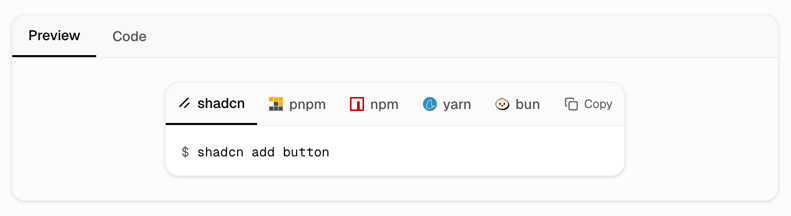
Code Block Command - tabbed CLI block with package manager switching (pnpm, yarn, npm, bun, shadcn) and localStorage persistence
Code Line - compact inline code snippet with copy button
Docs
AI Copy Button - split button that sends content to AI tools (v0, ChatGPT, Claude, Gemini)
API Reference Table - expandable prop table with color-coded types for documentation pages
Stepper - numbered step layout with vertical connectors and status indicators for onboarding/installation guides
Open Source
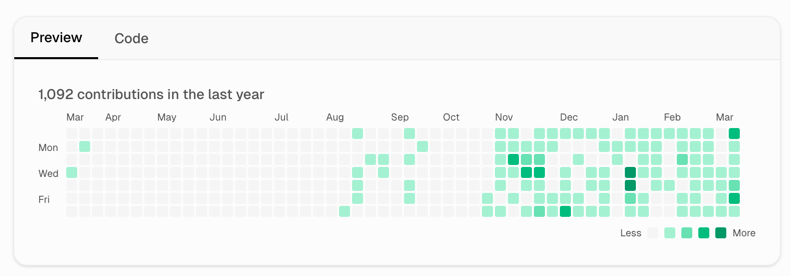
Activity Graph - GitHub-style contribution heatmap with real data fetching by username
GitHub Stars Button - live star count button via async ISR server component
GitHub Button Group - segmented button showing multiple repo metrics with individual links
npm Badge - live npm stats (version, downloads, license, last publish) in 3 layout variants
Product Hunt Button - live upvote count button in two layouts
Dev Tools
Cron Schedule - visual cron expression display with human-readable summary and next-run preview
Env Table - read-only env variable table with masked values, click-to-reveal, and bulk
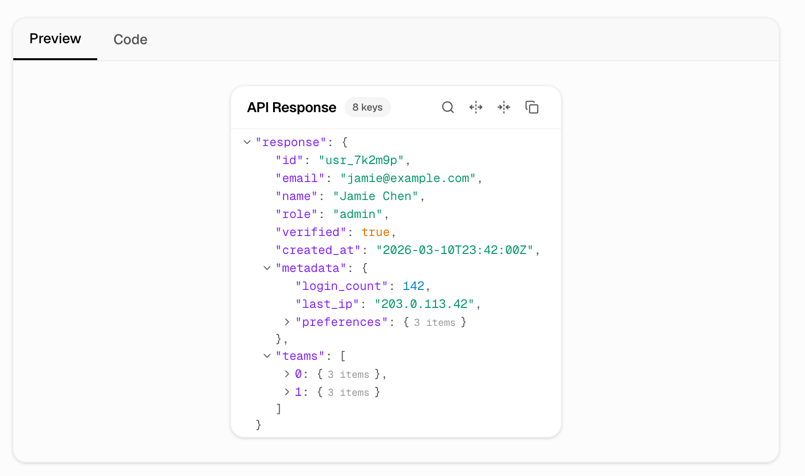
.envcopyJSON Viewer - collapsible syntax-colored JSON tree with search, path copy, and 65 color themes
Log Viewer - scrollable log output with terminal, minimal, and filterable variants; supports colored levels, auto-scroll, and export
Request Viewer - network request inspector with headers, response body, and timing waterfall
Payments
Crypto + Tip Jar - donation/tipping widget supporting crypto wallets and platforms like Ko-fi and Patreon, in six layout variants
Pros and Cons
Pros ✅
Highly specialized - no other shadcn registry focuses this specifically on developer tooling components
Zero vendor lock-in - you own every line of code the moment you install it
Server Component-first - data-fetching components use ISR, keeping your page fast with live stats
CLI-native workflow - one command installs the component and all its dependencies automatically
Free and open source - 19 GitHub stars (early stage) with an MIT-friendly ethos
AI-ready - llms.txt and the AI Copy Button make it forward-compatible with AI coding workflows
No version tracking - components are copied into your project, so you are never blocked by a breaking upstream change
Cons ⚠️
Only 17 components - the library is early-stage; general-purpose UI components (modals, dropdowns, navigation) are not in scope
Narrow audience - ideal for dev tools and docs sites, not general-purpose web app UIs
Next.js App Router required - officially requires Next.js with App Router and Tailwind CSS v4 already configured
Integration
shadcn CLI - primary install method via
npx shadcn@latest add jalco/{component-name}Next.js App Router - required; components are built as async server components where needed
Tailwind CSS v4 - styling layer; must be configured in your project before installing
shadcn/ui - must be initialized in the project as a prerequisite
Shiki - used under the hood for syntax highlighting in Code Block components
npm registry - npm dependencies are installed automatically by the CLI
Registry URL - components can also be added directly via
npx shadcn@latest add https://ui.justinlevine.me/r/{component-name}.json
FAQ
Is jal-co/ui free to use?
Yes, it is fully free and open source. There is no paid tier, no subscription, and no license fee.
Do I need to have shadcn/ui already set up to use it?
Yes. The library requires an existing Next.js project with Tailwind CSS v4 and shadcn/ui initialized before you can install any component.
Can I use individual components without installing the whole library?
Absolutely, that is the whole point. Each component is installed independently via the CLI or copied manually. You only add what you actually need.
Does it work with frameworks other than Next.js?
Officially, Next.js with App Router is the recommended setup. Some components (especially the async server components with ISR data fetching) are tightly coupled to Next.js, though purely presentational ones could be adapted to other React environments with extra work.