
David UI
300+ copy-paste Tailwind CSS UI components
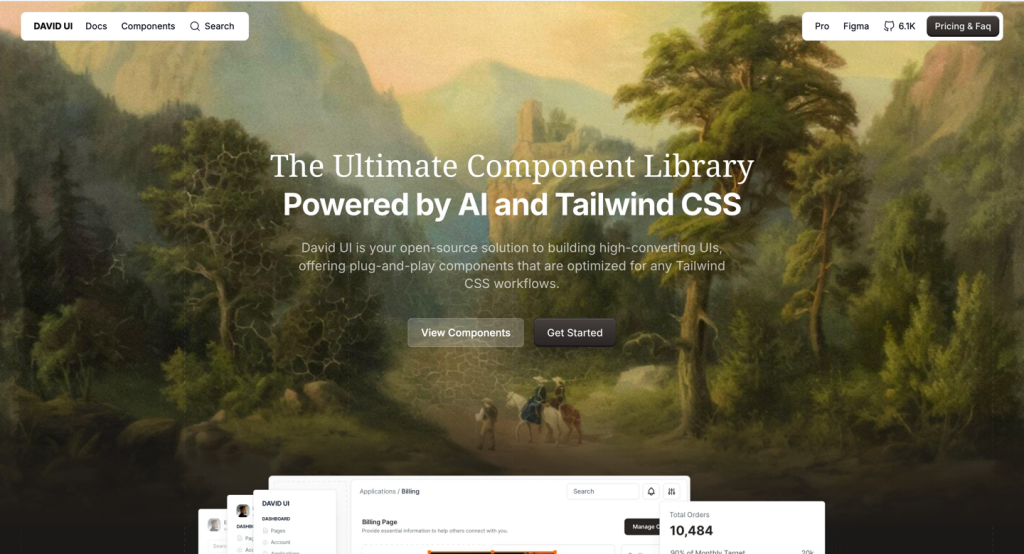
- Copy & Paste
TL;DR: David UI is a free, MIT-licensed component library by Creative Tim. It ships 300+ Tailwind CSS components, 290+ pre-built UI blocks, an AI page generator, and Figma design files - all without a login. Copy-paste and go.
What Is David UI?
David UI is an open-source UI component library built on top of Tailwind CSS, created by Creative Tim - the team behind some of the most downloaded UI kits in the developer space (8.6M+ cumulative downloads). The library is fully free, requires no account, and comes under the MIT license.
The core idea is simple: stop writing the same buttons, navbars, and forms from scratch. David UI gives you a catalog of ready-to-drop-in components and full UI sections, so you can focus on building the actual product. It currently supports HTML natively, with React, Next.js, Vue, and Angular support on the roadmap.
Features ✨
300+ Tailwind CSS Components - Buttons, modals, cards, navbars, forms, tables, and everything in between
290+ Pre-built UI Blocks - Complete sections (hero, pricing, dashboard, e-commerce) ready to drop into a page
AI Pages Generator - Generate full landing pages and dashboards with Tailwind CSS code via Creative AI
Figma Integration - Full Figma library with design tokens, variables, and auto-layouts
Copy-paste workflow - No CLI setup, no configuration. Grab the code, paste it, and ship
Framework-agnostic - Works with HTML, React, Vue, Angular, and any Tailwind CSS setup
MIT License - Free for personal and commercial use with zero restrictions
TypeScript support - Components can be used programmatically with full TypeScript types
CDN available - Include via JSDelivr CDN or install via npm depending on your workflow
Responsive by default - All components are built with mobile-first Tailwind classes
Included Components 📒
David UI currently ships 28+ component types across its HTML library, with more on the roadmap:
Form elements: Input, Textarea, Checkbox, Radio Button, Switch
Navigation: Navbar, Sidebar, Breadcrumbs, Pagination, Tabs
Feedback: Alerts, Spinner, Progress Bar, Rating Bar, Tooltip, Popover
Layout: Cards, Accordion, List, Table, Timeline, Footer
Interactive: Buttons, Button Group, Icon Button, Stepper, Chips/Badges, Avatar
Media: Image, Video
Typography: Full heading hierarchy (H1-H6), body text, lead text, small text with color variants
The PRO tier (David UI PRO via Creative AI) adds marketing blocks, e-commerce UI, and application blocks beyond the free set.
Pros and Cons
Pros ✅
Completely free, forever - no paywall, no freemium tricks
Huge component coverage for a free library (300+ components is genuinely impressive)
AI page generator is a standout feature not seen in most free libraries
Figma files included - great for design-developer handoff
MIT license means you can use it in client work and commercial products without worrying
Clean, modern aesthetics that don't look like generic boilerplate
CDN option lowers the barrier to entry for HTML-only projects
Backed by Creative Tim's reputation and a community of 2.6M+ developers
Cons ⚠️
React, Next.js, Vue, and Angular support is still "Coming Soon" as of early 2025
The AI generator is a separate tool (Creative AI), not embedded directly into the component docs
Dark mode is also still on the roadmap, not available yet
Fewer interactive JavaScript-heavy components compared to more mature libraries like Flowbite or daisyUI
Documentation, while clean, is still maturing compared to long-established alternatives
Integration
HTML - Native support via copy-paste or CDN script tag
npm - Install
david-aipackage for modular ESM importsReact - Planned (coming soon via roadmap)
Vue / Angular - Planned in a future roadmap step
Next.js - Planned, listed in framework integrations
Tailwind CSS v3 - Required as a peer dependency; all components use Tailwind utility classes
Figma - Full design library available on Figma Community
TypeScript - Full TypeScript support for programmatic component initialization
CDN (JSDelivr) - Drop-in script tag for zero-build workflows