
ui.sh: A First Look at Adam Wathan's AI Design Toolkit
An honest early-access look at the new AI design toolkit from the creators of Tailwind CSS and Refactoring UI.

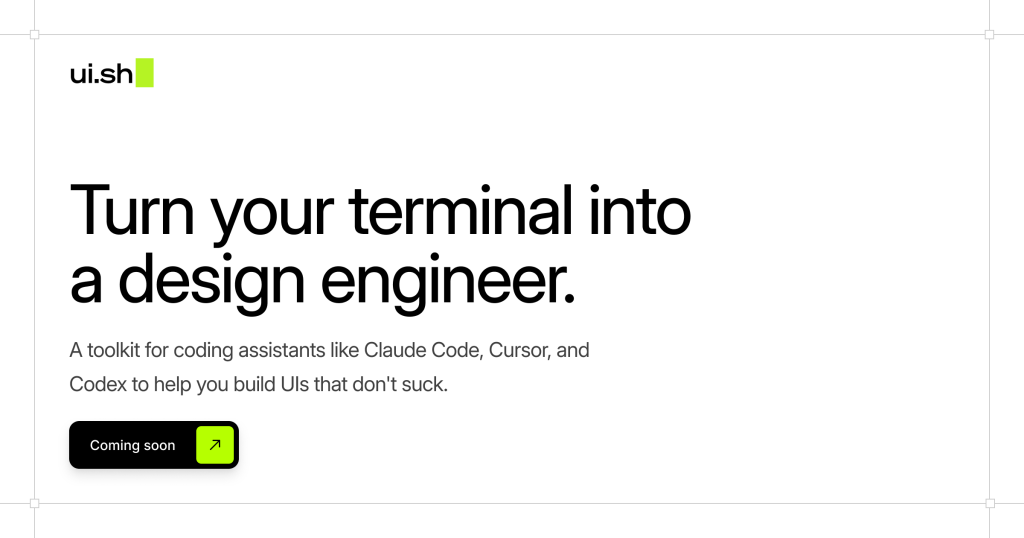
ui.sh is a new project from Adam Wathan (creator of Tailwind CSS) and Steve Schoger (co-author of Refactoring UI). The official pitch is "turning your terminal into a design engineer": install a shell script, and your coding agent (Claude Code, Cursor, Codex, OpenCode, Amp) stops producing the same generic AI landing page and starts shipping interfaces that look like someone who knows design built them.
It's invite-only. Wathan himself calls the current state "uncomfortably early." So what's inside it, is it worth paying for today, and is there anything you can use right now instead?
Full disclosure: we're longtime fans of Adam, Steve, and the whole Tailwind ecosystem. If you're an early adopter at heart or just want to support the team shaping where AI-assisted design is going, ui.sh is worth a look.
What ui.sh is, in plain terms
Strip away the branding and ui.sh is three things: a set of agent skills, an MCP server, and a shell installer that wires them into the coding agent you already use. No editor plugin, no new IDE. It rides on top of Claude Code, Cursor, Codex, OpenCode, or whichever agent speaks MCP.
"The designs will look better, the implementations will be more robust, the code will be more accessible, and no one is going to look at it and immediately think 'great, another obviously AI-designed landing page.'"
The skills themselves are curated prompts, markdown files, and reference examples that nudge the model toward better design decisions. According to the launch announcement, they cover:
- Universal design principles: typography, color, hierarchy.
- Steering the model away from obvious "AI-designed" tells.
- Seeding more interesting layouts for specific section types.
- Generating multiple UI concepts in parallel, with inline preview to pick the one you like.
- Catching common implementation bugs in standard UI patterns.
The underlying skill primitive is brand-new. Wathan notes skills themselves only became a thing a few months ago. That's part of why he's comfortable shipping early: the platform is young, and the shape of an "AI design toolkit" is still being figured out in public.
What's promising
Four things stand out on paper. First, the pedigree is real: Wathan and Schoger don't need this project for credibility. They shipped Tailwind CSS, Headless UI, Tailwind Plus, and wrote Refactoring UI. If anyone has the design intuition to codify into prompts, it's them.
Second, ui.sh is agent-agnostic by design. Anything that speaks MCP plugs in: Claude Code, Cursor, Codex, OpenCode, Amp. That bet feels right for where the tooling landscape is heading.
Third, multi-concept generation is a good primitive. Spinning up several agents to produce different takes on a section, then letting you pick, is exactly the kind of thing AI is well-suited for. It's arguably the feature doing the most work.
Fourth, the roadmap is sensible, covering multiple design styles, better accessibility, a bigger pattern catalog, and tooling for working in existing projects. All the right directions. The only question is timing.
The early-access reality check
To their credit, the ui.sh team isn't overselling it. From the launch announcement:
"First things first I want to set expectations — things are very early with this project. Uncomfortably early, even. If you're hoping for a polished, Apple-level experience, we're not ready for you yet. Wait a couple more months and give it a spin after we've had a chance to improve it alongside early adopters."
That candor is refreshing. It's also the thing to weigh most carefully before pulling out the credit card. Six trade-offs are worth thinking through before you commit.
Output quality will be uneven by design
Skills-driven generation skews toward whatever the skill library has been tuned for. Based on the announced focus areas, marketing pages and hero/feature sections are likely to benefit first; dense application UIs and dashboards will probably take longer to land well. Worth testing against your actual use case before you commit.
Token cost is a structural concern
Loading a rich skill library into the context on every agent turn isn't free. Generating multiple concept variants in parallel (a headline feature) multiplies that further. Expect the cost profile to look meaningfully different from a lean "fetch one component on demand" flow.
Pricing vs. stage
$120/yr personal, $300/yr commercial, for a product the author describes as "uncomfortably early." Pricing early isn't wrong, but the gap between stage and sticker is real, and it's worth being honest with yourself about whether you're buying a tool or funding the roadmap.
What you're buying
The value sits in the skill files and prompts. Once patterns like these become widely known, frontier labs tend to fold them into base models over time. The durable moat here is craft and iteration speed, not a secret recipe.
One design aesthetic, for now
The team has been candid that ui.sh currently optimizes for what they call "a single modern UI aesthetic." Long-term, the plan is to support many styles, but if your project needs something that isn't that look (brutalist, retro, editorial, highly custom), the skills aren't pulling in your direction yet. It gets better when the skills get better.
Built for new designs, not existing projects
Another honest note from the announcement: current focus is "producing new designs from scratch," with support for working inside existing projects on the roadmap. If your goal is to evolve a shipped product or match an existing design system, you're ahead of where the tool is today.
Pricing
All three tiers are framed as early-access licenses, priced annually.
- Personal
- $120 / yr, for personal use or businesses under $250k in annual revenue.
- Commercial
- $300 / yr, a multi-user license for businesses over $250k in annual revenue.
- Platform
- Custom, for platforms and services integrating ui.sh into their own product.
The bottom line
Promising, but early.
ui.sh has the right people, the right architectural bets, and an honest sense of where it is on the maturity curve. For early adopters, patrons of the Tailwind ecosystem, and teams whose day job is landing pages with slack budgets for tokens, it's a reasonable wager. For anyone who needs a reliable tool today (especially on application UIs, dense dashboards, or tight budgets), the honest answer is to wait a few months, or pair your agent with a component library that's already production-ready.
We'll revisit this in a few months. The team has earned the benefit of the doubt on execution; the question is how long the "uncomfortably early" window lasts.