Hosted headless CMS with a GROQ API and an open-source React Studio
TinaCMS
Git-based Markdown and MDX CMS with click-to-edit on Astro and Next.js pages
FreemiumCMS

tina.ioExplore the product
AT A GLANCE
Details about TinaCMS
Short verdict: TinaCMS adds a click-to-edit visual editor to sites that keep their content as Markdown in Git. On the Astro starter, clicking the home page headline opened its field, the preview caught up half a second after we stopped typing, and Save changed one line of the .mdx file. The catch is production: editing a live site needs TinaCloud, from $29 a month for three users, or a backend you assemble yourself. It suits developer-led marketing and docs sites on Astro or Next.js with a few editors. Teams that need SSO without an enterprise contract, EU hosting or a content API for apps should look elsewhere.
How we reviewed it: On 25 October 2026 we created a project with the official create-tina-app 2.2.4 and its default Astro starter (TinaCMS 3.15.0, Node.js 22.22.0, Linux), ran the local dev server and edited pages in the admin in Chromium at 1,440 × 900 and 1,000 × 720. We timed the install, the dev server, the admin's first load and both build scripts, and blocked and logged every request that tried to leave the machine. We did not create a TinaCloud account or set up a self-hosted backend, so TinaCloud's plans, limits and security come from Tina's pricing page, docs and security page on the same day. Timings are single runs in a shared 4-core cloud container, so treat them as rough.
What TinaCMS costs and includes
| Price | Free and open source (Apache 2.0). TinaCloud, the hosted backend: Free for 2 users; Team $29 a month per project for 3 users ($9 per extra user, up to 10); Team Plus $49 (5 users, editorial workflow); Business $299 (20 users); Enterprise on request (SSO). Monthly billing; paying yearly saves two months. TinaCloud pricing |
|---|---|
| Version | 3.15.0, published 19 October 2026; 9 stable releases in the last 90 days |
| Stack | React admin built with Vite, content model in TypeScript (tina/config.ts), GraphQL API with generated TypeScript types. Content is stored as Markdown, MDX, JSON, YAML or TOML files in your repository. |
| Frameworks | Visual editing in the Astro (default), Next.js, TinaDocs and React starters; starters without it for Hugo, Remix and Docusaurus |
| Hosting the backend | TinaCloud (GitHub repositories only, data on AWS in the United States, per Tina) or self-hosted: a Node endpoint, a Redis or MongoDB database, an auth provider and a GitHub token |
| Owner | SSW, an Australian software consultancy, which bought TinaCMS in May 2024. Tina started at Forestry.io. |
| Project health | 62,778 npm downloads of tinacms in the week of 28 September to 4 October 2026 |
What we found in a local install
Astro is the default starter, and the install is heavy
npx create-tina-app@latest asks for a package manager (pnpm is preselected), a project name and a starter, with Astro listed first as "our top recommendation". There is no account step: it downloads the starter, installs it and makes a first Git commit. With npm and an empty cache, the Astro starter took 132.5 s and 2,084 packages (1.4 GB), partly because it bundles Astro adapters for four hosts. The two Tina packages alone came to 970 packages and 681 MB. Tina's FAQ warns that npm installs can break on two Vite versions; ours built.
Click-to-edit that changes one line of Markdown
Local mode needs no login: /admin opens with a dialog saying saves go to the local filesystem. The editor shows a form beside the live site, with every editable element outlined. Clicking the home page headline in the preview focused the Hero block's Headline field. We typed a new 29-character headline, and the preview showed it 0.52 s after the last keystroke: the Astro integration re-renders each edited region on the server through a /tina-island/ route, with no React on the page.
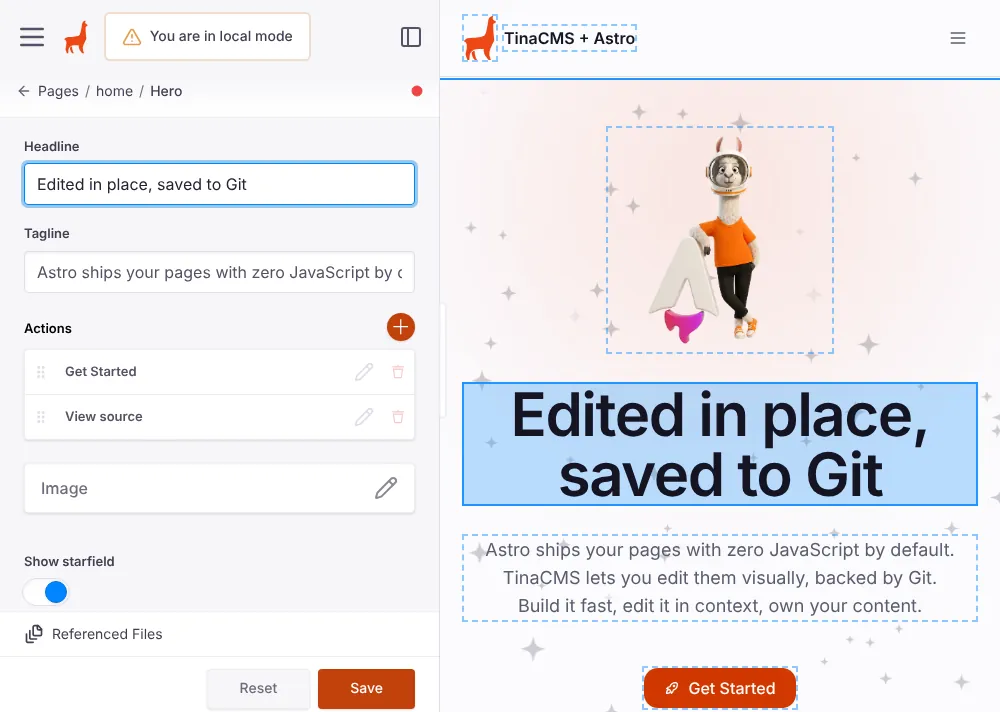
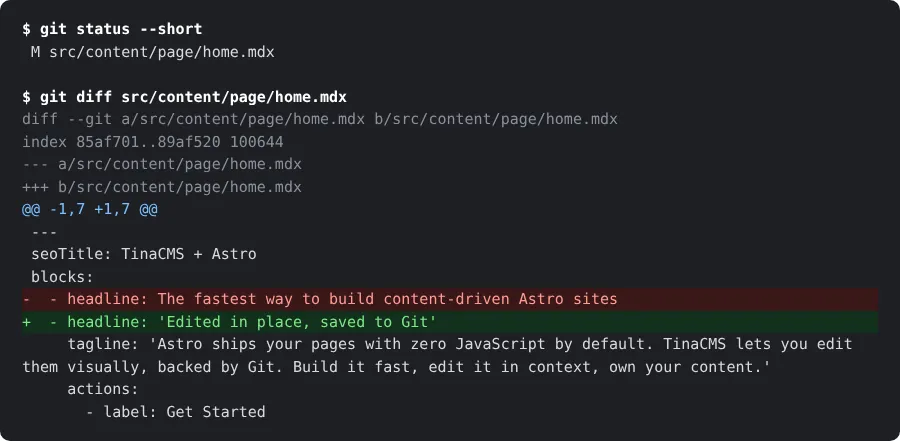
Nothing touched the disk until Save, which wrote a one-line change to home.mdx. Tina does not commit in local mode; with TinaCloud each save becomes a commit by TinaCloud's GitHub app unless per-user Git authoring is on (per Tina). The starter's page builder has eight block types, and blog posts use a rich-text editor that saves Markdown or MDX, with custom components as embeds.
A live site needs TinaCloud or a backend you build
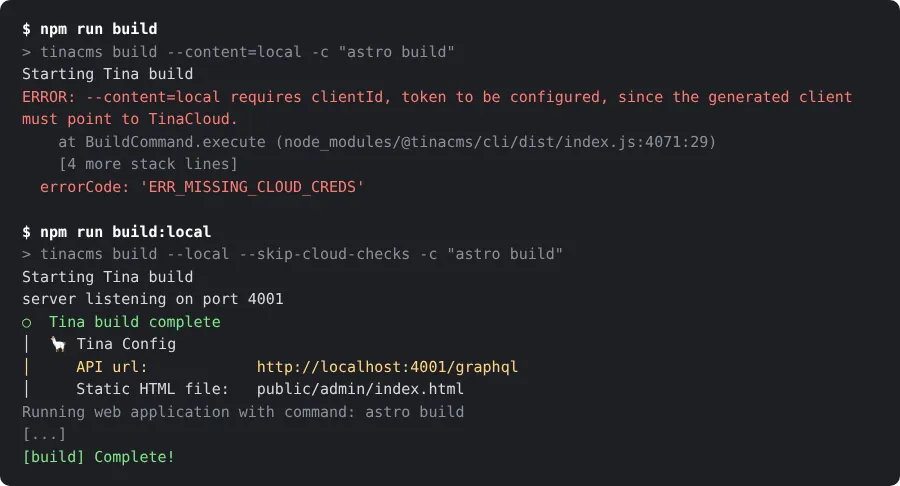
The starter's default npm run build stopped after 8.8 s with ERR_MISSING_CLOUD_CREDS, as its README warns. npm run build:local builds without the cloud in about 57 s, but its admin cannot edit a live site: the client points at localhost, and served from the build folder it showed TinaCloud's Log in dialog.
So a deployed site needs TinaCloud or a self-hosted backend: a Node endpoint for Tina's GraphQL API, a Redis or MongoDB database for the content index, an auth provider (Auth.js or Clerk) and a GitHub personal access token. Tina's setup command for it, tinacms init backend, supports only Next.js; on our Astro project its source shows it refuses before installing anything, so you follow the manual guide. Self-hosted, you also lose search, Git-backed media and runtime branch switching (per Tina).
TinaCloud: seats per project, SSO on Enterprise only
Free covers 2 users, so three editors start on Team at $29 a month. Ten editors cost $92 a month on Team ($29 plus 7 extra users at $9, the plan's limit) or $124 on Team Plus, which adds the editorial workflow: a save to a protected branch opens a new branch and a draft pull request that someone merges on GitHub. SSO is Enterprise-only and priced on request, so ten editors with SSO have no public price on TinaCloud; self-hosted, you can add it through Auth.js.
For a compliance review: we found no data processing agreement, no mention of GDPR in the privacy notice (last modified 16 April 2021), no SOC 2 report (the security page says Tina's program "follows the criteria" of SOC 2) and no public status page. Sites still on TinaCMS 3.11 or older cannot log in to TinaCloud after its October 2026 authentication change until they upgrade (per Tina).
Telemetry is on by default
With outside requests blocked, we recorded what Tina tries to send. tinacms build fetched a PostHog key and posted two events, the build options and then success and duration, to PostHog's US servers under a random per-run ID; only --noTelemetry stops it. In the browser, the admin loaded PostHog, sent a feature-flag request with a random ID kept in local storage, checked content.tinajs.io for a new version and loaded Google Fonts; its code also reports a start event and some editor actions. None of these payloads contained content.
The admin's switch is telemetry: 'disabled' in tina/config.ts, which create-tina-app --noTelemetry sets for you. Without that flag, the installer sends your OS, Node.js version, package managers, template and project name, keyed to a hash of the machine's hardware ID, and tinacms dev reports its own usage event (per the source code). Tina's telemetry page mentions only the command-line tools.
Install and build measurements
| Measurement | Result |
|---|---|
| Install, Astro starter, npm, empty cache | 132.5 s, 2,084 packages, 1.4 GB of node_modules |
Install, tinacms and @tinacms/cli only | 60.8 s, 970 packages, 681 MB |
| Dev server, cold start | GraphQL API ready after 7.4 s, /admin after 12.5 s |
| Admin first load, dev mode, 1,440 × 900 | 5.7 s to the load event, 48 requests, 15.0 MB transferred |
npm run build without TinaCloud | Fails after 8.8 s (ERR_MISSING_CLOUD_CREDS) |
npm run build:local | 56.4 to 59.1 s (3 runs), 44.4 to 46.1 s of it for the admin |
| Build output | 14.0 MB: admin 9.3 MB, site pages and images 2.1 MB, Node server for the editing route 2.6 MB |
| Built site JavaScript | 17.2 KB (Astro's view-transition router), no React |
| Production admin, first screen | 3 files: 5.4 MB of JavaScript and 0.5 MB of CSS, about 2.0 MB gzipped |
npm audit | Tina packages alone: 20 entries (14 high) from four advisories, mainly in GraphQL Tools; the full starter: 47, including a critical Astro advisory |
Only editors download the admin; visitors get Astro's prerendered pages.
What you still have to set up
A production backend. A TinaCloud project linked to your GitHub repository (client ID and read-only token as build variables), or the self-hosted backend above.
A host for the editing route. Pages can stay static, but visual editing needs an SSR adapter for the
/tina-island/route; the starter detects Vercel, Netlify and Cloudflare and falls back to Node.Your content model. Collections and fields in TypeScript, plus island wiring for each editable region of your own pages.
What Tina leaves out. Scheduled publishing, built-in localization (you model locales as folders or fields) and image resizing (the starter uses Astro's image component).
Pros and cons
Pros
Click-to-edit on the real page: a click opens the right field, and the preview follows within about half a second.
Content stays as plain Markdown and MDX in your repository, so a save is a readable diff and leaving Tina means keeping your files.
Apache 2.0 and actively developed (9 stable releases in 90 days), with an Astro starter that puts no React on the page.
Local editing works with no account.
Cons
Editing a live site depends on TinaCloud (GitHub only, US hosting, no published DPA) or a backend you assemble; the default build fails without cloud credentials.
Seat-based pricing climbs quickly, and SSO is Enterprise-only.
Self-hosting is set up for Next.js and loses search, Git-backed media and runtime branch switching.
Heavy: 970 packages for Tina alone and a 5.4 MB admin script.
Telemetry is on by default in the installer, the command-line tool and the admin, with different off switches.
How TinaCMS compares
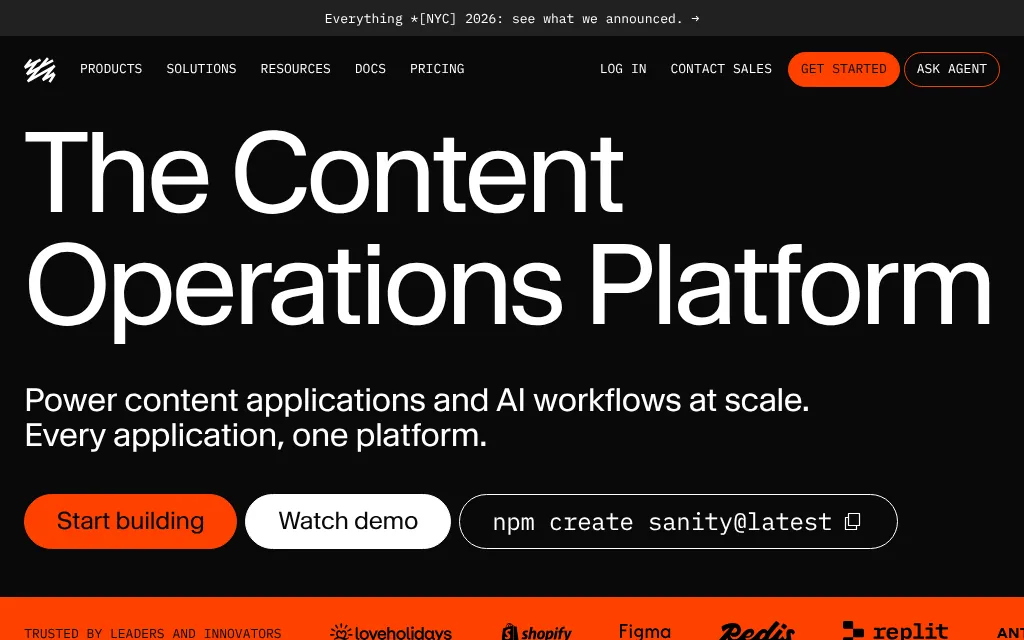
Sanity keeps content in its hosted Content Lake, with an EU region in Belgium, and includes click-to-edit visual editing and real-time co-editing for free; Growth costs $15 per seat a month. Pick it if you need EU hosting or editors who work at the same time, and can give up content in Git.
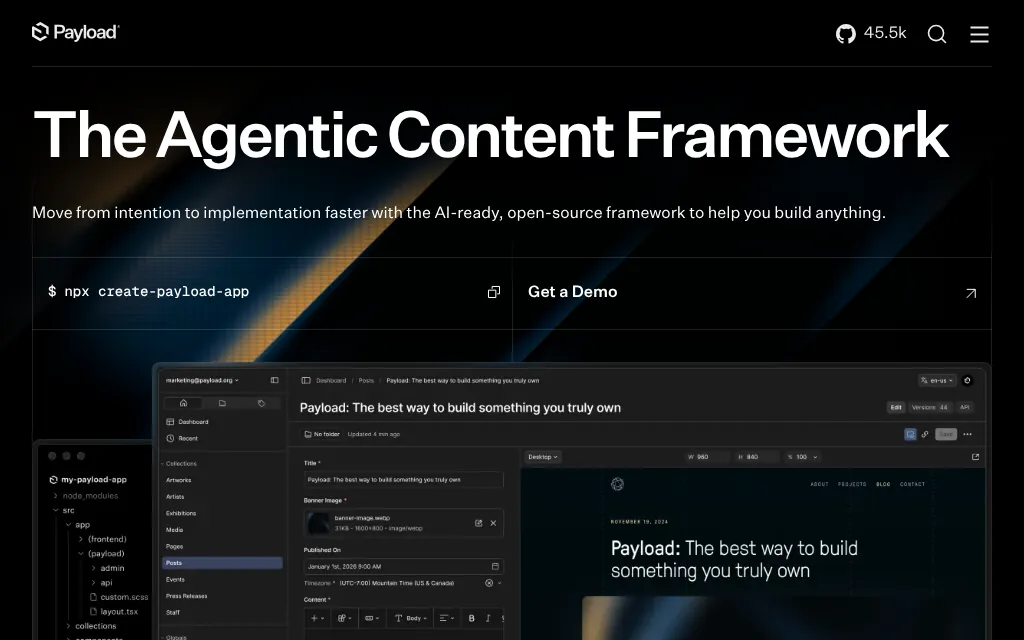
Payload is MIT-licensed and runs inside your Next.js app with REST, GraphQL and a Local API, storing content in MongoDB, Postgres or SQLite; self-hosted it costs $0 with no seat limits. Its click-to-edit editor is Enterprise-only and marked "Coming Soon". Pick it if your site is a Next.js app that needs a full backend.
Statamic is the other flat-file option: a PHP and Laravel app that stores Markdown and YAML files by default, self-hosted only. Three editors need Pro, $349 per site with a year of updates, then $99 a year. Pick it if your team works in Laravel.
See all CMS platforms we list.
Who should use TinaCMS
Use it if your site runs on Astro or Next.js, keeps its content as Markdown or MDX in a GitHub repository, and has a few editors who should not need Git; budget for TinaCloud or your own backend. Look elsewhere if you need SSO without an enterprise contract, EU data hosting, GitLab or Bitbucket, scheduled publishing, or one content API for apps as well as your website.
FAQ
Is TinaCMS free?
Yes. The CMS is open source under Apache 2.0, and editing locally needs no account. Editing on a live site needs TinaCloud, which is free for 2 users and costs $29 a month per project for 3 users on the Team plan, or a backend you host yourself.
Can I use TinaCMS without TinaCloud?
Yes, if you self-host the backend: a Node endpoint for Tina's GraphQL API, a Redis or MongoDB database, an auth provider such as Auth.js or Clerk, and a GitHub token. Tina's setup command for this supports only Next.js, and self-hosted sites have no search, Git-backed media or runtime branch switching.
Does TinaCMS work with Astro?
Yes. Astro is the default starter in create-tina-app, and visual editing works without React on the page. The site needs an SSR adapter, because the editor re-renders each edited region through an on-demand route.
Does TinaCMS collect telemetry?
Yes, by default. The installer, the tinacms command and the admin send anonymous usage events, mostly to PostHog's US servers. Pass --noTelemetry to create-tina-app and to tinacms commands, and set telemetry: 'disabled' in tina/config.ts, to turn them off.
Which Git hosts does TinaCloud support?
Only GitHub; the Enterprise plan adds GitHub Enterprise. Self-hosted TinaCMS also ships with a GitHub provider, and you can write your own provider for other hosts.
KEEP EXPLORING
More CMS platforms