Hosted headless CMS with a GROQ API and an open-source React Studio
Strapi
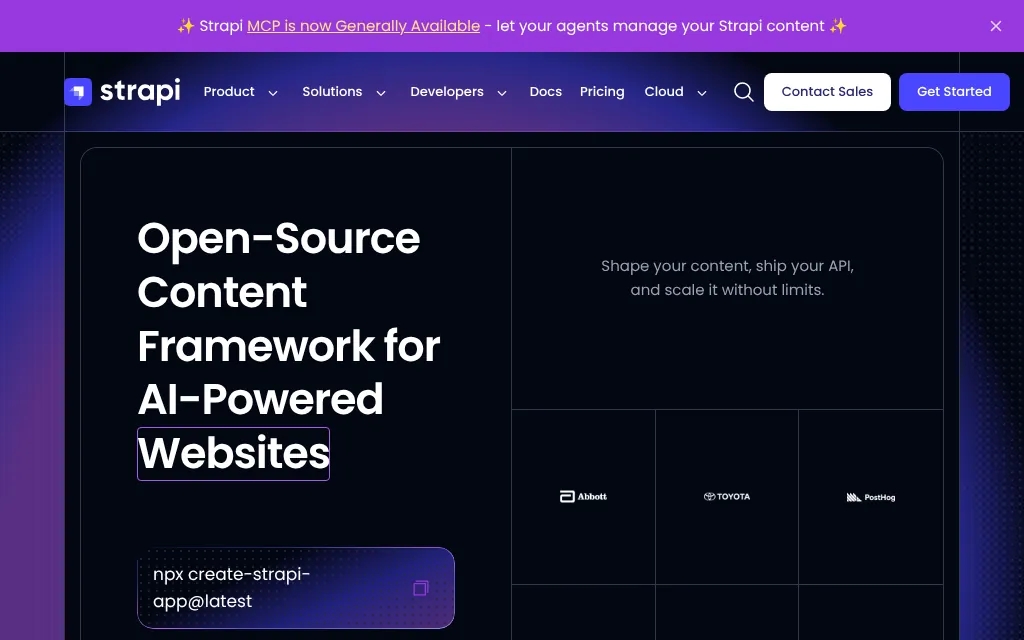
Open-source Node.js headless CMS with a visual schema builder and REST API
FreemiumCMS
strapi.ioExplore the product
AT A GLANCE
Details about Strapi
Short verdict: Strapi 5 gives a JavaScript team a self-hosted content API and a browser admin: you model content in a visual builder that writes schema files into your repository, and every content type gets a REST API that starts closed to the public. The free MIT plan covers unlimited users, drafts, localization and custom roles; version history, scheduling, live preview and SSO cost extra wherever you host. Fix two defaults before launch: public read access also exposed our drafts, and the server reported API request paths to Strapi's analytics. It suits teams that can run an always-on Node.js server, not teams that want serverless hosting or real-time co-editing.
How we reviewed it: On 25 October 2026 we installed Strapi 5.59.0 with npx create-strapi@latest on Linux (Node.js 22.22.0), skipping the Strapi Cloud sign-in. We built a Post type, published an entry with an image, queried the REST API, enabled the MCP server, timed a production build and start, and loaded the admin in Playwright at 1440 × 900, logging every request that left the machine. Timings are single runs in a shared cloud container. We did not create a Strapi account; Strapi Cloud and the paid plans are covered from Strapi's pricing pages, docs and status page.
What Strapi costs and what you get
| Price | Community plan free under the MIT license, unlimited admin users. Growth $45 a month for 3 users, then $15 per extra user. Enterprise on quote. Per Strapi. CMS pricing |
|---|---|
| Strapi Cloud | Hosting only, per project: Starter $35 a month, Pro $90, Business $450 (monthly billing). No free plan. Growth and Enterprise features need a separate license key. |
| Version | 5.59.0, published 21 October 2026; 14 stable releases in the last 90 days |
| Stack | Node.js (LTS 22, 24 or 26) on Koa, React admin built with Vite, TypeScript by default |
| Databases | PostgreSQL, MySQL, MariaDB or SQLite; no MongoDB |
| APIs | REST for every content type, GraphQL as an official plugin, the @strapi/client JavaScript client and a built-in MCP server |
| License | MIT outside ee/ folders. Enterprise-licensed code, including the whole Review Workflows and Releases packages, is installed in every project and stays locked without a key. |
| Project health | 258,813 npm downloads of @strapi/strapi in the week of 28 September to 4 October 2026 |
What we found
Setup: a Cloud prompt, five questions, 1,399 packages
The installer opens with "Please log in or sign up" to Strapi Cloud, with Skip as the second choice, then asks about SQLite, example data, TypeScript, installing dependencies and Git. With an empty npm cache it took 2 minutes 45 seconds, 132 seconds of it for npm to add 1,399 packages (751 MB). npm audit flagged 34 advisories, the 3 critical ones from DOMPurify 3.4.16 pinned by the Content Manager; npm's only suggested fix was a downgrade to Strapi 4.
The Content-Type Builder writes files and restarts the server
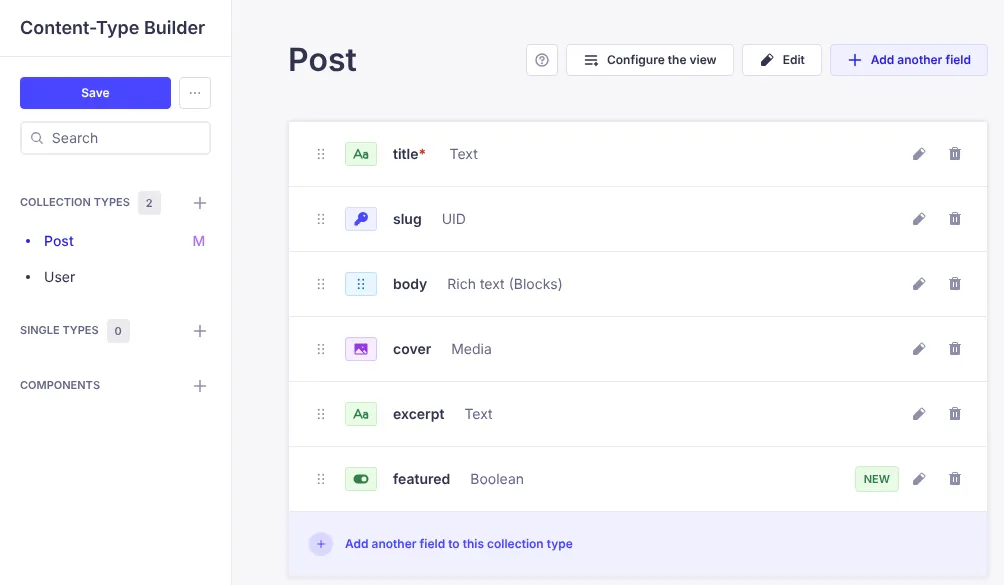
Our Post type had a required title, a slug tied to it, a Blocks body and a cover image. Changes stay in the browser, marked NEW or M, until you click Save. Save wrote schema.json plus a controller, a route and a service into src/api/post, regenerated the TypeScript definitions and restarted the server: 15 seconds the first time, 9 seconds later. The builder works only in development mode, so schema changes reach production through Git. Per Strapi's docs, startup drops columns that are no longer in the schema, so a renamed field loses its data unless you write a migration.
The API starts closed, but drafts are one parameter away
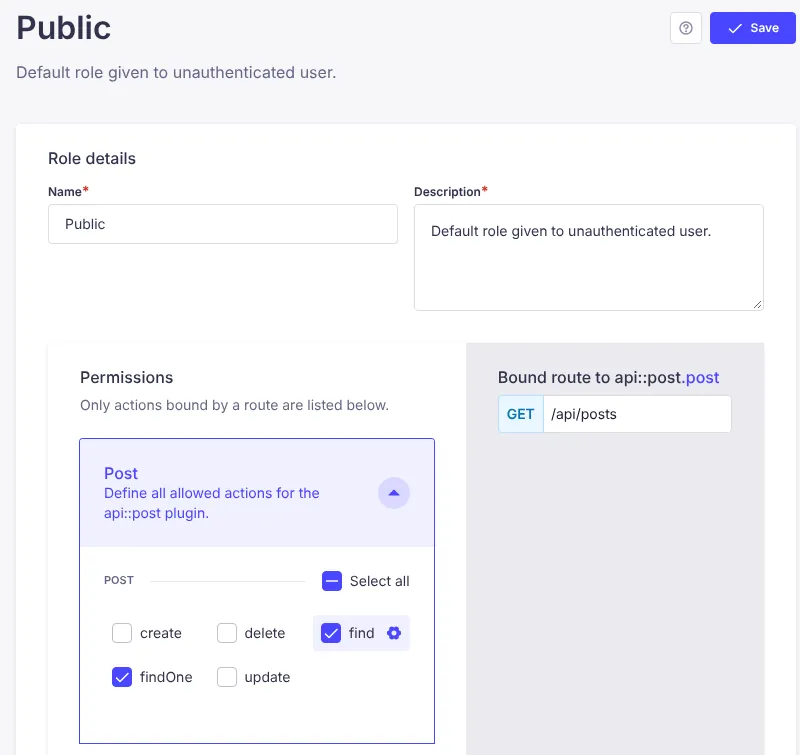
After we published an entry, GET /api/posts returned 403 Forbidden: public access stays off until you tick actions per content type for the Public role. We allowed find and findOne and the entry came back, with the image only when requested through populate. With just those two permissions, an anonymous request to /api/posts?status=draft also returned both our drafts, including one never published, and the same worked for a single entry. Strapi's docs for the status parameter show it with an API token and don't mention public roles, so block status=draft on public requests with a policy or middleware.
Editing: draft tabs, Blocks editor, preview you wire up
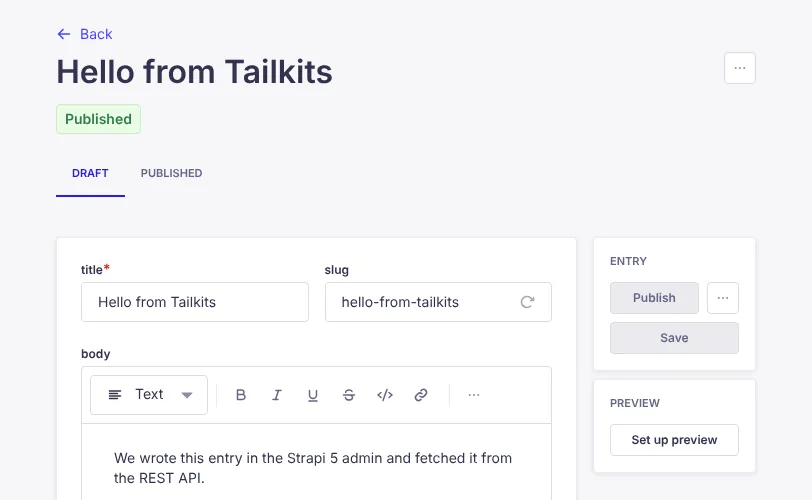
The edit view has Draft and Published tabs and a Blocks editor with a block-type menu, basic formatting, inline code, links and lists. The slug stayed empty until we clicked its regenerate button. Our 1,600 × 900 JPEG was stored at 33.5 KB with four smaller JPEG copies, 245 to 1,000 pixels wide, and no WebP or AVIF versions. Preview shows your front end inside the admin once you configure it in config/admin; Live Preview, with side-by-side and in-page editing, needs Growth.
What leaves your server by default
Telemetry is on by default and sends more than Strapi's usage information page lists. The installer, which has no opt-out setting, posted 8 events to analytics.strapi.io with a device ID, OS details and our answers. The server tagged admin events with an unsalted SHA-256 hash of the admin's email address and sent an event for every Content API request, up to 1,000 a day, with the full path and query string, such as /api/posts?status=draft. The admin page also tried to call GitHub's API and analytics.strapi.io on every load; we blocked those. npm run strapi telemetry:disable stops the analytics events; the GitHub release check is a separate admin setting.
A built-in MCP server, scoped by token
Strapi 5 includes a free MCP server for AI clients. We turned it on with one setting in config/server.ts and created an admin token that could only read posts. Without the token, /mcp answered 401; with it, the server listed three tools (list_post, get_post and log), returned our entries and refused create_post. Tools are generated per content type, so a token with write rights gets write tools.
What costs extra
The settings menu lists five paid features with a lightning icon, each opening an upgrade page. Growth adds Live Preview, Releases with scheduling, 14 days of history and Strapi AI; SSO is a Growth add-on listed at $150 a month (+$50 a month per user); review workflows and audit logs need Enterprise, per Strapi. Strapi Cloud prices hosting per project and includes none of these; Starter has no backups and sleeps when idle. Three editors cost $0 in licenses self-hosted or $35 a month on Cloud Starter. Ten editors with SSO pay $650 a month by our reading of the pricing page ($45 + 7 × $15, plus $150 + 7 × $50), or $685 with Cloud Starter.
Install, build and uptime
| Measurement | Result |
|---|---|
| Cold install, empty npm cache | 165 s in total, 132 s of it npm install |
| Installed packages | 1,399 packages, 751 MB of node_modules |
Production-only install (npm ci --omit=dev) | 39 s, 1,405 packages, 795 MB |
First strapi develop | Server up in 11.5 s, admin usable after 18.5 s |
| Schema save and restart | 9 to 15 s |
| Production admin build | 36.6 s; 334 files, 11.9 MB (3.9 MB gzipped) |
strapi start | Server up in 2.8 s, login screen 1.0 s later |
| Admin first load, 1440 × 900, cache off | 24 requests, 6.1 MB transferred |
strapi export of our test project | 7.1 s, 131 KB archive |
Strapi serves the admin uncompressed: the main script alone is 5.4 MB, about 1.7 MB with gzip, so put a compressing proxy in front. The production server used about 230 MiB of memory, and a production-only install saves nothing because TypeScript, Vite and webpack are regular dependencies. Strapi Cloud's status page showed 99.886% uptime over the 90 days to 25 October 2026, with two incidents: dashboard backups unavailable on 3 September (1 hour 26 minutes) and some projects unavailable on 11 September (1 hour).
What you still have to set up
A front end. Fetch content through REST, GraphQL or
@strapi/client. TypeScript types are generated for the server only.Hosting. An always-on Node.js server, a PostgreSQL, MySQL or MariaDB database, upload storage such as S3, backups, and a proxy with TLS and compression.
Access rules. Public permissions per content type, a block on
status=draftfor anonymous requests, and API tokens for build-time fetches.Migrations. Scripts for renamed or deleted fields whose content you keep.
Pros and cons
Pros
Content modeling by clicking, with the schema kept in Git as JSON files.
The free MIT plan has unlimited users, custom roles, localization and drafts, and content stays in your own database.
A REST API per content type with public access closed by default, plus GraphQL and a JavaScript client.
A built-in MCP server that limits AI clients to their token's permissions.
Active development: 14 stable releases in 90 days and about 259,000 npm downloads a week.
Cons
Public read access also exposes drafts through
?status=draftunless you block it.Telemetry is on by default and includes API request paths and a hash of the admin's email.
History, scheduling, live preview and SSO are paid even when self-hosted; Strapi Cloud has no free plan.
Heavy: 1,399 packages, a 6.1 MB uncompressed admin and an always-on server.
Schema changes restart the server and can drop data without a migration.
How Strapi compares
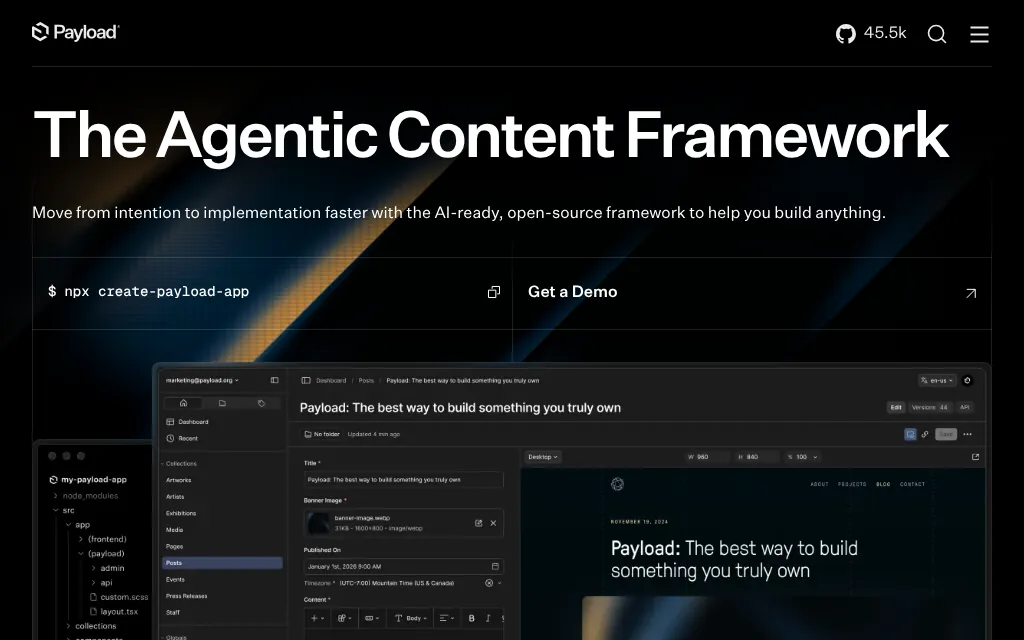
Payload is MIT-licensed with no seat or project limits and runs inside your Next.js app, with the schema in TypeScript code. Live preview and scheduled publishing are free (scheduling needs a job runner you set up), but Payload Cloud is paused, so you host it yourself. Pick it if your site is a Next.js app.
Directus also keeps content in your SQL database, can work over existing tables, and includes free real-time co-editing and a visual editor. Its free Core is capped in code at 3 seats under a source-available license, and self-hosted Team costs $599 a month (free under $5M revenue and 50 employees). Pick it for an existing database or co-editing.
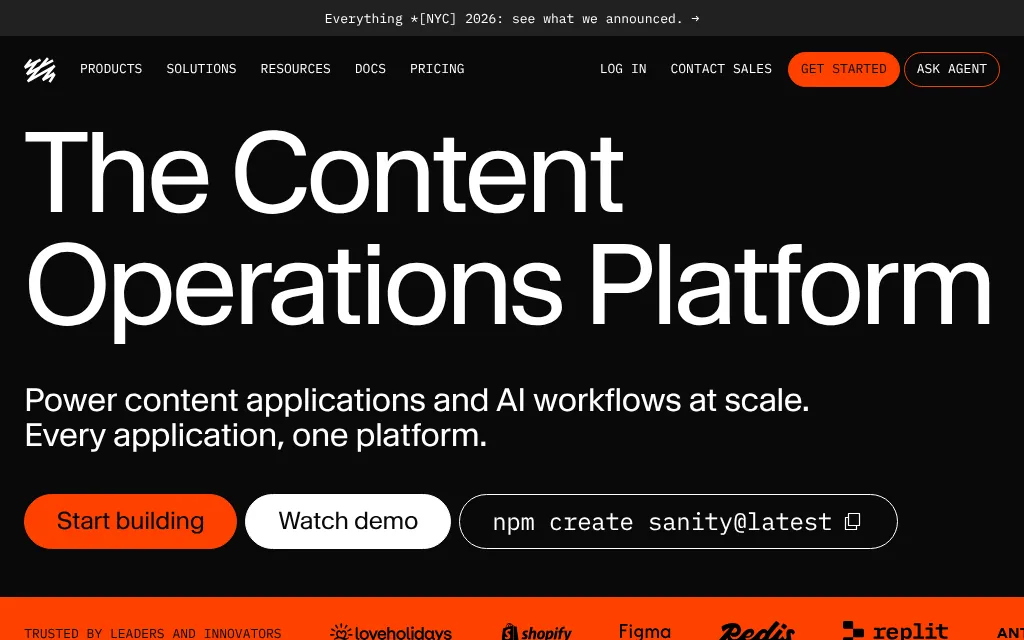
Sanity hosts content in its Content Lake, so there is no server to run, and visual editing and real-time co-editing are free. Three editors cost $45 a month on Growth, or $0 on the capped Free plan, but SSO needs an Enterprise quote and the content can't be self-hosted. Pick it for hosted content and live collaboration.
See all CMS platforms we list.
Who should use Strapi
Use it if your team writes JavaScript or TypeScript, wants content in its own PostgreSQL or MySQL database behind a REST API, and can run an always-on Node.js server. Budget for Growth if editors need history, scheduling or live preview. Look elsewhere for serverless hosting, content stored as files in Git, real-time co-editing, or SSO without a per-user fee.
FAQ
Is Strapi free?
Yes. The Community plan is free under the MIT license, with unlimited admin users, and you can self-host it without a license fee. Growth ($45 a month for 3 users, then $15 per extra user) adds live preview, scheduled releases, content history and Strapi AI, and Enterprise adds review workflows and audit logs, per Strapi.
Does Strapi Cloud have a free plan?
No. On 25 October 2026 Strapi Cloud started at $35 a month per project (Starter: 100,000 API requests, no backups, sleeps when idle), then $90 for Pro and $450 for Business. Cloud plans cover hosting only; Growth and Enterprise features need a separate license key.
What do I need to self-host Strapi?
An always-on Node.js LTS server with at least 2 GB of RAM, a PostgreSQL, MySQL or MariaDB database (SQLite is the installer's default), storage for uploads and a reverse proxy. Strapi says it is not suited to serverless platforms because it takes seconds to boot.
Does Strapi send data to Strapi?
Yes, by default. The installer, the server and the admin send usage events to analytics.strapi.io, and in our test the server also reported the path of each API request. Turn it off for the server and admin with npm run strapi telemetry:disable or by setting telemetryDisabled to true in the strapi section of package.json; the installer has no switch.
Does SSO cost extra?
Yes. Single sign-on needs the Enterprise plan or the Growth plan with an SSO add-on listed at $150 a month (+$50 a month per user). By our reading of the pricing page, 10 editors with SSO cost $650 a month in license fees.
KEEP EXPLORING
More CMS platforms