
Anthropic's coding agent for terminal, IDE, desktop and web, from $20 a month
T3 Code
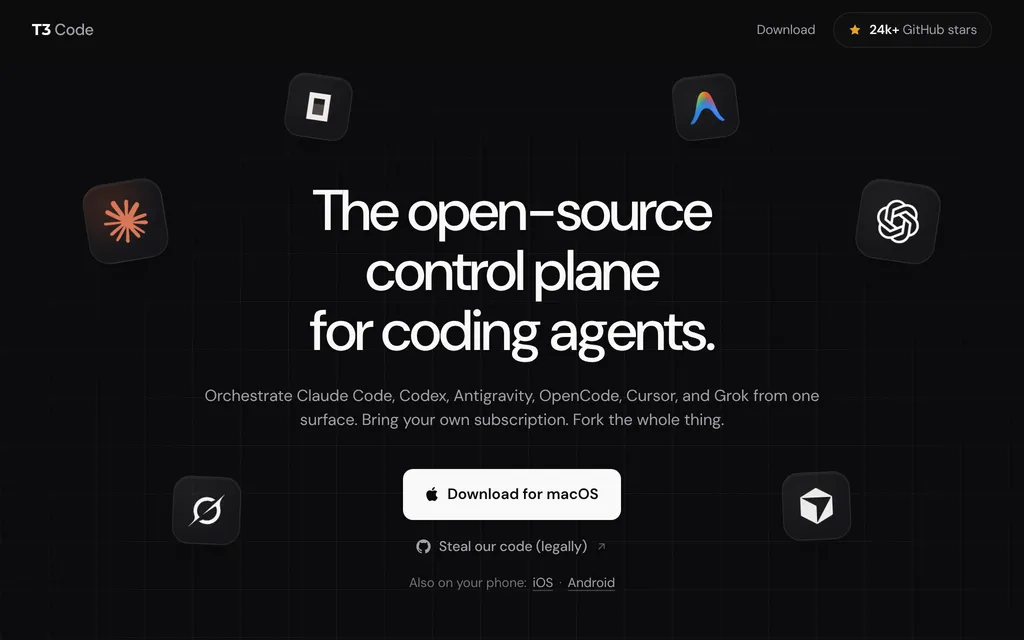
Free, open-source app to run Claude Code, Codex and more from one UI
FreeAI Coding
t3.codesExplore the product
AT A GLANCE
Details about T3 Code
Short verdict: T3 Code is a free, MIT-licensed app from T3 Tools, Theo Browne's company, that runs other coding agents instead of its own: Claude Code, Codex, Cursor, Grok Build, OpenCode, Google Antigravity, Pi, Muse Code and agents from the ACP Registry, each with the subscription you already pay for. It puts them in one interface on desktop, web, iPhone and Android, gives every thread its own git branch with one-button pull requests, and lets agents hand tasks to agents on other providers. The catches are maturity and defaults: the README says "We are very very early in this project. Expect bugs.", new threads start in Full access mode, and usage telemetry is on unless you turn it off. It suits developers who use two or more agents and want them side by side, including from a phone; if you use one agent, its own app may be enough.
How we reviewed it: We did not install T3 Code or connect an agent to it. On 21 October 2026 we read the T3 Code homepage and download page, the README and user docs on GitHub (installation, remote access, permission modes, telemetry and providers), the release notes for versions 0.1.0 and 0.1.1, the terms of service and privacy policy, the App Store and Google Play listings, and the npm registry entry for the t3 CLI (version 0.1.1, published 21 October 2026). Nightly builds change details quickly; the release notes track them.
What T3 Code costs and includes
| What | T3 Code on 21 October 2026 |
|---|---|
| Type | Desktop app and orchestrator for other coding agents, with no model of its own (T3 Tools, Inc.) |
| Where it runs | Electron app for macOS, Windows 10 and 11, and Linux (.deb, AppImage, AUR); the t3 CLI server with a local web app; a hosted web app; iPhone and iPad (iOS 18 or later) and Android apps |
| Agents and models | Claude Code, Codex, Cursor (official SDK), Grok Build, OpenCode 1.x and 2.x, Google Antigravity, Pi, Muse Code and ACP Registry agents such as Devin, Cline and Kimi; the models are whatever those agents offer |
| Free tier | Everything. T3 Tools charges no subscription fee and resells no tokens |
| Paid plans | None. You pay for the agents you connect, such as a Claude, ChatGPT, Cursor or Grok plan. T3 Code terms |
| How usage is limited | By each agent's own plan; T3 Code keeps queued messages through usage limits and can resume when they reset |
| Open source | MIT license; pingdotgg/t3code, 29.1k GitHub stars on 21 October 2026 |
| Data use | T3 Tools says it does not train on your code, prompts or agent responses; anonymous usage telemetry is on by default |
| Latest notable release | Version 0.1.0 on 15 October 2026, the first stable release of Orchestrator V2; version 0.1.1 on 21 October 2026 |
What T3 Code adds on top of your agents
Agents that delegate to other agents
Version 0.1.0 added delegate_task: an agent can start child agents on any connected provider or model and wait for their results, and each child runs as its own thread with its own history. A built-in MCP server lets agents create, message, wait on, read, search and interrupt threads, and outside agents, such as Claude Code in your terminal or ChatGPT, can connect to it by URL. Agents cannot approve their own permission requests.
A branch per thread and one-button pull requests
Every agent thread writes to its own branch. When the work is ready, one button commits, pushes and opens a pull request on GitHub with a generated title, body and changelog, and T3 Code handles draft, stacked and amended pull requests as well as GitLab merge requests. Any thread can be forked, including failed or interrupted ones, and you can switch model or provider between turns.
Your computer, from your phone
The iPhone, iPad and Android apps connect to the machine where your agents run, through T3 Connect (no router port forwarding) or by pairing over your LAN or Tailscale. From the phone you can follow threads and send, steer or queue messages; the queue lives on the server, survives restarts and usage limits, and can resume when a limit resets.
Limits and costs to watch
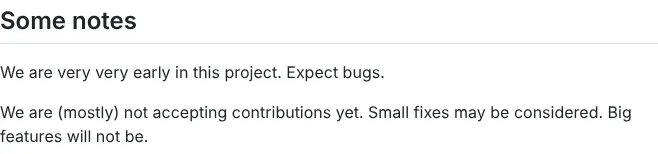
Very early software. The README says "We are very very early in this project. Expect bugs." The current version is 0.1.1, nightly builds ship every day, and the team is "(mostly) not accepting contributions yet".
Full access by default. New threads start in Full access, which runs commands and file edits without approval. You can change the default in Settings, under General, New threads, Permissions; on OpenCode and Antigravity, Auto mode falls back to asking.
Telemetry is on. The server sends usage events (provider, model, turn result and token totals) with hashed IDs for your T3 Connect, OpenAI and Claude accounts, forwarded to PostHog; they exclude prompts, responses and file contents. Set
T3CODE_TELEMETRY_ENABLED=falseto stop them.Switching providers mid-thread is lossy. The new provider gets a budgeted selection of the conversation, but not the previous provider's reasoning, tool calls or attachments.
Check each agent's terms. Google's Antigravity FAQ says using an Antigravity login with third-party tools "is a violation of our Terms of Service", so be careful connecting a Google consumer plan.
You still pay for agents, and your machine must stay on. T3 Code adds no models, remote use needs the host running and reachable, and there is no
t3CLI binary for Intel Macs (the desktop app works there).
Pros and cons
Pros
Free and MIT-licensed, with no token resale or quota caps of its own.
One interface for eight agent harnesses plus ACP Registry agents, using subscriptions you already have.
Agents can delegate to agents on other providers and wait for their results.
A branch per thread and one-button pull requests with generated descriptions.
Apps for iPhone, iPad and Android to follow and steer work on your own machine.
Cons
Early software: version 0.1.1, with the README warning to expect bugs.
New threads run with Full access unless you change the default.
Usage telemetry, including hashed account IDs, is on by default.
Needs at least one paid agent subscription installed and signed in on your machine.
How T3 Code compares
Warp is a terminal that hosts CLI agents such as Claude Code, Codex and OpenCode next to its own agent; its client is AGPL-3.0, the free plan covers the terminal with your own inference, and Build costs $20 a month ($18 billed annually). Choose it to keep agents in a terminal rather than a separate app.
Zed is an open-source editor (GPL-3.0) that runs external agents such as Claude Agent, Codex, OpenCode and Cursor through the Agent Client Protocol at no charge on its free Personal plan, but it has no web or mobile app. Choose it if you want your agents next to your code in an editor.
Amp also runs on your own ChatGPT, Claude or Grok subscription on its free Hobby plan, and adds orbs, pay-as-you-go cloud machines that keep a thread running after you close your laptop. It is closed source, and its iPhone app is a TestFlight beta. Choose it if you want agents to run in the cloud rather than on your own machine.
Browse all AI coding tools for more agents and AI code editors, or AI app builders for prompt-to-app vibe coding.
Who should use T3 Code
T3 Code fits developers who already pay for more than one agent, say Claude Code and Codex, and want them in one window with branches, pull requests and phone access handled for them, and who are comfortable running pre-1.0 software. It also suits people who want to fork and restyle their own agent client, since the code is MIT-licensed. Skip it if you use a single agent and are happy with its app, if you need a stable, supported tool for a team, or if you can't keep the machine that runs your agents online.
FAQ
Is T3 Code free?
Yes. As of 21 October 2026, T3 Code is free and MIT-licensed, and T3 Tools charges no subscription fee or token markup. You pay only for the agents you connect, such as a Claude or ChatGPT plan; its terms say any future paid feature will show its price before you buy.
Which coding agents does T3 Code support?
Claude Code, Codex, Cursor, Grok Build, OpenCode, Google Antigravity, Pi and Muse Code, plus agents from the ACP Registry. Each one must be installed and signed in on the machine that runs T3 Code; Antigravity only needs a Google sign-in inside the app, although Google's Antigravity FAQ says using an Antigravity login with third-party tools violates its terms.
Does T3 Code collect my code or prompts?
T3 Tools says it does not use your source code, prompts or agent responses to train AI models, and its usage events exclude prompts, responses and file contents. Usage telemetry is on by default and can be turned off with T3CODE_TELEMETRY_ENABLED=false; your prompts go to the agent providers you connect, under their terms.
Can I use T3 Code from my phone?
Yes. T3 Code has apps for iPhone and iPad (iOS 18 or later) and Android that connect to the computer running your agents, through T3 Connect or by pairing over your LAN or Tailscale. That computer has to stay on and reachable.
KEEP EXPLORING
More AI coding tools Good company for T3 Code.
AI code editor with parallel cloud agents, sold in The X Subscription from $8
OpenAI's coding agent for CLI, IDE, ChatGPT app and cloud, from $20 a month