
What's Different Between Base UI, shadcn/ui, and Other UI Systems?
A comprehensive breakdown of unstyled primitives
 If you're building a React app in 2026, you've probably asked yourself: "Which UI library should I use?" The answer isn't simple because there are fundamentally different categories of UI systems, each with its own philosophy.
Let me break down the landscape so you can make an informed decision.
The Spectrum of UI Libraries
UI libraries exist on a spectrum from "completely unstyled" to "fully designed". Understanding where each system sits helps you choose the right tool for your needs.
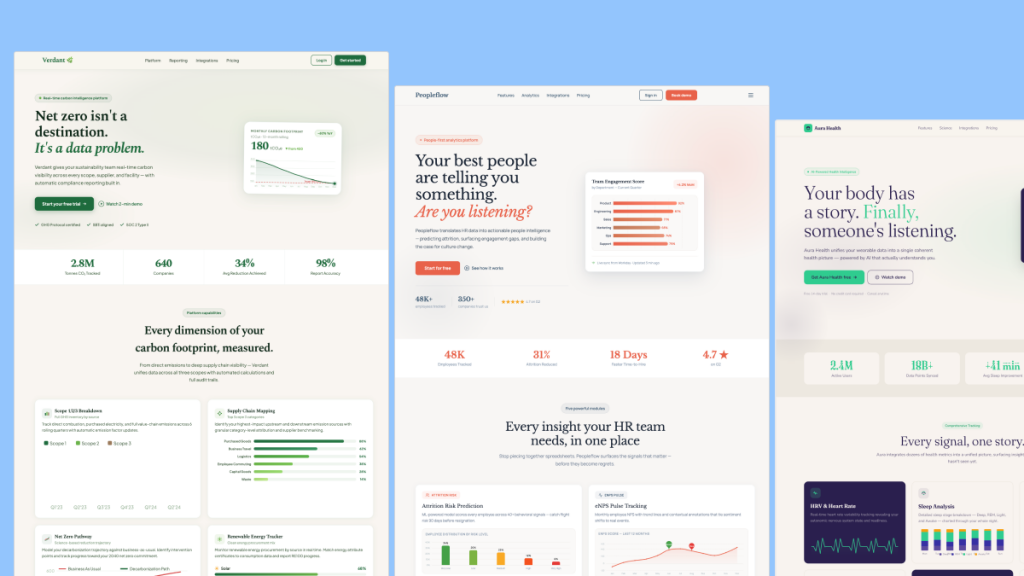
1. Unstyled Primitives (Base UI, Radix UI, React Aria, Headless UI)
Philosophy: "We handle the hard stuff (accessibility, keyboard nav, focus management), you handle the design"
How They Work
These libraries provide zero visual styling. They're pure behavioral logic wrapped in React components.
// You get ZERO styling - just the behavior
<Dialog.Root>
  <Dialog.Trigger className="whatever-you-want">
    Open
  </Dialog.Trigger>
  <Dialog.Content className="style-this-yourself">
    <Dialog.Title className="your-heading-styles">Title</Dialog.Title>
    <Dialog.Description>Your content here</Dialog.Description>
  </Dialog.Content>
</Dialog.Root>
What You Get
✅ Keyboard navigation (Tab, Escape, Arrow keys)
✅ Focus management (where focus goes when opening/closing)
✅ ARIA attributes (screen reader support)
✅ Portal management (rendering outside DOM hierarchy)
✅ Collision detection (keeping popovers on screen)
What You DON'T Get
❌ Any CSS whatsoever
❌ Color schemes or themes
❌ Pre-built design patterns
Pros
Complete design freedom - Build any look you want
Accessibility built-in - Experts handled the complex parts
Small bundle size - No unused CSS
Styling agnostic - Works with Tailwind, CSS Modules, CSS-in-JS, anything
Cons
You write ALL the CSS - Every button, every dialog, every tooltip
Slower initial setup - More work upfront
Requires design skills - You need to know what good UI looks like
Popular Options
Base UI - From the creators of Material UI (newest, most modern)
Radix UI - Industry standard, widely adopted
React Aria - Adobe's accessibility-first library
Headless UI - Tailwind Labs' minimal primitives
When to Use
Building a custom design system
Need complete design control
Have a designer on the team
Want the smallest possible bundle
2. Copy-Paste Systems (shadcn/ui, Magic UI)
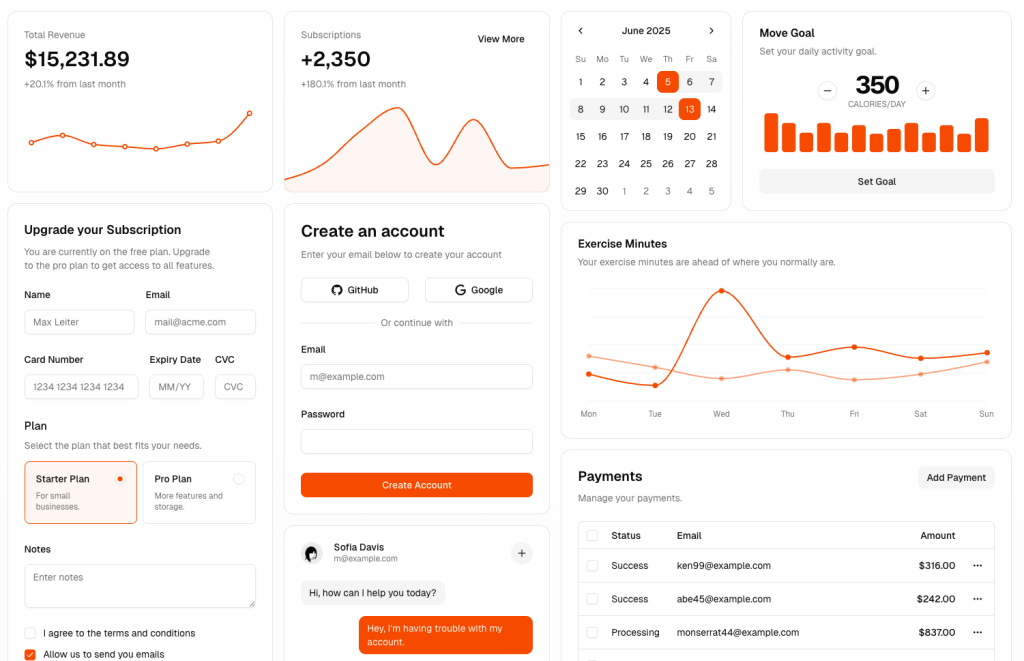
Philosophy: "Here's beautifully designed code - copy it into YOUR codebase and customize"
How They Work
This is a revolutionary approach. Instead of installing components as dependencies, you copy the source code directly into your project.
# Not installed as a dependency!
npx shadcn-ui@latest add button

# Code gets copied into your project:
# components/ui/button.tsx
What Makes This Different
You own the code - It lives in your repo
Built on primitives - Uses Radix UI under the hood
Pre-styled - Comes with Tailwind CSS styling
Fully customizable - Change anything since it's your code
The shadcn/ui File Structure
your-project/
├── components/
│   └── ui/
│       ├── button.tsx      (you copied this)
│       ├── dialog.tsx      (you copied this)
│       └── dropdown.tsx    (you copied this)
├── lib/
│   └── utils.ts            (helper functions)
└── app/
    └── page.tsx            (your app code)
Example Component
// This code lives IN YOUR PROJECT
import { Button } from "@/components/ui/button"

<Button variant="default" size="lg">
  Click me
</Button>
If you want to change how buttons look, you edit components/ui/button.tsx. It's that simple.
Pros
✅ Full control - It's literally your code
✅ Beautiful defaults - Looks professional out of the box
✅ Easy to customize - Just edit the file
✅ No dependency hell - Not locked to package versions
✅ Still accessible - Built on Radix primitives
✅ Type-safe - Full TypeScript support
Cons
❌ No automatic updates - You manually update copied code
❌ Manual file management - More files in your repo
❌ Opinionated stack - Designed for Tailwind + Radix
❌ Initial setup - Need to configure paths and theme
When to Use
Modern React apps (Next.js, Vite, Remix)
Want beautiful defaults but need customization
Using Tailwind CSS already
Building a product (not a quick prototype)
3. Traditional Component Libraries (Material UI, Chakra UI, Ant Design)
Philosophy: "Here's a complete design system with pre-built components"
How They Work
Install a package, import components, and get a fully-styled UI instantly.
// Imported from package, fully styled
import { Button, Dialog, TextField } from '@mui/material'

<Button variant="contained" color="primary" size="large">
  Click me
</Button>
What You Get
Pre-designed components
Consistent design system
Theme configuration
Extensive documentation
Large component library (50+ components)
Pros
✅ Instant beautiful UI - Looks good immediately
✅ Consistent design system - Everything matches
✅ Lots of components - Rarely need to build from scratch
✅ Battle-tested - Used by millions of apps
✅ Great documentation - Tons of examples
Cons
❌ Hard to customize deeply - Fighting the system
❌ Large bundle size - Shipping unused styles
❌ Recognizable look - "That's a Material UI site"
❌ Theme limitations - Can't change everything
❌ Breaking changes - Major version updates are painful
Popular Options
Material UI (MUI) - Google's Material Design
Chakra UI - Modern, accessible, Emotion-based
Ant Design - Enterprise-focused, comprehensive
Mantine - Feature-rich with great DX
When to Use
Building MVPs or prototypes quickly
Creating admin dashboards or internal tools
Don't have a designer
Need consistency more than uniqueness
Working with non-technical stakeholders who want "professional looking"
4. CSS Framework Component Collections (Tailwind UI, Tailkits UI, daisyUI)

Philosophy: "Here are HTML/CSS templates you copy - no JavaScript dependencies"
How They Work
These are collections of HTML templates styled with utility classes (usually Tailwind CSS). You copy the markup directly.
<!-- Pure HTML + Tailwind classes - no React required -->
<button class="flex items-center justify-center bg-slate-900 text-white px-4 py-2.5 rounded-xl shadow-[0_2px_10px_0px_rgba(0,0,0,0.05)] hover:bg-slate-800 transition-all">
  <svg class="shrink-0 h-5 w-5 mr-2"><!-- icon --></svg>
  Click me
</button>
Tailkits UI Example
Tailkits UI provides 213 landing page components:
Hero sections (31 variants)
Feature sections (23 variants)
Pricing tables (10 variants)
Navigation bars (9 variants)
And more...
Each component is ready-to-use HTML with Tailwind classes.
Pros
✅ No JavaScript framework lock-in - Works anywhere
✅ Copy exactly what you need - No unused code
✅ Extreme flexibility - Change any class
✅ Tiny bundle - Just HTML/CSS
✅ Easy to understand - Just markup
✅ SEO-friendly - Semantic HTML
Cons
❌ No state management - You add interactivity
❌ Complex interactions need work - Dropdowns, modals, etc.
❌ Manual copying - No CLI tool
❌ Component updates - Manual process
When to Use
Building landing pages or marketing sites
Need pixel-perfect design control
Want fast-loading pages
Working with different frameworks (or no framework)
Creating static sites
5. Full Design Systems (Atlassian, Polaris, Carbon)
Philosophy: "Here's our company's entire design language as code"
Characteristics
Complete design philosophy and principles
Strict design guidelines
Brand identity baked in
Extensive documentation
Usually for internal teams
Examples
Polaris - Shopify's design system
Carbon - IBM's design system
Atlassian Design System - Jira, Confluence, etc.
When to Use
Working at that specific company
Building apps in their ecosystem
Want a cohesive, opinionated system
Quick Comparison Table
System | Install Method | Styling | Customization | Bundle Size | Best For |
|---|---|---|---|---|---|
Base UI | npm package | None (you add it) | Total freedom | Very small | Custom design systems |
Radix UI | npm package | None (you add it) | Total freedom | Very small | Same as Base UI |
shadcn/ui | Copy code | Tailwind (changeable) | Own the code | Small | Modern apps needing flexibility |
Material UI | npm package | Complete theme | Theme overrides | Large | Quick MVPs, admin panels |
Chakra UI | npm package | Theme-based | Good flexibility | Medium | Rapid development |
Tailkits UI | Copy HTML | Tailwind classes | Change any class | Tiny | Landing pages, marketing |
Tailwind UI | Copy HTML | Tailwind classes | Change any class | Tiny | Marketing sites |
daisyUI | npm plugin | Tailwind classes | CSS variables | Small | Component-based apps |
The Modern Stack: Combining Approaches
Here's a powerful pattern that's becoming standard in 2025:
Base UI + Tailwind CSS = Complete Control
// Base UI for behavior
import * as Popover from '@base-ui/react/popover'

// Tailwind classes for styling
<Popover.Root>
  <Popover.Trigger className="bg-slate-900 text-white px-4 py-2.5 rounded-xl hover:bg-slate-800 transition-all shadow-[0_2px_10px_0px_rgba(0,0,0,0.05)]">
    Open Menu
  </Popover.Trigger>
  <Popover.Popup className="bg-white rounded-2xl shadow-[0_0px_10px_0px_rgba(0,0,0,0.10)] p-4">
    <Popover.Arrow />
    Your content here
  </Popover.Popup>
</Popover.Root>
This gives you:
✅ Accessible behavior (Base UI)
✅ Complete design control (Tailwind)
✅ Small bundle size
✅ Full customization
Tailkits UI + Base UI = Perfect Landing Pages
For landing pages specifically:
Use Tailkits UI components for the visual design
Use Base UI primitives when you need interactive elements (dropdowns, modals, popovers)
// Tailkits UI hero section (static HTML)
<section class="pt-12 pb-16 lg:py-24">
  <div class="max-w-7xl mx-auto px-4 xl:px-0">
    <!-- Beautiful landing page markup -->
  </div>
</section>

// Base UI for navigation dropdown
<Popover.Root>
  <Popover.Trigger className="tailkits-button-classes">
    Menu
  </Popover.Trigger>
  <!-- Interactive behavior -->
</Popover.Root>
Why shadcn/ui Exploded in Popularity
shadcn/ui hit the perfect sweet spot in 2023-2024:
Beautiful defaults - Looks professional instantly
Full customization - You own the code
Modern stack - Radix + Tailwind + TypeScript
No lock-in - Copy-paste approach means freedom
Active community - Tons of examples and variants
Developer experience - Simple CLI, great docs
But here's the nuance: shadcn/ui is best for web applications, not marketing sites.
For landing pages and marketing sites, Tailkits UI's approach is superior because:
Landing pages need complete design control
You don't need complex state management
Marketing requires consistent aesthetic
Simpler architecture = faster loading
Pure HTML/CSS = better SEO
Decision Framework: Which Should YOU Use?
Choose Base UI / Radix UI if:
Building a custom design system
Have a designer on the team
Need maximum flexibility
Want the smallest bundle possible
Building a unique brand experience
Choose shadcn/ui if:
Building a modern web application
Using Next.js, Vite, or Remix
Already using Tailwind CSS
Want beautiful defaults with customization
Need complex interactive components
Choose Material UI / Chakra if:
Building an MVP or prototype
Creating admin dashboards
Don't have a designer
Need consistency over uniqueness
Want extensive component library
Choose Tailkits UI / Tailwind UI if:
Building landing pages
Creating marketing sites
Need pixel-perfect control
Want fast-loading pages
Working with static site generators
Choose Full Design Systems if:
Working at Shopify, IBM, Atlassian, etc.
Building in their ecosystem
Want opinionated, cohesive system
Real-World Examples
Startup Marketing Site
Best Choice: Tailkits UI + Base UI
Landing pages from Tailkits UI
Interactive elements with Base UI
Complete design control
Fast loading times
SaaS Dashboard
Best Choice: shadcn/ui or Chakra UI
Need lots of interactive components
Consistency is important
Regular feature additions
Team collaboration
Enterprise Internal Tools
Best Choice: Material UI or Ant Design
Speed over uniqueness
Extensive component needs
Non-technical stakeholders
"Professional" look required
Design Agency Portfolio
Best Choice: Base UI + Custom CSS
Unique design required
Showcase design skills
No design system constraints
Brand differentiation critical
The Future: Where Things Are Heading
Trends to Watch
Unstyled primitives are winning - Base UI, Radix gaining adoption
Copy-paste is the new install - shadcn/ui model spreading
Tailwind dominance - Most new projects use utility-first CSS
Accessibility is mandatory - Primitives handle this by default
Less is more - Smaller bundles, fewer dependencies
What This Means
The industry is moving away from:
❌ Large, opinionated component libraries
❌ Fighting theme systems
❌ Vendor lock-in
❌ Unnecessary JavaScript
And moving towards:
✅ Behavioral primitives + styling solutions
✅ Owning your code
✅ Smaller bundles
✅ More control
Practical Examples: Same Component, Different Systems
Let's build the same button across different systems to see the differences:
Base UI + Tailwind
import * as Button from '@base-ui/react/button'

<Button.Root className="bg-slate-900 text-white px-4 py-2.5 rounded-xl hover:bg-slate-800 transition-all">
  Click me
</Button.Root>
You write: Everything Bundle size: ~2KB Customization: Total
shadcn/ui
import { Button } from "@/components/ui/button"

<Button variant="default" size="lg">
  Click me
</Button>
You write: Usage only (component code is in your repo) Bundle size: ~5KB Customization: Edit the component file
Material UI
import { Button } from '@mui/material'

<Button variant="contained" color="primary" size="large">
  Click me
</Button>
You write: Usage only Bundle size: ~80KB (entire library) Customization: Theme config
Tailkits UI
<button class="flex items-center justify-center whitespace-nowrap text-sm font-medium transition-all bg-slate-900 text-white hover:bg-slate-800 px-4 py-2.5 rounded-[0.625rem] shadow-[0_2px_10px_0px_rgba(0,0,0,0.05)]">
  Click me
</button>
You write: Copy the HTML Bundle size: ~0KB (just HTML/CSS) Customization: Change any class
Common Mistakes to Avoid
1. Choosing Based on Popularity Alone
Just because shadcn/ui is trending doesn't mean it's right for your landing page.
2. Not Considering Your Team's Skills
If your team doesn't know design, unstyled primitives will slow you down.
3. Over-Engineering Simple Projects
A 5-page marketing site doesn't need Material UI's entire design system.
4. Under-Engineering Complex Apps
Don't use pure HTML templates for a data-heavy dashboard.
5. Mixing Too Many Systems
Pick one approach and stick with it. Don't mix Material UI + shadcn/ui + Base UI.
Can I use multiple UI systems together?
Short answer: You can, but you shouldn't.
Long answer: Mixing systems causes:
Bundle size bloat
Inconsistent design
Dependency conflicts
Maintenance headaches
Exception: Combining primitives + styling is fine:
Base UI (behavior) + Tailwind (styling) ✅
Radix UI (behavior) + CSS Modules (styling) ✅
Is shadcn/ui better than Material UI?
Different use cases:
shadcn/ui wins for:
Modern web apps
When you need customization
Tailwind-based projects
When you want to own the code
Material UI wins for:
Quick prototypes
Admin dashboards
When design doesn't matter
Large component needs
Do I need to know CSS to use Base UI?
Yes. Base UI provides zero styling. You need to:
Know CSS/Tailwind well
Understand layout
Design buttons, forms, etc.
If you're not comfortable with CSS, start with shadcn/ui or Material UI.
Can I use Tailkits UI with React?
Yes! Tailkits UI is pure HTML/CSS. You can:
Copy the HTML
Wrap it in React components
Add state as needed
function Hero() {
  return (
    <section className="pt-12 pb-16 lg:py-24">
      {/* Tailkits UI markup */}
    </section>
  )
}
What's the difference between Radix UI and Base UI?
Very similar, with these differences:
Radix UI:
Older, more established
Larger community
More third-party resources
Base UI:
Newer (2024)
Cleaner API
Built by Material UI team
More modern approach
Both are excellent. Base UI is the future, Radix is battle-tested.
Should I migrate from Material UI to shadcn/ui?
Only if:
You're fighting Material UI's theme system constantly
Bundle size is a problem
You want more design control
You're willing to rewrite components
Don't migrate if:
Material UI is working fine
You don't have design resources
It's a mature product
ROI isn't worth the effort
How do I choose between Tailkits UI and Tailwind UI?
Tailkits UI is better for:
Landing pages specifically
213 ready-to-use components
Free tier available
MCP integration for AI
Tailwind UI is better for:
Full web applications
Official Tailwind Labs product
More component variety
Includes application UI patterns
Both are excellent. Tailkits UI is more specialized for landing pages.
Can I use Base UI without React?
No. Base UI is React-only.
Alternatives:
Vanilla JS: Build from scratch
Vue: Use Radix Vue or Headless UI
Svelte: Use Melt UI
Web Components: Use Shoelace
What if I need a component that doesn't exist in my system?
Base UI / Radix: Build it yourself on top of primitives shadcn/ui: Check community contributions or build it Material UI: Usually exists, or use their base components Tailkits UI: Copy similar component and modify
How do these systems handle dark mode?
Base UI / Radix: You implement it (CSS variables, Tailwind classes) shadcn/ui: Built-in dark mode support via Tailwind Material UI: Theme-based dark mode Tailkits UI: You add dark mode classes yourself
Are these systems production-ready?
All of them:
✅ Base UI - Yes (backed by Material UI team)
✅ Radix UI - Yes (widely used)
✅ shadcn/ui - Yes (huge adoption)
✅ Material UI - Yes (enterprise-grade)
✅ Tailkits UI - Yes (production HTML/CSS)
Conclusion: My Recommendation
After building with all these systems, here's my advice:
For Landing Pages & Marketing Sites
Use Tailkits UI + Base UI
Tailkits for the visual design
Base UI for interactive elements
Complete control, fast loading
For Web Applications
Use shadcn/ui
Modern, flexible, beautiful
Best developer experience
Active community
For MVPs & Prototypes
Use Material UI or Chakra UI
Fast to build
Looks professional
Extensive components
For Custom Design Systems
Use Base UI + Your Styling Solution
Maximum flexibility
Build exactly what you need
Full accessibility
The "best" UI system doesn't exist. Choose based on:
Your project type
Your team's skills
Your design requirements
Your maintenance capacity
Start with one system, master it, then expand if needed. The worst mistake is constantly switching systems.
Now go build something beautiful! 🚀

Yucel is a digital product creator and content writer with a knack for full-stack development. He loves blending technical know-how with engaging storytelling to build practical, user-friendly solutions. When he's not coding or writing, you'll likely find him exploring new tech trends or getting inspired by nature.