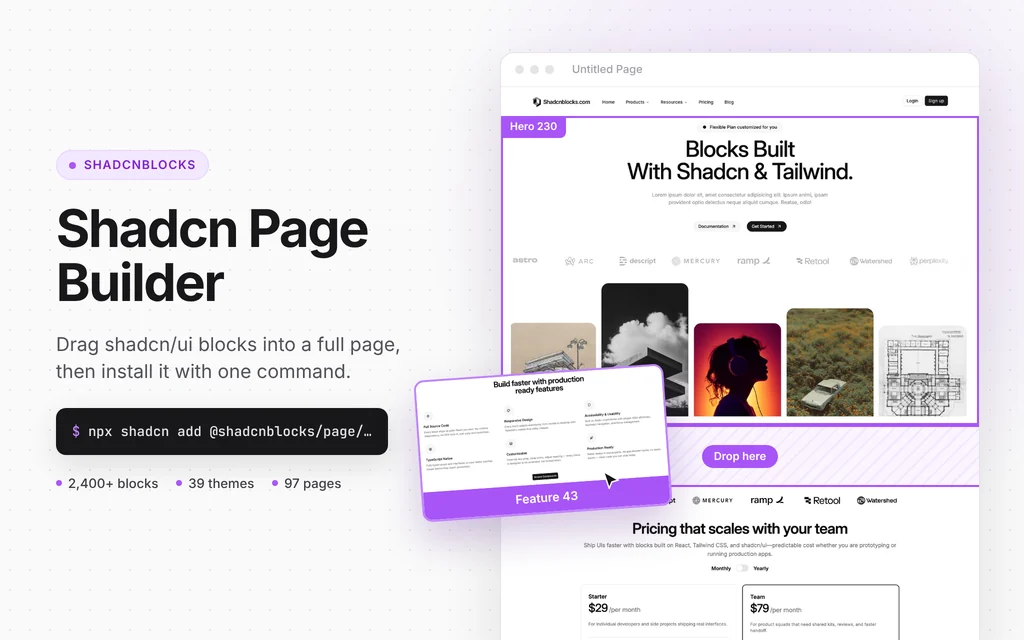
Drag-and-drop shadcn/ui page composer that installs pages with the shadcn CLI
Nucleo Icons
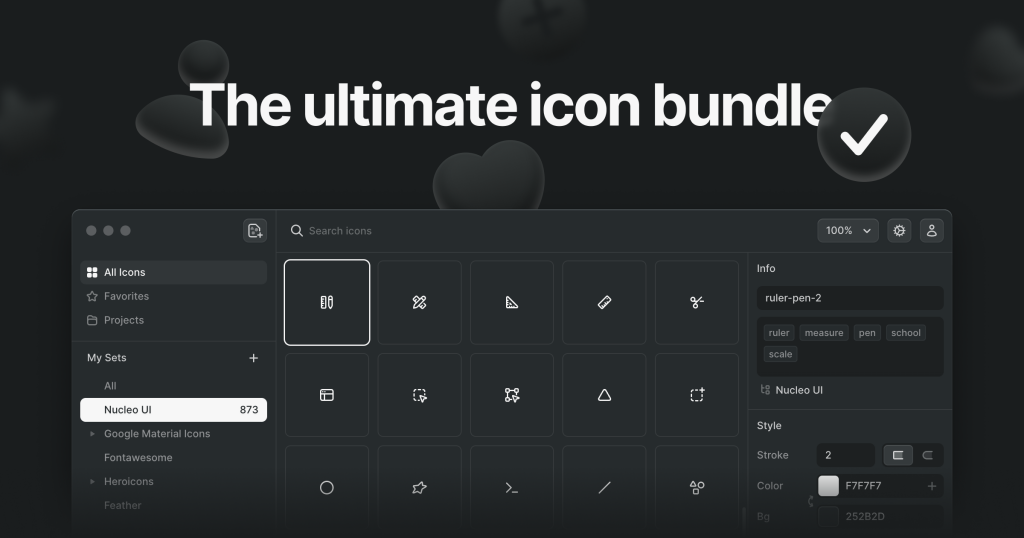
45,080 SVG icons for a one-time $149, with React packages and an MCP server
FreemiumDesign
nucleoapp.comExplore the product
AT A GLANCE
- Website
- nucleoapp.com
- Pricing
- Freemium
- Categories
- Design
- Listed
- Mar 2026
- Updated
- Nov 2026
Details about Nucleo Icons
KEY POINTS
- One-time payment
- React package
- MCP
- Web app
- Lifetime updates
Short verdict: Nucleo sells 45,080 icons in five families for a one-time $149, and the parts a developer touches hold up: the React components use currentColor, take Tailwind classes without a wrapper and bundled to 1.6 KB gzip in our 10-icon test. The catch is how the icons reach your code. The paid npm packages check a license key on every install, including in CI, and the new MCP setup writes to your editors' global configuration. It suits React teams and designers who want one consistent paid set without a subscription. Teams on Vue, Svelte or Angular, or anyone shipping more than 100 icons in public source code, should look elsewhere.
How we reviewed it: On 22 November 2026 we used the Nucleo web app without an account: we searched the UI family for "settings", "shopping cart" and "chart", opened free and PRO icons, and copied SVG, TSX, React and prompt exports. We installed the free nucleo-ui-essential-outline-18 React package with an empty npm cache (Node.js 22.23, npm 10.9), bundled 10 icons with esbuild 0.28 and rendered them on a test page with Tailwind CSS 4.3. We read the source of the @nucleoicons/skills CLI on npm but did not run its setup, because it edits your AI tools' configuration. We did not buy a license, so the paid packages, the desktop app and the licensed MCP install are described from Nucleo's documentation. Prices and license terms come from nucleoapp.com on the same day.
What you get for $149
| Price | $149 one-time for all five families and one seat, shown against $465 for the families bought separately. 2 seats $219, 5 seats $349, 10 seats $649, 20 seats $1,249. One family costs $99 (Micro Bold $69). Lifetime updates; 25% off for students and teachers on request. |
|---|---|
| Icons | 45,080 per the web app's upgrade prompt (the home page says 40,000+): Core 19,128, UI 16,520, Sharp 3,887, Pixel 3,718, Micro Bold 1,827. Free families on top: Glass, Flags, Arcade, Isometric, Cursors, Social Media and Credit Cards. |
| Styles | Core in outline and fill at 24 px (also 32 and 48 px); UI in outline, outline duo, fill and fill duo at 12 and 18 px. Stroke width is adjustable for Core and UI. |
| Formats | Web app: SVG, PNG, TSX, a React usage line and an AI prompt. Desktop app for Mac and Windows (two devices per license): SVG symbols, icon fonts, JSX and Vue code. Buyers can download every icon as SVG. |
| Packages | React only, on npm: nucleo-ui-outline-18 1.5.1 and its siblings, released 5 September 2026. Paid packages need NUCLEO_LICENSE_KEY; free "essential" subsets install without one. |
| AI | MCP server and agent skills for Cursor, Claude Code and Codex through @nucleoicons/skills 0.1.10 (5 November 2026), writing React, Vue or plain SVG. |
| License | Unlimited personal, commercial and client projects. Everyone who browses or manages the icons needs a seat. Public source files (open source, templates, themes, plugins) may include up to 100 icons. Products that let users pick icons need the Extended License: $1,249 for up to 1,000 icons or $2,499 unlimited. License terms |
What we found in the web app and packages
Free icons sit among PRO ones, and they export without an account
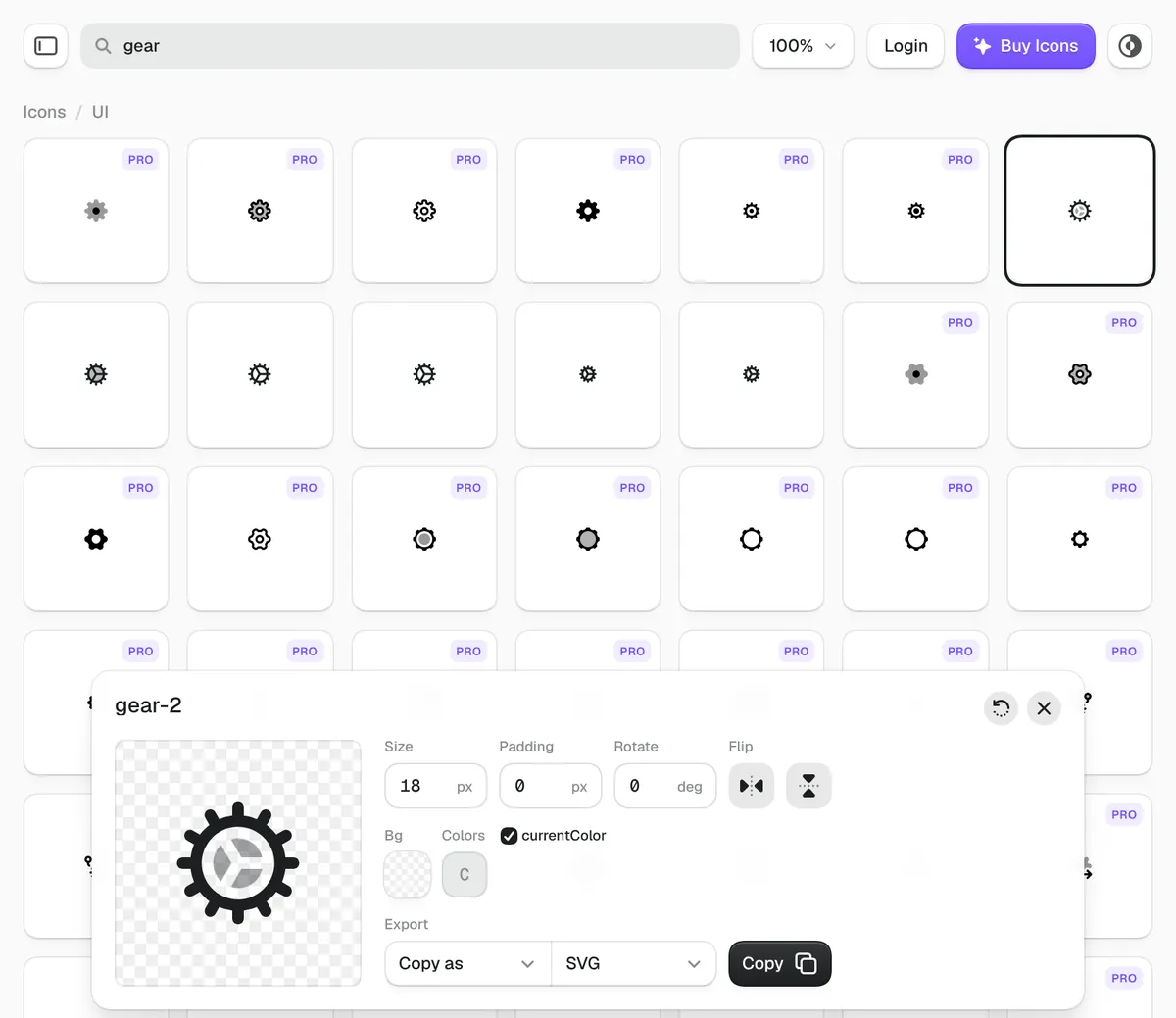
The web app opens on the UI family with no sign-in. Search counts every style and size as a tile: "settings" returned 582 tiles (120 icon names), "shopping cart" 140 (28 names) and "chart" 394 (85 names). Only 24, 16 and 8 of those tiles were free, from 5, 3 and 2 icon names. A free icon opens an editor with size, padding, rotation, flip, colors and stroke width, then copies or downloads it as SVG, PNG, TSX, a React line or a prompt for Nucleo's AI skills. Clicking Copy on a PRO icon opens an upgrade prompt instead.
The SVG copy is hard-coded until you tick currentColor
By default the web app copies SVG with fill="#1c1f21", so Tailwind's text-* classes would not color it. Ticking the currentColor box switched the same copy to fill="currentColor", and the TSX export uses currentColor without being asked. Check that box before you paste a batch of icons into a Tailwind project.
The React components take Tailwind classes as they are
The free nucleo-ui-essential-outline-18 package holds 221 outline icons, a preview of the 18 px UI family. Each component draws with stroke="currentColor", accepts className, size and strokeWidth (1.5 by default), and marks secondary parts with data-color="color-2". On our test page size-6 and size-8 overrode the 18 px attributes, text-indigo-600 colored the whole icon, and the arbitrary variant Nucleo documents, **:data-[color=color-2]:text-amber-500, gave the door, the magnifier handle, the cart wheels and other details a second color. The free subset has no arrow-right, so we used the chevron.
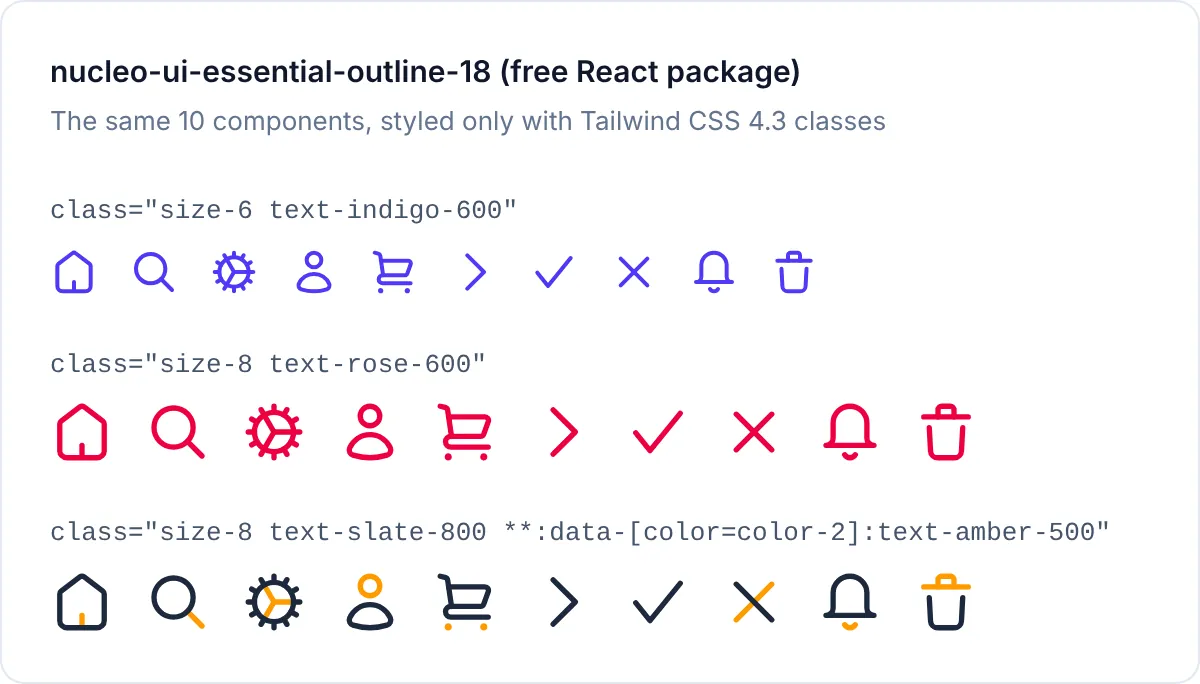
size-* and text-*, and the second color comes from one arbitrary variant.Paid npm packages check your license on every install
The full packages are public on npm (the 18 px UI outline package is 23 MB unpacked, 20,557 files), but each runs an account-check script as its preinstall step, and Nucleo's docs say to set NUCLEO_LICENSE_KEY first. They also tell you to add the key as an environment variable on Vercel, Netlify or GitHub Actions, so every machine that runs npm install needs it. The package is in wide use: nucleo-ui-outline-18 recorded 516,603 downloads in the week of 9 to 15 November 2026. There is no Vue, Svelte or Angular package.
The MCP setup writes to your global editor settings
Nucleo now steers developers to its AI integration. npx @nucleoicons/skills setup --target react --tools cursor signs you in, downloads your licensed families to ~/.nucleo/skills, installs a local MCP server and copies agent skills for Cursor, Claude Code or Codex; with --free it installs only the free families, without an account. The CLI's source shows that it registers the server in user-level files (~/.cursor/mcp.json, ~/.claude.json, ~/.codex/config.toml) and copies skills into folders such as ~/.claude/skills, so it applies to every project on the machine, not one repository. Nucleo also suggests a prompt that migrates a project from the React packages to agent-written components. The CLI is at 0.1.10 and was first published on 28 July 2026, so expect changes.
100 icons is the limit for public code
The standard license covers unlimited private and client projects, and clients may keep using the icons inside the work you deliver. Once source files are public, as in an open-source repository, a template or a plugin, you may include at most 100 Nucleo icons, and open-source use needs Nucleo's copyright notice. If you sell a template, count its icons first. Letting your users browse and pick icons inside your product needs the Extended License.
Output and build
Measured on 22 November 2026 with the free package, one run each:
| What we measured | Result |
|---|---|
| Install, empty npm cache | 1.7 s, 5 packages (React, React DOM, scheduler and tslib come along), 14 MB on disk |
| Package size | 1.37 MB unpacked, 1,344 files (the paid UI outline package: 23 MB) |
| 10 icons, esbuild minified | 8,302 bytes, 1,641 bytes gzip |
| Color | currentColor in React and TSX code; opt-in for SVG copied from the web app |
| Accessibility defaults | No aria-hidden or role; a title prop adds a <title> |
Unused icons stay out of the bundle because the package declares sideEffects: false. With the same 10 icons and settings, Tabler Icons came to 1,532 bytes gzip, Heroicons to 1,915 and Font Awesome's React setup to 27,218, so Nucleo sits with the lightest libraries we measured.
What you still have to set up
The license key in CI. Add
NUCLEO_LICENSE_KEYto every environment that runsnpm install, and buy a seat for each person who picks icons.Accessible names. Add
aria-hiddento decorative icons and atitleoraria-labelto icons that carry meaning.Non-React projects. Vue, Svelte, Angular and plain HTML work from exported SVG or from code the AI integration writes, not from a package.
Design handoff. We found no Figma plugin on nucleoapp.com; designers work from the desktop app or SVG files.
Pros and cons
Pros
One payment of $149 covers all 45,080 icons with lifetime updates, with no renewal.
The React components use
currentColor, accept Tailwind classes and take a second color throughdata-color.Our 10-icon bundle was 1.6 KB gzip, in line with the lightest free libraries.
The free web app shows every icon and exports free ones without an account.
Cons
Paid npm packages need a license key on every install, including CI.
React is the only package; Vue only through the desktop app or the AI integration.
At most 100 icons in public source files such as templates and open-source repositories.
The free subset is thin: 5 of the 120 "settings" icon names, and no arrow-right in the free React package.
The MCP setup changes user-level editor configuration, and its CLI is at version 0.1.
How Nucleo compares
Font Awesome has a free tier and Vue, Angular and Svelte packages, but Pro is a subscription (Solo $96 a year) and its React setup bundled our 10 icons to 27 KB gzip. Pick it for framework coverage beyond React.
Hugeicons gives away 6,000+ icons under MIT and runs a hosted MCP server that needs no key; Pro is $99 a year or $1,197 one-time. Pick it if a large free tier matters more than a low one-time price.
Lineicons also sells a lifetime license ($99 for one user) and has 2,299 free MIT icons, but its React package bundled our 10 icons to 4.6 KB gzip.
Streamline HQ has a far larger catalog, sold by subscription ($228 a year for icons) with a 100-icon cap per project and no npm package.
Free libraries. Tabler Icons (6,545 icons, MIT), Lucide (2,095, ISC) and Heroicons (316, MIT, from the makers of Tailwind CSS) cost nothing and have no seat or public-code limits. Nucleo's case against them is its duotone styles, the 12 px and 18 px UI grids and the size of the catalog.
See all design tools for more options.
Who should buy Nucleo
Buy Nucleo if you build React interfaces, want one consistent icon family across a product and its marketing site, and prefer paying once to renewing a subscription. The UI family's 12 px and 18 px grids and duotone styles suit dense dashboards. Look elsewhere if your stack is Vue, Svelte or Angular, if you publish templates or open-source code with more than 100 icons, or if a free library already covers the icons you need.
FAQ
Is Nucleo a subscription?
No. Nucleo is a one-time purchase: $149 buys all five icon families for one person, with lifetime updates. More seats cost $219 for 2, $349 for 5, $649 for 10 and $1,249 for 20.
Can I use Nucleo icons in client work and templates?
Yes for client work: clients can keep using the icons inside the project you deliver. Templates, plugins and open-source projects with public source files may include up to 100 Nucleo icons, and open-source use also needs Nucleo's copyright notice.
Do Nucleo icons work with Tailwind CSS?
Yes. The React components use currentColor, so text-* classes color them and size-* classes size them, and parts marked data-color="color-2" take a second color through an arbitrary variant. SVG copied from the web app needs its currentColor box ticked first.
Do I need a license key to install the npm packages?
Yes, for the paid packages: set NUCLEO_LICENSE_KEY before npm install, including on Vercel, Netlify or GitHub Actions. The free essential packages, such as nucleo-ui-essential-outline-18, install without a key.
Does Nucleo support Vue or Figma?
Partly. There is no Vue package, but the desktop app exports Vue code and the AI integration can insert Vue components. We found no Figma plugin.
Get new tools like Nucleo Icons weekly
Every Monday: the templates, components and tools added to Tailkits that week, each checked by an editor. Free, unsubscribe in one click.
17 new in the last 30 days313 products reviewed so farSee what you get
KEEP EXPLORING
More design tools