Email API with no approval queue, React Email support; $35 for 100,000 emails
React Email
Free React components for email, with Tailwind inlining and a local preview
FreeEmail
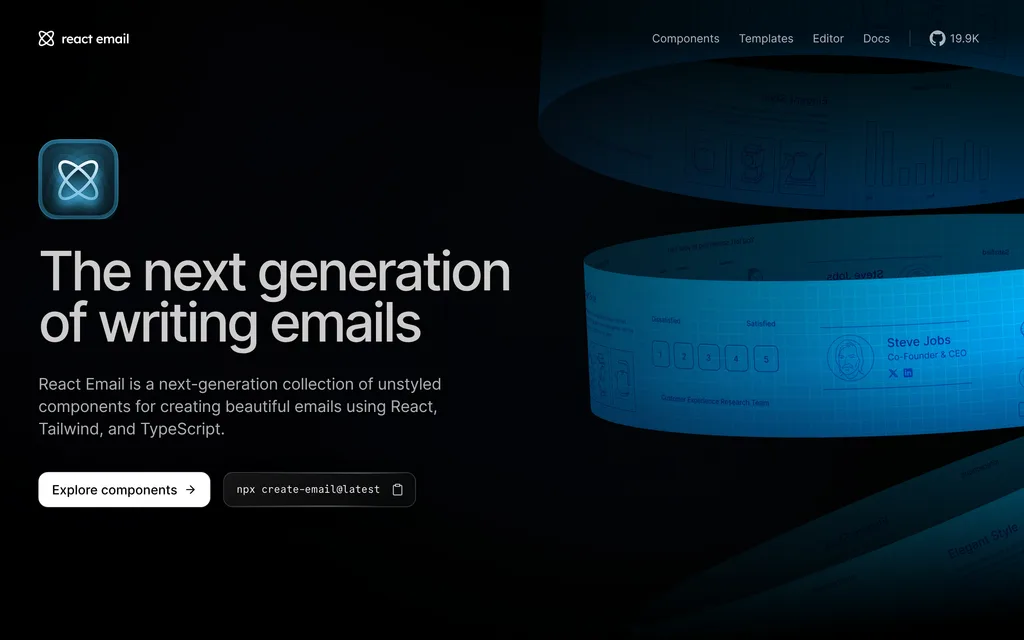
react.emailExplore the product
AT A GLANCE
- Website
- react.email
- Pricing
- Free
- Categories
- Listed
- Sep 2026
- Updated
- Oct 2026
Details about React Email
Short verdict: React Email lets a React team write transactional emails as typed components, turns Tailwind CSS 4 classes into inline styles, and flags broken links and Outlook-unsupported CSS down to the source line. Its weak spots are a plain-text version that needs cleanup, rem values the pixel preset leaves behind, and a preview that uploads every email you open to React Email's spam-check service without saying so. It suits React and Next.js teams sending receipts, sign-in links and notifications through any provider. Teams outside React, or anyone who wants fine control over Outlook, should look at Maizzle first.
How we reviewed it: On 21 October 2026 we followed the docs' Automatic Setup guide on Linux (Node.js 22.22, npm 10.9, empty npm cache), ran the preview server, and built our own order receipt with product images, a totals table and a button, styled with the Tailwind component. We rendered it with render() and toPlainText() and timed installs and renders. We sent no email, created no Resend account and did not test real Gmail, Outlook or Apple Mail inboxes, so client support comes from the preview's checks and the docs. Version, download and GitHub figures come from npm and GitHub that day.
What React Email includes
| Price | Free and open source under the MIT license. React Email is made by Resend. |
|---|---|
| Version | 6.11.3, released 16 October 2026, with 44 stable releases since 6.0.0 on 16 April 2026 (npm) |
| Packages | react-email (19 components, render functions and the email CLI), @react-email/ui (the preview server, a dev dependency) and an optional visual editor, @react-email/editor |
| Extras | 69 copy-paste components in 25 categories by our count (React Email says 60+), 5 official template sets and 18 community templates |
| Requirements | Node.js 20.19 or later, React 18 or 19 |
| Sending | Any provider that accepts HTML; the docs have guides for 17 services |
| Project health | 19,853 GitHub stars, 4 open issues, 30 open pull requests; 6.16 million npm downloads in the week of 28 September to 4 October 2026, the last week with complete npm data. Source on GitHub |
What we found building an order receipt
The quickstart works once you add one step
npx create-email@latest took 1.9 seconds and created a react-email-starter folder with four sample templates. The docs then say to run npm install without saying to enter that folder, so following them literally ends in an npm "Could not read package.json" error. Inside it, npm run dev had the preview at localhost:3000 in 2.2 seconds, and edits showed up about 1 second after saving, without a page reload.
Tailwind classes come out as inline styles
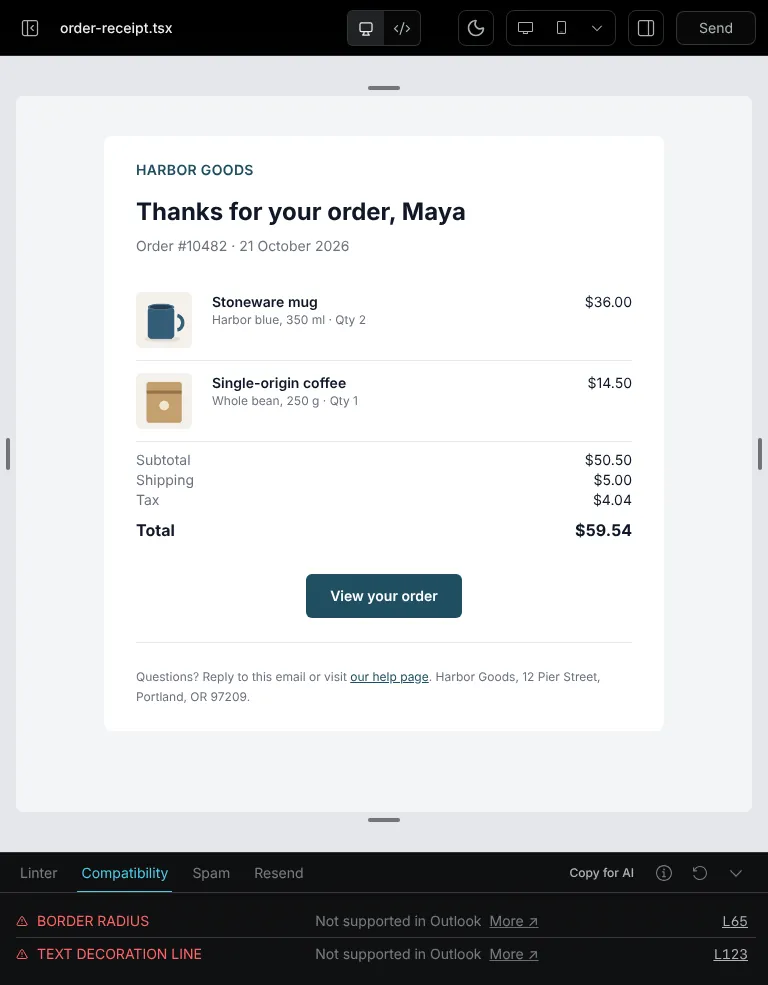
Our receipt used Row and Column for line items and totals, Img for product photos and Button for the order link, styled with Tailwind and the pixelBasedPreset. render() returned 11 nested layout tables with 55 inline style attributes. Tailwind 4's oklch colors became rgb(), and the only class left was our responsive max-sm:px-4, now a media query: at 375 px the side padding dropped from 32 px to 16 px. The button includes Outlook-only conditional code for its padding.
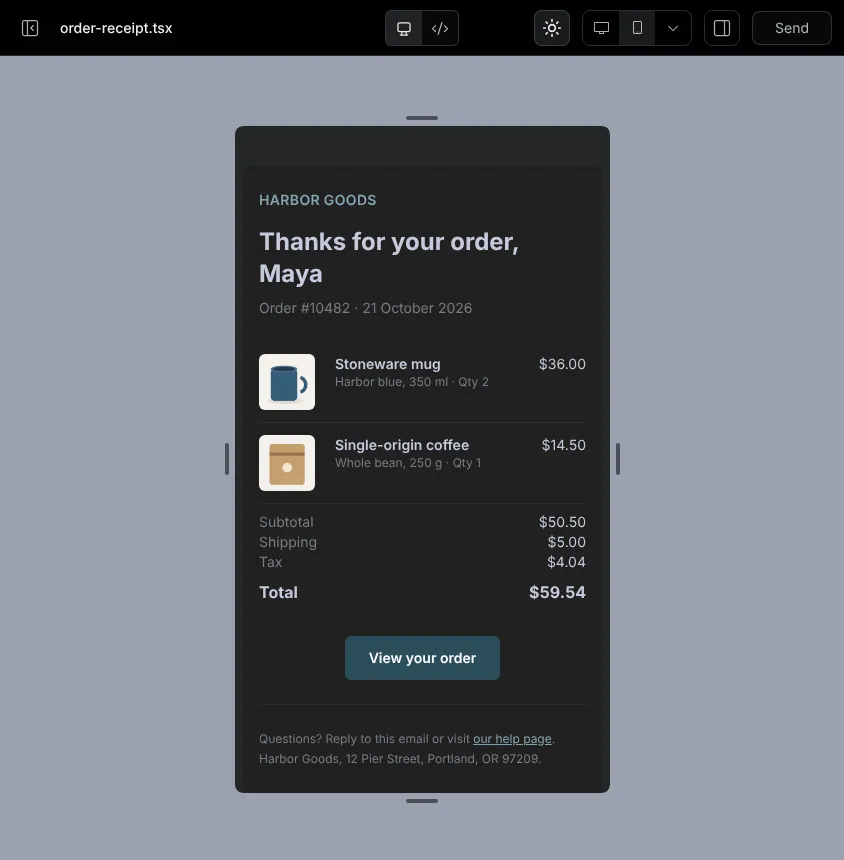
The docs recommend the pixel preset because some clients don't support rem, yet the output kept border radius in rem (0.375rem for rounded-md) and the breakpoint at 40rem. As the docs warn, space-y-4 is not inlined; it became a <style> rule aimed at the table body instead of the paragraphs.
Checks that point to your source lines
The Linter panel fetches every link and image. It reported our two example.com links as HTTP 404 and, in a second test, a missing image and an http:// link, each with a line number. The Compatibility panel, built on Can I Email data, warned that border-radius and text-decoration-line don't work in Outlook and named lines 65 and 123 of our template. The Spam panel scored the receipt 10/10. One gap: when we left alt off an Img, the component wrote alt="" and the Linter stayed silent.
The spam check uploads your email
Every time a preview opens in email dev, the toolbar sends the rendered HTML and plain text to react.email/api/check-spam, a SpamAssassin service run by React Email. We saw the request on each page load, before opening the Spam panel, and found the call in the @react-email/ui 6.11.3 source, which also runs it during email build. The docs don't mention it, so keep real customer data out of PreviewProps. The Send button delivers a real test email through a similar endpoint; we did not use it.
The plain-text version needs cleanup
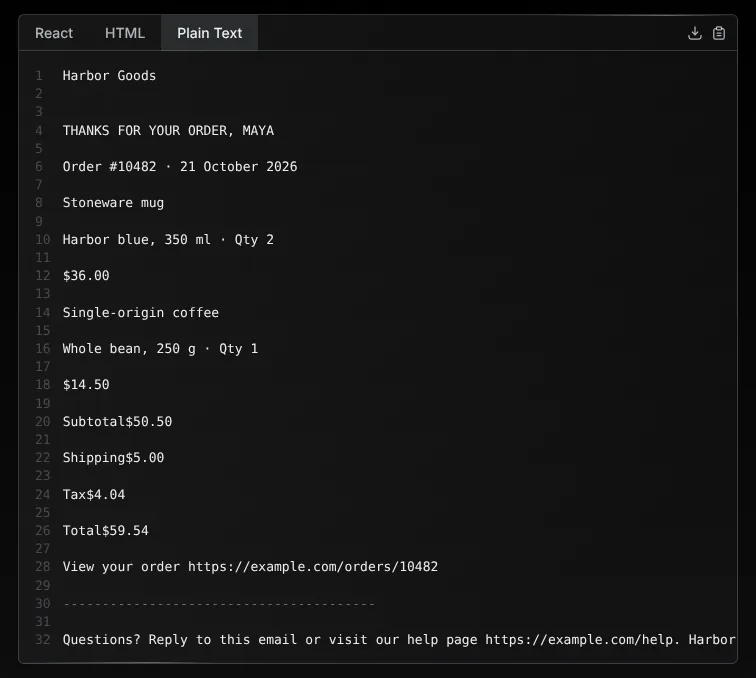
toPlainText() produces the text version, also shown in a Plain Text tab. Links follow their text, but cells in a row run together: "Subtotal$50.50", "Total$59.54". The function accepts html-to-text options; we did not test whether they fix this.
Output and build
Measured on 21 October 2026, one run each unless noted:
| What we measured | Result |
|---|---|
| Starter install, empty npm cache | 139 packages, 17.6 s, 474 MB |
| Production install (react-email, react, react-dom) | 117 packages, 6.3 s, 79 MB |
Receipt render() | 155 ms first call, 17 ms median of the next five |
| Receipt HTML | 10,315 bytes (18,969 with pretty()) |
| Plain-text version | 463 bytes |
| CSS inlined | Yes, except media queries, dark: and hover: |
Next.js 16.4.1, used by the preview server, is 307 MB of the starter's 474 MB and stays in dev dependencies. The production install still pulls 117 packages because version 6 ships components, render code and CLI in one package, with esbuild, Babel, socket.io and Prettier. Check that if your sending code has a bundle size limit. The static email export command for non-JavaScript backends renders templates with empty props, so our receipt, which needs order data, failed with a TypeError. The docs also trail the package: the Tailwind page names tailwindcss 4.1.12 (4.3.3 installed), and the changelog stops at 6.0.0.
What you still have to build
Sending. React Email only produces HTML and text. Pass both to a provider such as Postmark or Amazon SES; Resend's SDK also accepts the component directly.
Image hosting. Files in
emails/staticare only served by the preview; our receipt renderedsrc="/static/mug.png". Production emails need absolute URLs on your own host.Real-client testing. The preview is a browser and the compatibility check reads support tables. Test in real inboxes, especially Outlook.
Plain text and alt text. Review the text version of table layouts and add
altto every image yourself.
Pros and cons
Pros
Typed React templates with props, and a preview that updates as you save.
Tailwind CSS 4 classes are inlined with
rgb()colors, and responsive classes survive as media queries.The checks caught broken links, a missing image, an insecure link and Outlook-unsupported CSS, with line numbers.
Free under MIT and released often.
Works with any sending service.
Cons
The preview uploads every email you open for a spam check, without asking.
The pixel preset leaves rem values, and
space-*andprosedon't work.Plain text runs table cells together, and a missing
altonImggoes unreported.The quickstart skips a step, and parts of the docs lag the current version.
React only.
How React Email compares
Maizzle builds emails from Vue components and Tailwind CSS, with CSS inlining, a Vite plugin and Outlook components such as
OutlookBgandVml, per its docs. Version 6.2.2 shipped on 17 October 2026 and gets about 89,000 weekly npm downloads. Choose it if your app is not React or you want more Outlook control; its docs cover moving from React Email.
See all email tools, including sending services.
Who should use React Email
Use it if your product runs on React or Next.js, you send transactional email from JavaScript, and you want templates reviewed in pull requests like the rest of your code; budget time for real-inbox tests and a plain-text pass. Look elsewhere if your templates live in a Vue, Laravel or non-JavaScript codebase, if non-developers design your marketing emails, or if policy forbids sending template content to outside services during development.
FAQ
Do I need a Resend account to use React Email?
No. We installed it, previewed templates and rendered our receipt without one. render() returns HTML and plain text you can send with any provider; only the preview's Resend panel and the email resend setup command need a Resend API key.
Does React Email send my templates anywhere?
Yes, during development. Every time you open a template in the preview server, it posts the rendered HTML and plain text to react.email for a spam score, so use sample data in PreviewProps. The render() code you call in production contains no network requests.
Does React Email support Tailwind CSS 4?
Yes. Version 6.11.3 installs Tailwind CSS 4.3.3 and turns classes into inline styles with rgb() colors. Classes that need selectors, such as space-y and prose, do not work, and responsive, dark: and hover: classes stay in a style block.
Can I use React Email if my backend is not JavaScript?
Partly. The email export command writes static HTML files you can fill in with your own templating, but it renders templates without props, so each template has to work with empty data.
Is React Email free for commercial projects?
Yes. React Email and its editor package are MIT-licensed, so you can use them in commercial and client projects.
KEEP EXPLORING
More email tools