
Next.js and Astro single-product store with a model picker and checkout UI
Aubergine
Astro landscaping theme with before-and-after projects and a quote form
PaidTemplates
lexingtonthemes.comExplore the product
AT A GLANCE
- Website
- lexingtonthemes.com
- Pricing
- Paid
- Categories
- Templates
- Listed
- Mar 2023
- Updated
- Oct 2026
Details about Aubergine
KEY POINTS
- Tailwind CSS v4
Short verdict: Aubergine is a landscaping site with the content structure already worked out: six service pages with scope, steps and their own questions, six projects that put a before photo beside the finished garden, a month-by-month care calendar, 21 towns with drive times and a quote form that asks for size, budget, timing and photos. It is also light, with a project page scoring 99 for performance on mobile. The main gap is lead capture: the quote and contact buttons are coded as plain buttons, so neither form submits, and every page carries placeholder SEO titles. It suits a garden design or landscaping company with good photos and a developer for an afternoon of fixes. It is the wrong buy if you want online booking or published prices, or the dark agency theme Aubergine used to be.
How we reviewed it: On 30 October 2026 we used the live Astro demo in Chromium at 1,280 and 1,024 px wide and on a 390 px phone screen. We opened all 49 pages in its sitemap, filled in and submitted the quote and contact forms while logging every network request, checked the slideshow with reduced motion on, and ran Lighthouse 12.8.2 once per page on the home page and a project page. We did not buy the theme, so we can't judge the source code, and only the Astro edition has a public demo: the Sanity and EmDash editions are untested. Prices and license terms come from lexingtonthemes.com on the same day.
Disclosure: Our links to Lexington Themes carry a referral tag.
What you get for $89
| Price | $89 one-time for the Astro edition; the Astro + Sanity and Astro + EmDash editions cost $129 each. Lexington Themes Full Access Personal costs $99 one-time (shown as 50% off $198) and includes Aubergine and the other 52 Astro themes, so for $10 more you get the whole catalog. |
|---|---|
| Version | Astro 7.4.1 and Tailwind CSS 4.3.3, per Lexington; the demo's CSS reports Tailwind v4.3.3. First released in June 2023 and rebuilt from scratch as a landscaping theme on 1 October 2026, according to the changelog. |
| Size | 11 static pages and 5 content collections, per Lexington. The demo's sitemap lists 49 URLs: 6 services, 6 projects, 4 team members, 6 journal posts with 4 topic pages, 3 legal pages and 6 style-guide pages, plus the static pages. |
| Stack | Astro, Tailwind CSS 4 and plain JavaScript (no Alpine.js or other framework in the demo). Lenis smooth scrolling and GSAP ship in one 50 KB script; the Switzer font is self-hosted. |
| Delivery and hosting | Access to a private GitHub repository after paying through Polar.sh. Static output for Netlify, Vercel or any static host, per Lexington's docs. No Figma or other design files. |
| License | Unlimited websites for yourself and for clients, commercial and white-label, for one named person per seat. You can't resell the theme as a template. License terms |
What we found in the demo
Services, process and a year of care
The demo is a garden company on the Valencian coast. Each of its six services (garden design, landscaping, planting and lawns, irrigation and lighting, garden care and seasonal work) has a duration, the area served, six included items, four steps and three questions of its own. The process page sets out five stages with durations, from a free visit within a week to two years of aftercare. The garden care page lists what a visit includes, a month-by-month calendar grouped by season and three visit rhythms (24, 12 or 4 visits a year) with no prices: as Lexington puts it, landscapers quote.
Projects with a before photo beside the garden
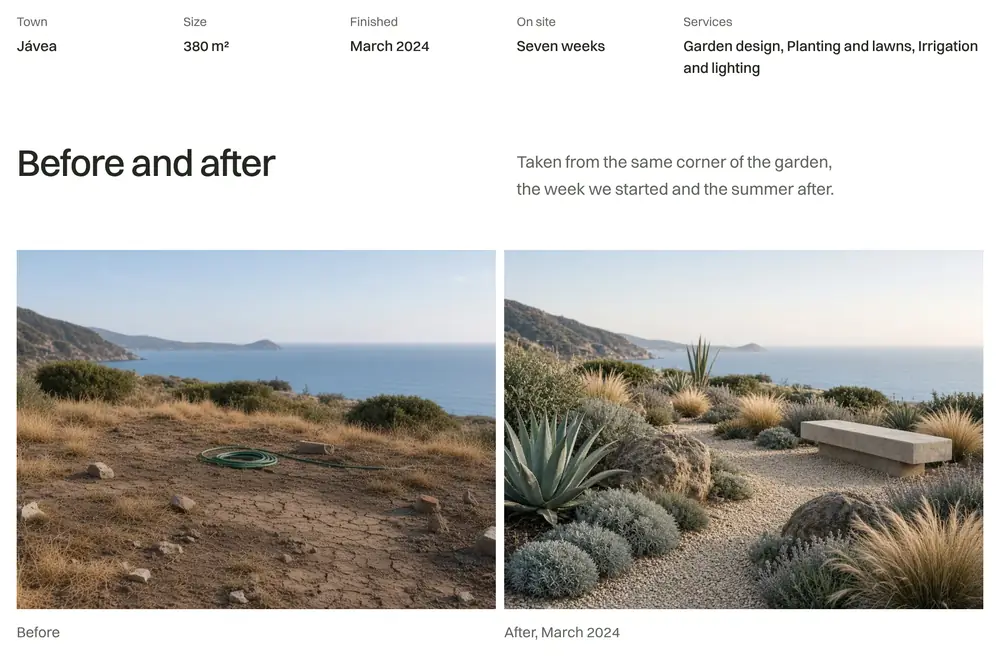
Each of the six projects opens with the town, size, finish date, time on site and services used, then a short account of the job, a before photo next to the finished garden taken from the same corner, more photos, a client quote and a link to the next project. The before and after pair is two still images side by side, not a comparison slider.
A quote form that never submits
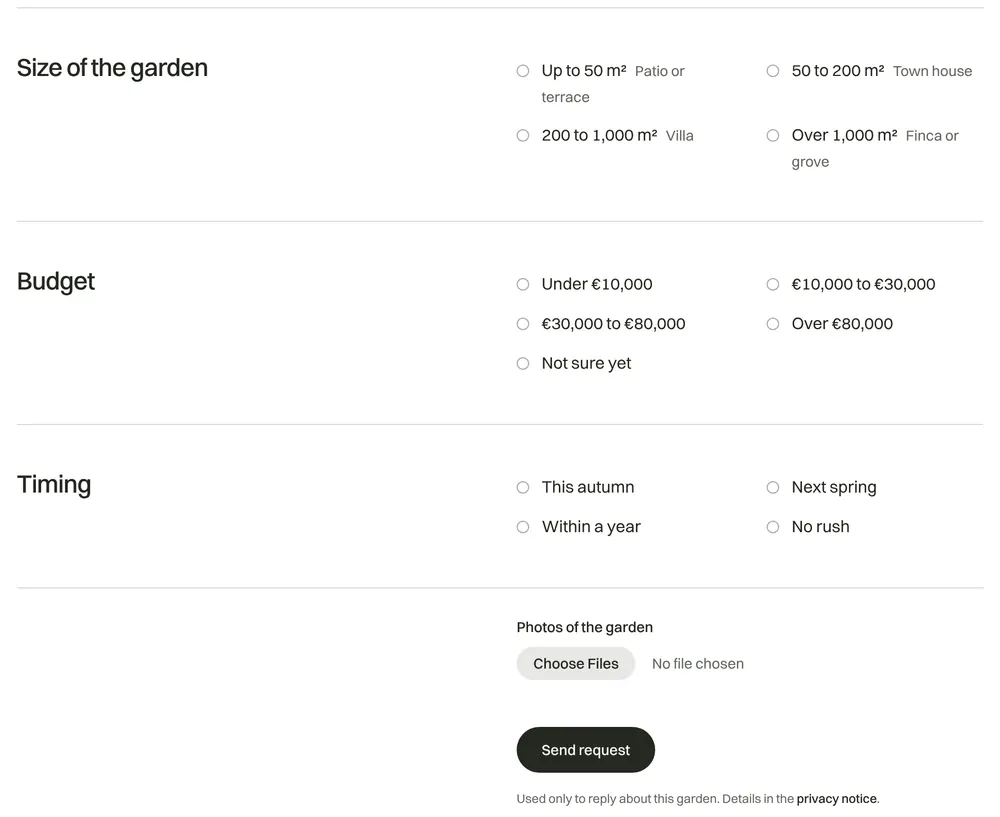
The free quote page asks what the garden needs (six services), its size (four ranges, from a patio to a finca), the budget (five bands, from under €10,000), the timing, a description, photos (several images at once) and contact details with the garden's postcode. It is the form a landscaper would want, but its Send request button is written as <button type="button" type="submit">. Browsers keep the first type, so it is a plain button: clicking it, or pressing Enter in a field, did nothing. No request was sent, no field was validated and no message appeared. The contact form has the same bug.
Fixing the attribute is not enough on its own. Both forms post to #_, and the static demo host answers a POST with an error (405), so you still need a form service, and for the quote form one that accepts photo uploads. Lexington's page does describe the form as "ready for your form service".
Home page, reviews, areas and mobile
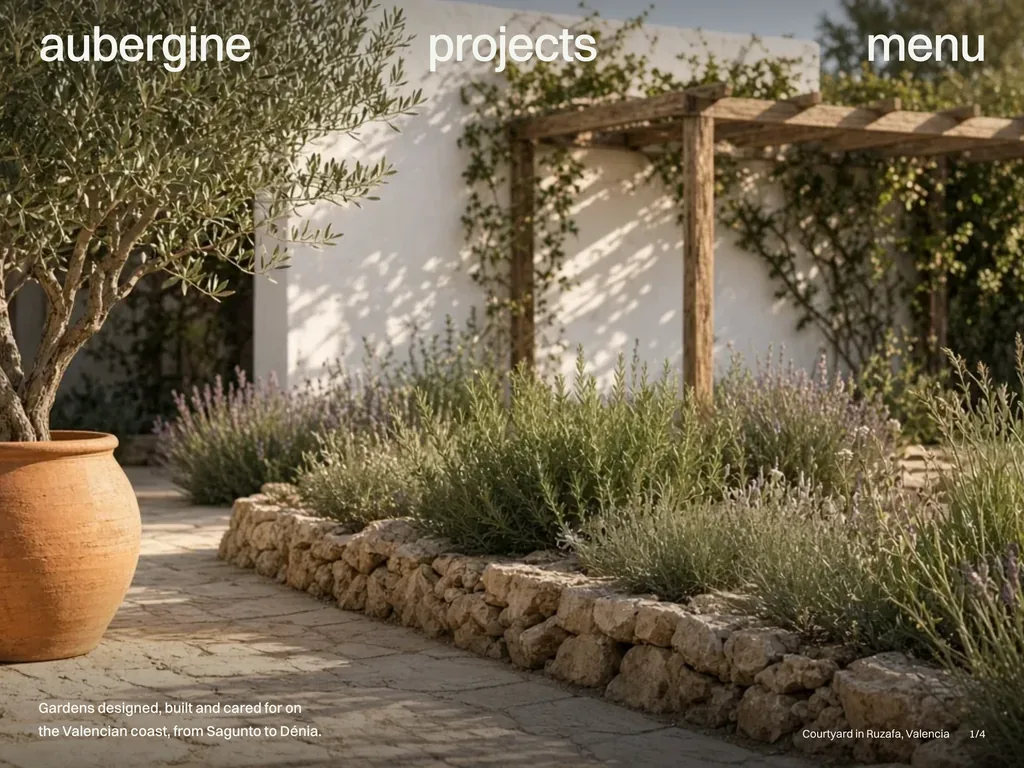
The home page opens on a four-photo slideshow with a caption and counter. It changes every 6 seconds, pauses when scrolled out of view and stays still for visitors who prefer reduced motion. The navigation is three large words (aubergine, projects, menu), and the menu is a dialog that closes with Escape. The reviews page has nine quotes, seven of them linked to their project, and claims "4.9 on average from 212 reviews", the areas page lists 21 towns with drive times from two yards, careers lists four roles with Apply by email links, and the FAQ has 20 questions in four groups. Sample addresses use the reserved .test domain, so test mail can't reach a real inbox. At 390 px wide, none of the seven pages we checked scrolled sideways.
Performance and SEO
One Lighthouse 12.8.2 run per page, 30 October 2026:
| Page | Performance | Accessibility | Best practices | SEO |
|---|---|---|---|---|
| Home, mobile | 86 | 100 | 100 | 100 |
| Home, desktop | 100 | 100 | 100 | 100 |
| Project, mobile | 99 | 100 | 100 | 100 |
| Project, desktop | 100 | 100 | 100 | 100 |
The weight is in the photos, and they are handled well: local WebP files resized by Astro. The home page transferred 1.0 MB on mobile and 1.9 MB on desktop, about 90% of it images, partly because the slideshow fetches all four hero photos once the page has loaded. The project page transferred 855 KB on mobile. JavaScript is one 50 KB file (Lenis and GSAP), and total blocking time stayed under 100 ms on every run. The metric worth working on is the mobile home page's largest contentful paint, the headline, at 3.8 s. Neither page failed an accessibility, best-practice or SEO audit.
Every page in the demo has the same placeholder title ("Your Page Title"), description and canonical URL (https://yourwebsite.com/current-page), and the sitemap and RSS feed point at yourwebsite.com; Lighthouse's SEO score only checks that these tags exist. There is no structured data, so a local business would need to add LocalBusiness markup with its address, phone and opening hours.
What you still have to build
Lead capture. Change both buttons to submit buttons and connect a form service that accepts photos, with a confirmation message.
SEO basics. Per-page titles, descriptions and canonical URLs, the site URL for the sitemap and RSS feed, and LocalBusiness structured data.
Real content and claims. The projects, the 4.9 rating from 212 reviews, 340 gardens planted, the 60% water saving and the two-year plant guarantee are samples to replace with your own.
Booking, if you want it. There is no calendar or online booking; first visits are requested through the quote form.
Pros and cons
Pros
The content model fits the trade: services, projects with before photos, a care calendar, a process page and areas served.
The quote form asks for size, budget, timing and photos, which is what a first visit needs.
Light and accessible: no failed accessibility audits, and Astro-optimized local images.
Motion is restrained: the slideshow pauses off screen and respects reduced motion.
Cons
The quote and contact buttons don't submit, and no form backend is connected.
Placeholder titles and canonical URLs on every page, and no structured data.
Before and after is a static pair rather than a comparison slider.
The home page is image-heavy on phones (1.0 MB and a 3.8 s largest contentful paint in our mobile run).
How Aubergine compares
Apex from Shadcnblocks ($79, Next.js and Astro editions) is a roofing and home services template with draggable before and after sliders, an inline booking calendar and contractor structured data. Our Apex review found its calendar only drafts an email and its home page weighs about 12.6 MB. Pick it for a React stack or if comparison sliders matter more than page weight.
Lexington has no other landscaping theme, so within its catalog there is no direct alternative.
See all templates for more options.
Who should buy Aubergine
Buy it if you build for a garden designer, landscaper or garden care company with good photos of finished work, and you can spend an afternoon fixing the form buttons, connecting a form service and writing page titles. Look elsewhere if the client needs online booking or published prices, or a dark, agency-style site.
FAQ
Does Aubergine's quote form work?
Not as shipped. Its Send request button is coded as a plain button, so nothing is submitted. Make it a submit button and connect a form service that accepts photo uploads; the contact form needs the same fix.
Is this the dark agency theme Aubergine used to be?
No. Lexington rebuilt Aubergine from scratch on 1 October 2026 as a light landscaping theme, and the agency pages are gone. Per Lexington, the previous version of a redesigned theme stays available as a tagged release in its GitHub repository.
Should I buy Aubergine alone or Lexington's bundle?
The bundle, if you might use a second theme. Aubergine alone costs $89, while Lexington's Full Access Personal costs $99 one-time and includes all 53 Lexington Astro themes, plus future themes.
Can I use Aubergine for client projects?
Yes. Lexington's license covers unlimited websites for yourself and for clients, including commercial and white-label work. Each seat is one named person, and you can't resell the theme as a template.
Which Aubergine edition should I buy?
The Astro edition ($89) is the one with the public demo we tested. The Astro + Sanity and Astro + EmDash editions cost $129 each and add a CMS (Sanity with live preview, or EmDash on Cloudflare Workers); we could not test them.
New templates like Aubergine, in your inbox
The best developer tools, templates and UI components added to Tailkits, each reviewed by an editor. Free, unsubscribe in one click.
18 new in the last 30 days314 products reviewed so farSee what you get
KEEP EXPLORING
More templates Good company for Aubergine.
Do you make Aubergine? Get a badge for your site
An optional "Featured on Tailkits" badge that links to this page. Pick light or dark and paste the code into your site, for example in the footer.